

Why I Stopped Trying to Fix SEO Inside the Editor
My old WordPress SEO routine was embarrassingly predictable.
I would open a post, see a weak score, scroll around for ten minutes, tweak a heading, add a sentence, rewrite the meta description, save it, and tell myself I had done “SEO work.” Then I would repeat that on another post until I got bored or distracted.
It felt productive. It was not.
The real problem was that I was treating every weak SEO score like a writing problem inside the editor. Sometimes it was. Most of the time it was not. A lot of those posts already had decent structure and useful content. What they did not have was consistent metadata, clear focus keywords, or a reliable rerank cycle after edits.
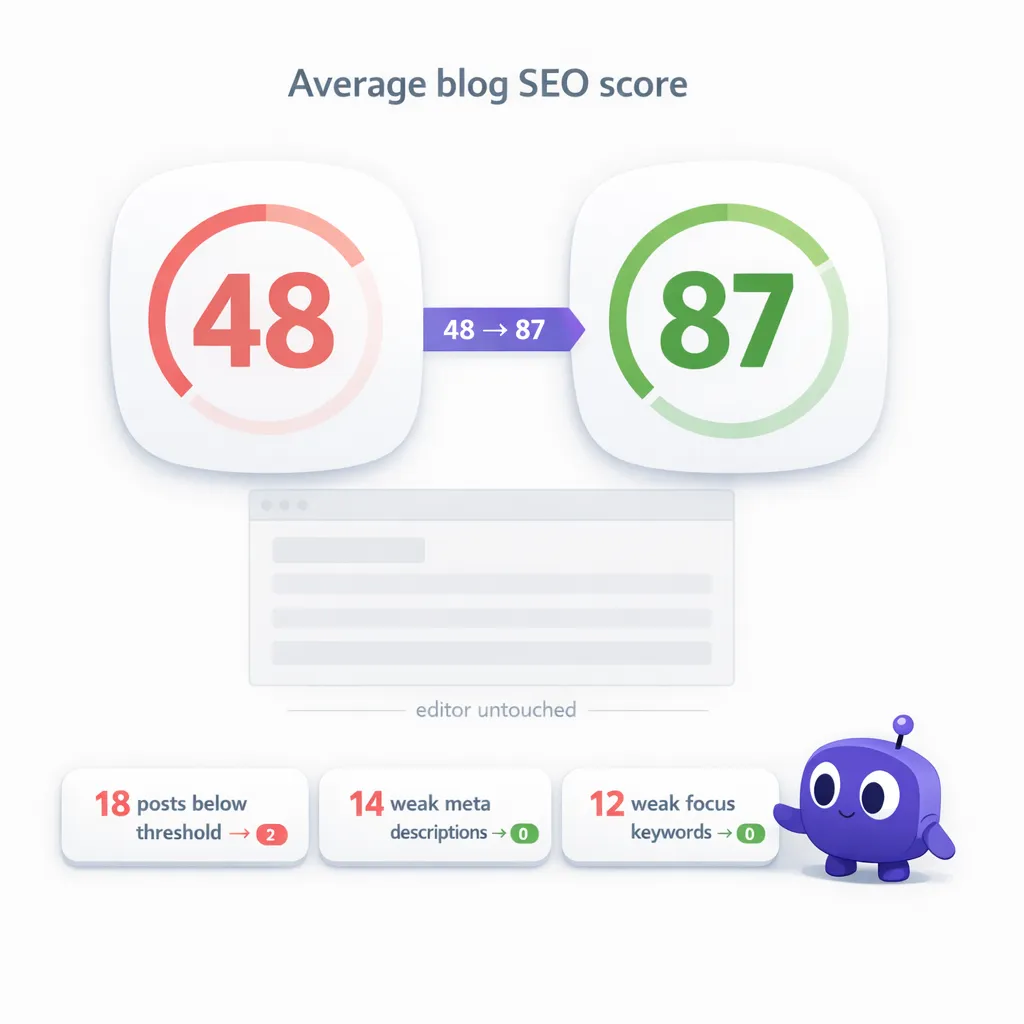
That is why my average blog SEO score stayed stuck around 48.
I kept opening the editor because that is what WordPress trains you to do. A score looks bad, so you go into the post and start poking at the content. But if the issue is really stale metadata or missing SEO support around the post, you can waste a lot of time editing body copy that was not the bottleneck in the first place.
I tried the manual route for weeks. It was slow, inconsistent, and weirdly draining. I would fix two posts, leave six untouched, and then come back later having forgotten what I changed the first time.
What Changed When I Let vLake Handle the SEO Layer
The turning point was deciding that I did not want to fix blog SEO one post at a time in the editor anymore.
I wanted the site scanned as a system.
So I ran vLake against the blog library, set the SEO threshold, and let the recommendation engine surface what needed attention. That shifted the work immediately. Instead of bouncing around inside individual posts, I had a queue of blog SEO tasks ranked by impact.
That queue was the difference.
vLake was not rewriting the body copy for fun. It was doing the unglamorous work that actually moves scores: identifying low-scoring posts, generating Rank Math-compatible focus_keyword, seo_title, and seo_desc fields, and making sure posts marked with needsRerank got rescored after the SEO updates landed.
And because I was working through recommendations instead of hunting inside the editor, I stayed consistent. That mattered more than I expected.
What vLake Actually Fixed
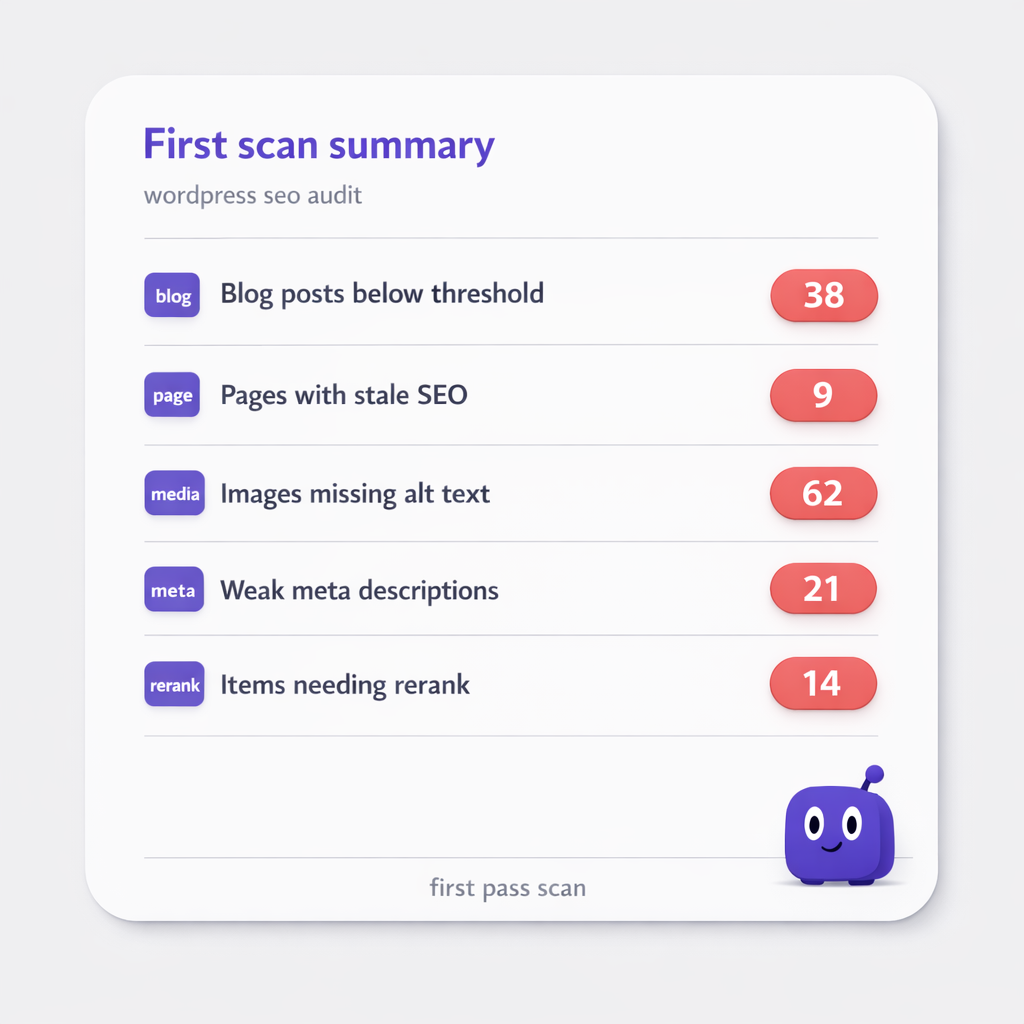
The first pass gave me a much clearer picture of what was dragging the scores down.
Across the blog posts I prioritized, here is what vLake surfaced:
- 18 blog posts below my SEO threshold
- 14 posts with weak or missing meta descriptions
- 12 posts with weak or missing focus keywords
- 9 posts that needed reranking after earlier edits
None of that required me to rewrite entire articles.
That was the point.
What surprised me was how many of the posts with low scores were posts I still liked. They were useful. They read well. They just were not packaged properly for search, and I had never built a reliable way to keep that part clean at scale.
I reviewed the first batch because AI-generated SEO fields can drift toward sameness if you never look at them. A few suggestions were too safe. Once I filtered those out and let the queue keep moving, the process got a lot smoother.
The best part was not opening the editor. I know that sounds small, but it changed the whole feeling of the work. I was not getting dragged back into line edits, re-reading my own paragraphs, or half-accidentally turning SEO cleanup into content rewriting. I was just improving the SEO layer around the content that was already there.
How the Scores Moved from 48 to 87
The score jump did not come from one dramatic change. It came from stacking a bunch of boring fixes consistently.
First, vLake cleared the weakest metadata across the priority posts. That alone fixed a lot of avoidable score drag.
Second, the rerank backlog stopped being invisible. Posts that had been edited earlier but never properly rescored finally got the follow-up they needed through the needsRerank workflow.
Third, I stopped interrupting the process by making unnecessary content edits. That probably sounds backwards, but it helped. The more I stayed out of the editor, the easier it was to let the recommendation queue do the specific work it was meant to do.
After about three weeks, the numbers looked like this:
Before
- Average blog SEO score:
48 - Blog posts below threshold: 18
- Posts with weak or missing meta descriptions: 14
- Posts with weak or missing focus keywords: 12
- Body edits made to improve SEO:
0useful ones, plenty of wasted ones before
After
- Average blog SEO score: 87
- Blog posts below threshold: 2
- Posts with weak or missing meta descriptions: 0
- Posts with weak or missing focus keywords: 0
- Body edits made to improve SEO: still
0
That last line is the whole story for me.
I did not get from 48 to 87 by sitting in the editor rewriting intros and shuffling paragraphs around. I got there by finally treating blog SEO like a system instead of a series of one-off rescue missions.
And just to be clear, a higher SEO score is not the same thing as instant rankings. I am not pretending that moving a score from 48 to 87 automatically means traffic doubles next week. But it does mean the site is cleaner, the metadata is stronger, and the blog archive is no longer quietly dragging itself down.
What This Means If Your Scores Are Stuck
If your WordPress blog SEO scores are low, I would not assume the body copy is the first thing to blame.
Sometimes the problem is the content. Sure. But a lot of the time the real issue is that the SEO layer around the content has been neglected for too long. Metadata went stale. Focus keywords were rushed. Earlier edits never triggered a proper rerank. The work that should have happened after publishing just… did not.
If that sounds familiar, I think the fastest win is to stop editing blindly and start looking at the blog library as a whole. That is what changed it for me. Once the work became a ranked queue instead of a messy editor habit, the scores moved fast.
What I Actually Needed
I did not need to touch the editor more. I needed a system that would clean up the SEO around the content I had already written.