

How I Manage a Blog-Heavy WordPress Site Without a Content Team
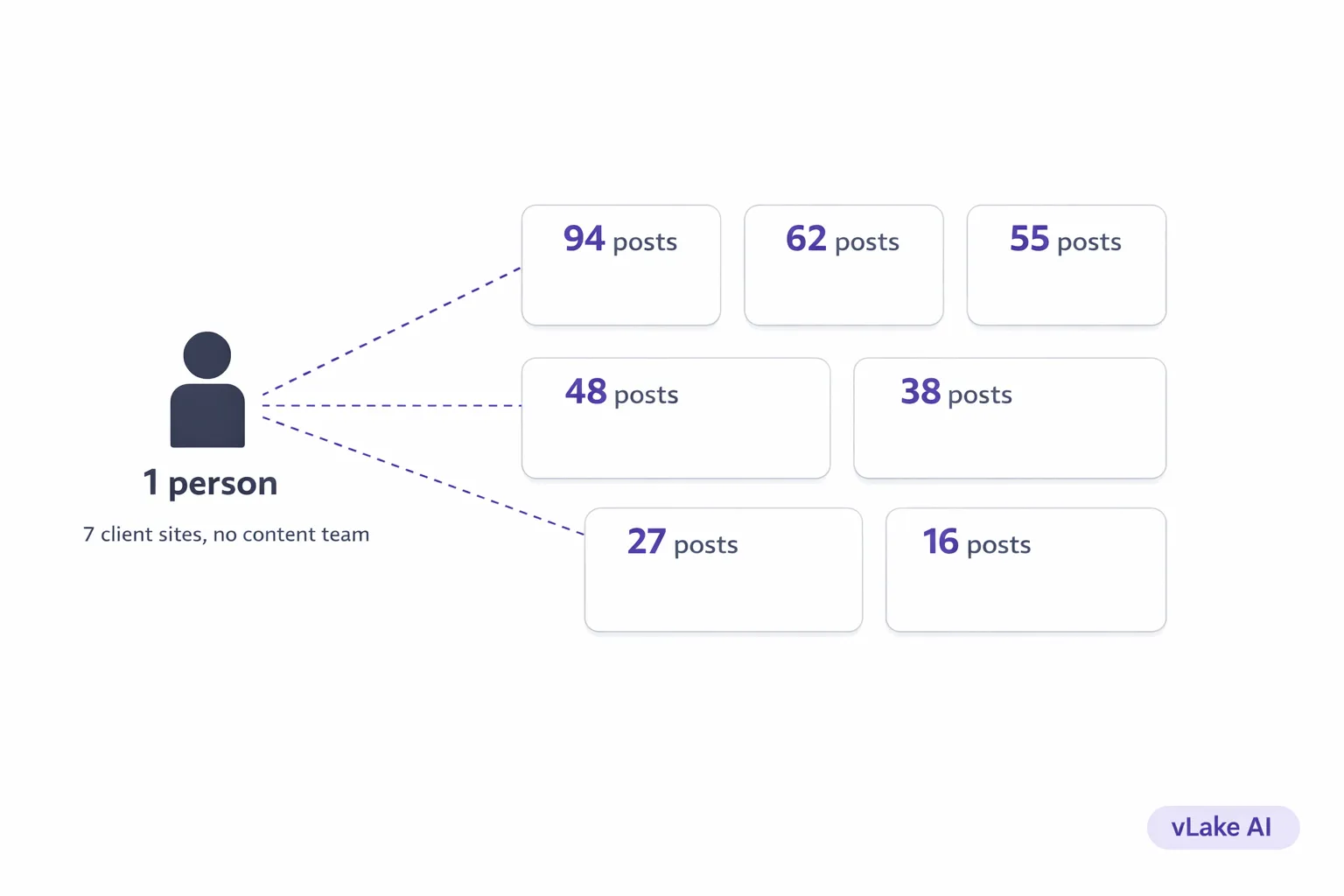
We run content for seven client WordPress sites. Between them, that’s somewhere around 340 published blog posts, 90 pages, and about 1,200 media assets.
We don’t have a content team. No writers. No editors. No SEO specialist. No one whose job title includes the word “content.” It’s me and two developers. The developers build things. I handle everything else.
A year ago, that “everything else” was slowly eating me alive. Now it takes about six hours a week across all seven sites. Here’s what changed.
What “Blog-Heavy” Actually Means for a Small Agency
When a client’s site has 15 blog posts, managing content is a to-do list item. When it has 60 or 80, it’s a full-time job that nobody budgeted for.
Blog-heavy sites have compounding maintenance problems. Every post needs SEO metadata that stays current. Every image needs alt text and reasonable file sizes. Categories and tags need to stay organized as the topic count grows. Old posts need updates when information changes. New posts need to keep publishing on schedule because Google rewards consistency.
For one site, you can muscle through it. For seven? We were drowning.
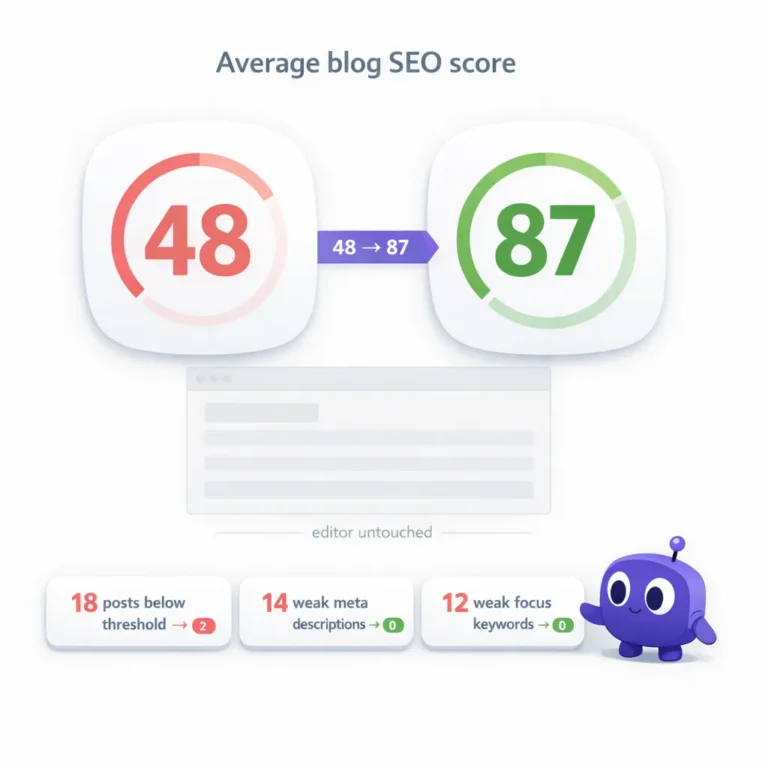
Our biggest client had 94 blog posts. I audited them one weekend and found that 31 had incomplete meta descriptions, 18 had no focus keyword set, 47 images across those posts were missing alt text, and 12 images were over 2MB each. The site’s average blog SEO score was 49.
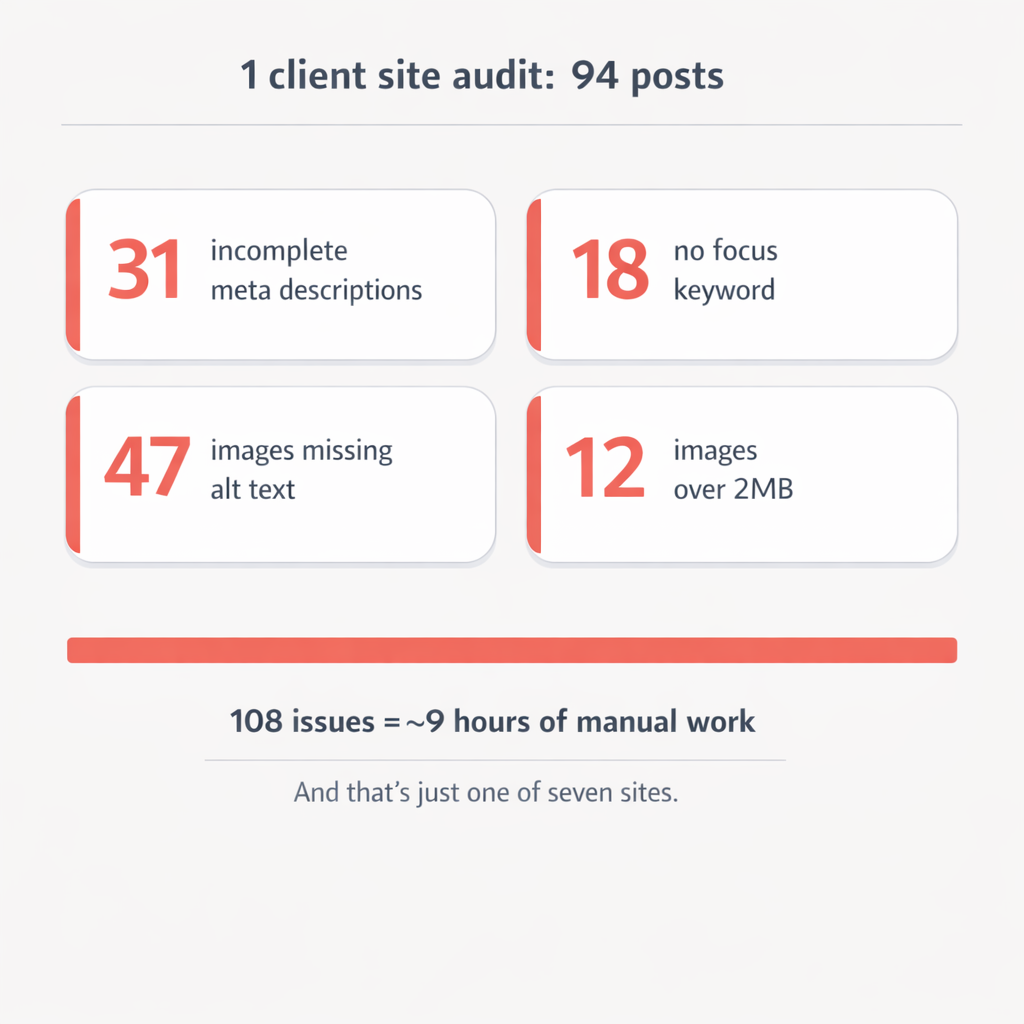
I knew about every one of those problems. I’d known for months. But fixing them meant opening each post individually, rewriting metadata, downloading and compressing images, uploading them back, writing alt text. At five minutes per fix, those 108 issues represented about nine hours of work. For one client. And the other six sites had their own backlogs.
That’s the reality of managing blog-heavy sites without a content team. The work doesn’t go away because you’re too busy. It accumulates.
The Week I Stopped Doing It Manually
I connected all seven client sites to vLake in the same week. Each site runs the WordPress plugin that exposes a REST API under the `vlake/v1` namespace. JWT authentication, takes about ten minutes to set up per site.
The first thing that happens after connection is the fetch layer pulls everything. Blogs, pages, media, patterns, templates, taxonomy, plugins. Every asset on every site gets mirrored into a central database. For seven sites, that first sync took a few hours to complete overnight.
The next morning, I opened the dashboard and saw something I’d never had before: a single view across all seven sites showing content health, SEO scores, media status, and outstanding issues. Not seven WordPress dashboards. One.
The recommendation engine had already started scanning. By lunch, it had flagged 247 issues across all seven sites. Missing meta descriptions. Missing alt text. Oversized images. Low SEO scores. Inactive plugins that should be active. Every problem I knew about and dozens I didn’t.
I didn’t fix any of them manually. I reviewed the recommendations, approved the ones that made sense, and let the execution layer work through the queue over the next two weeks.
How the Daily Workflow Actually Works
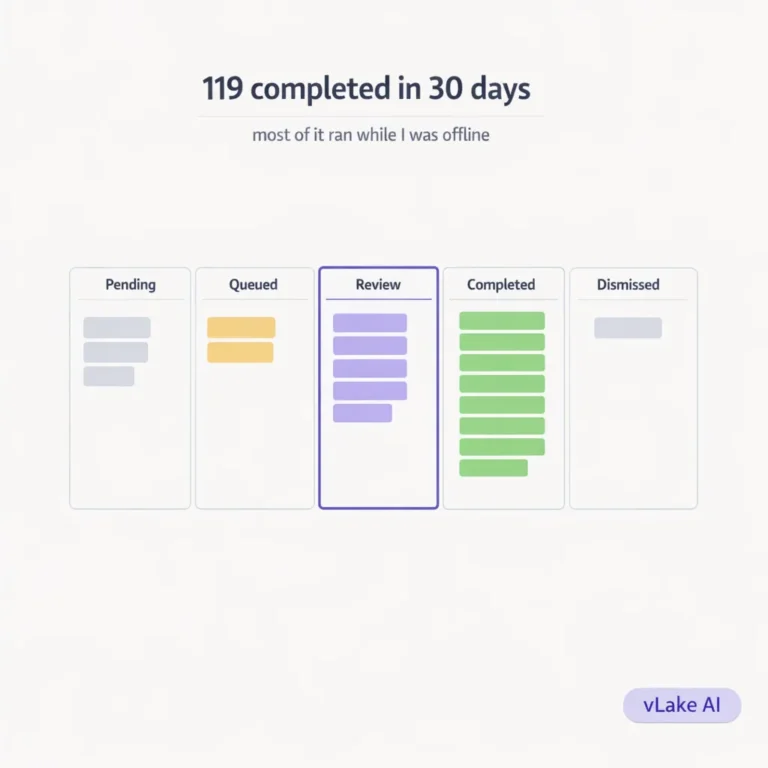
My morning starts with the workflow board. It’s a kanban view with columns for pending, queued, in review, completed, and dismissed. I can filter by site, so I usually scan each client’s board for five to ten minutes.

A typical day looks like this.
Completed overnight (no action needed from me):
- SEO metadata rewrites for 3-4 blog posts across different sites
- Image optimizations (PNG to WebP conversions, file size reductions)
- Alt text generation for newly uploaded media
- SEO score recalculations after content changes
Waiting for my review:
- One or two newly generated blog posts
- Occasionally a pattern or page that a client requested
- Any recommendation the system wasn’t confident enough to auto-execute
My actual work:
- Review generated content (10-15 minutes per post)
- Approve or dismiss recommendations
- Plan next week’s content (titles, keywords, audiences)
- Respond to client requests that need a human decision
The maintenance work that used to consume my Mondays happens automatically now. SEO fixes, image compression, alt text, metadata, formatting, taxonomy management, the publishing workflow. All of it runs through the pipeline without me opening a single WordPress dashboard.
Managing Seven Sites From One Place
Before vLake, I had seven bookmarks in a browser folder. Seven sets of login credentials. Seven different WordPress dashboards, each with its own plugin configurations, SEO settings, and content calendars.
Switching context between clients was expensive. I’d spend five minutes just getting oriented in each dashboard before I could start working. Multiply that by seven sites and I was losing half an hour a day on context-switching alone.
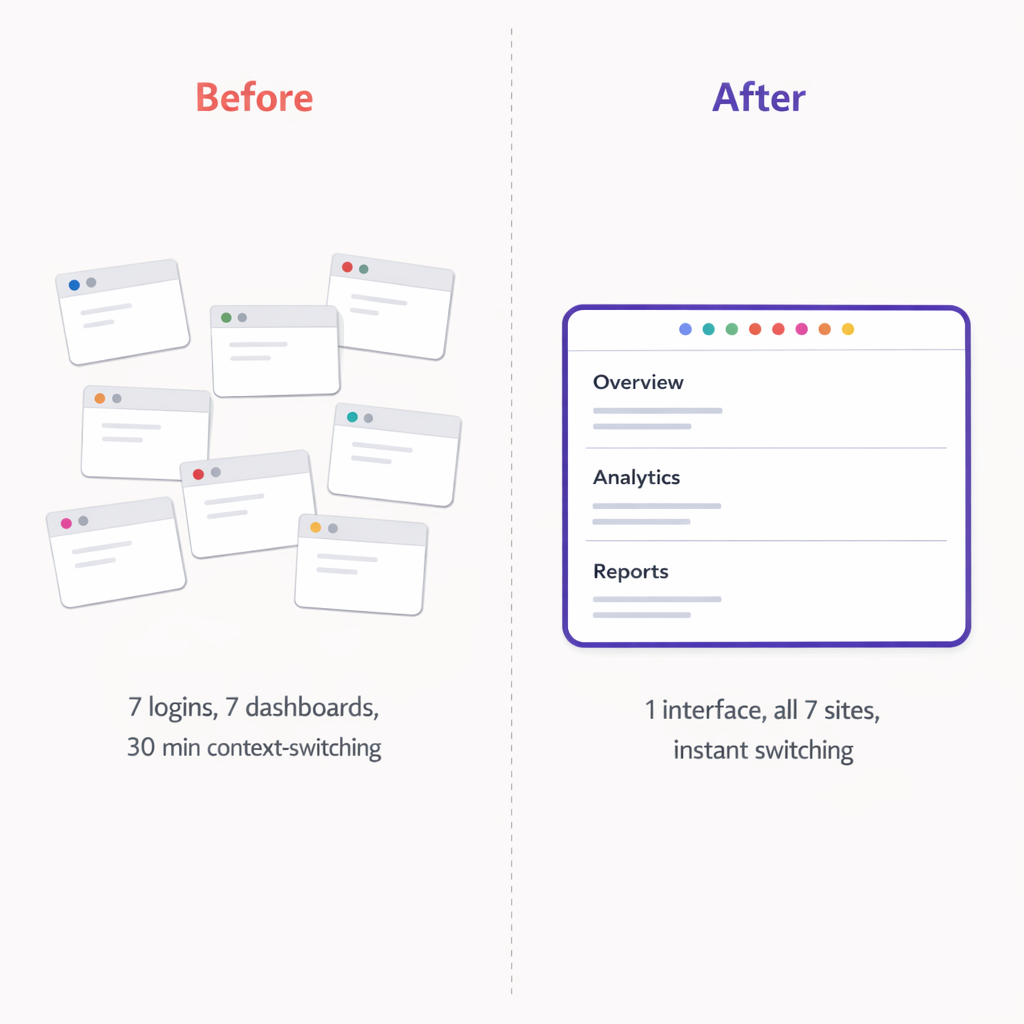
Now everything flows through one system. Each site has its own data, its own recommendations, its own workflow board. But I navigate between them in one interface. I can see which sites need attention and which are running cleanly.
The taxonomy management alone saved me hours. Each client has their own category and tag structure. Before, I’d have to log into each site’s WordPress admin to manage categories. Now I manage taxonomy centrally. Create a category, assign it to posts, and it syncs back to WordPress. The three-table taxonomy structure (terms, term_taxonomy, term_relationships) mirrors WordPress exactly, so nothing breaks.
Content Production at Scale
The seven sites need roughly 20 new blog posts per month combined. Some clients want four posts a month. Others want two. One client runs a content-heavy strategy and wants eight.
Before vLake, I was writing all of those myself. Or trying to. In practice, most clients got one or two posts a month because that’s all I could produce while also managing the other six sites.
Now the production workflow is the same for every client. I plan the titles (that’s still my job and the highest-leverage thing I do). I set the audience and tone for each site. Most clients have a mimic mode reference post so every generated blog matches their brand voice.
I queue the posts. The three-stage pipeline handles generation: raw content, then layout and media placement, then final WordPress block HTML. Posts show up in my review queue the next morning.
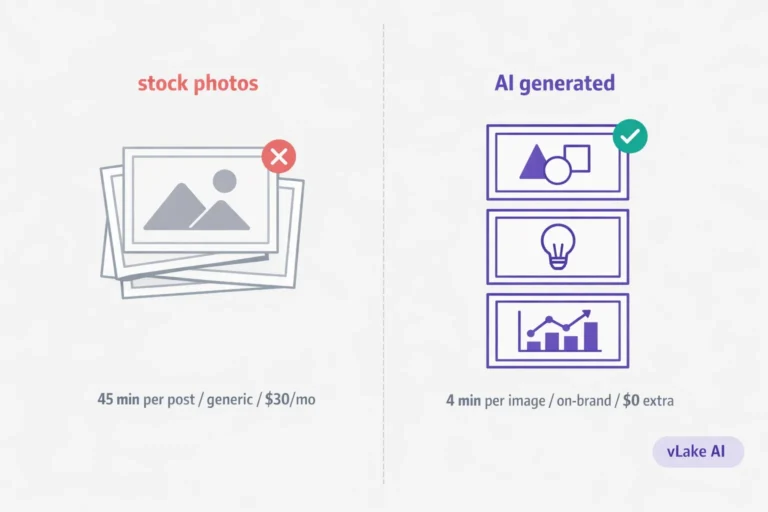
For clients who want images generated with their posts, I set up style presets per client. One client uses flat design. Another uses a more corporate photographic style. Another prefers illustration. Each generated blog gets a featured image in the right style without me sourcing anything.
My time per blog post is roughly 15 minutes of review and approval. For 20 posts a month, that’s about five hours. I used to spend 40+ hours producing the same volume (and usually falling short).
The Numbers After Six Months
I tracked metrics across all seven sites for the first six months of running this workflow.
Content volume:
- Blog posts published per month (average): 22 (up from 9 before)
- Total posts published in six months: 131
- Time spent on content per week: ~6 hours (down from ~25)
SEO health (average across all sites):
- Average blog SEO score: 76 (up from 51)
- Posts with complete meta descriptions: 98%
- Images with proper alt text: 100%
- Images in WebP format: 94%
Client impact:
- Average organic traffic increase: +47% over six months
- Sites where we hit the client’s target publishing frequency: 7 out of 7 (previously 2 out of 7)
- Client content requests completed same week: 91% (previously ~40%)

The publishing frequency number is the one I’m proudest of. Before, only two clients were getting the content volume they were paying for. Now all seven are. The work didn’t scale because I worked harder. It scaled because the production bottleneck stopped being me.
What I Still Handle Personally
Content strategy is mine. Choosing which topics to target, which keywords matter for each client, how the content calendar should look for the next month. That requires understanding each client’s business, their competition, and their goals. AI doesn’t know that my client in the travel space needs to target “Dubai luxury hotels” this quarter because they just launched a new service.
Client communication is mine. When a client wants a specific type of post or has feedback on the tone, I translate that into inputs for the pipeline. Sometimes that means updating the mimic mode reference post. Sometimes it means being more specific with header suggestions.
Quality review is mine. Every post gets read before it goes live. I’m checking voice, accuracy, and whether the content actually serves the client’s audience. That takes 10-15 minutes per post. It’s the one step I’ll never automate because my reputation is attached to every piece of content we publish.
Everything else runs on the pipeline. SEO maintenance, image optimization, metadata, formatting, taxonomy management, the publishing workflow. That’s the stuff that was burying me before. Now it’s background noise.
The punchline is simple. I don’t have a content team because I don’t need one. I have a content pipeline that handles production, and I handle strategy and quality. For seven client sites, that’s enough. I didn’t think it would be. It is.