

I Let an AI Agent Run My WordPress Site for 30 Days. Here’s What Happened.
We had a client site that was in decent shape. Not great. Decent. About 60 blog posts, a handful of landing pages, a media library with around 400 images. The kind of WordPress site that looks fine on the surface but has a backlog of small problems nobody’s gotten around to fixing.
We asked the client if we could run an experiment. Connect vLake to their site, let the AI agent handle everything it could for 30 days, and see what happened. They said yes (after we promised we’d review everything before it went live).
I expected the agent to handle the basics. Rewrite some meta descriptions. Flag a few oversized images. Maybe catch some missing alt text. What actually happened went quite a bit further than that.
Day 1: The Initial Scan
The first thing that happens when you connect a WordPress site to vLake is the fetch layer mirrors everything. Blogs, pages, media, patterns, templates, taxonomy, plugins. Every asset gets pulled into the system overnight.
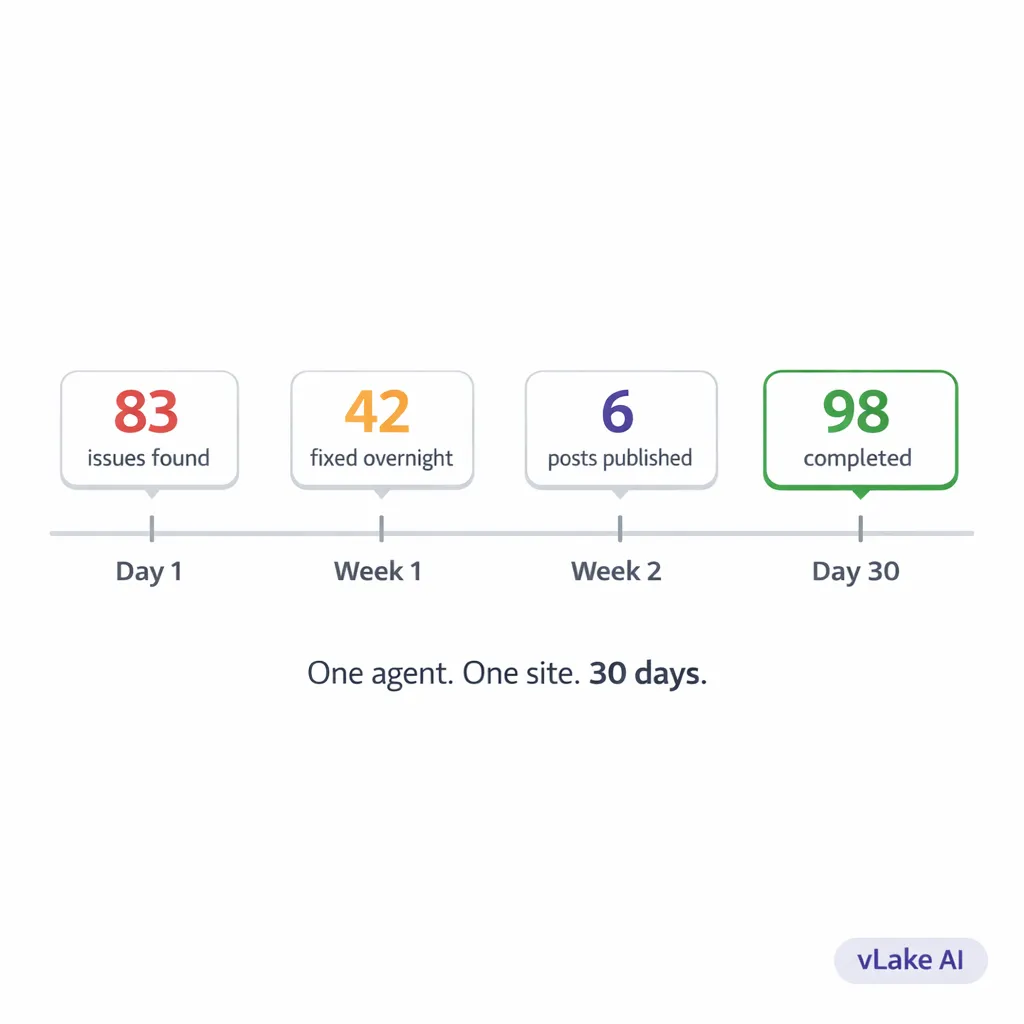
By the next morning, the recommendation engine had already run its first scan. I opened the workflow board and saw 83 recommendations sitting in the pending column.
83.
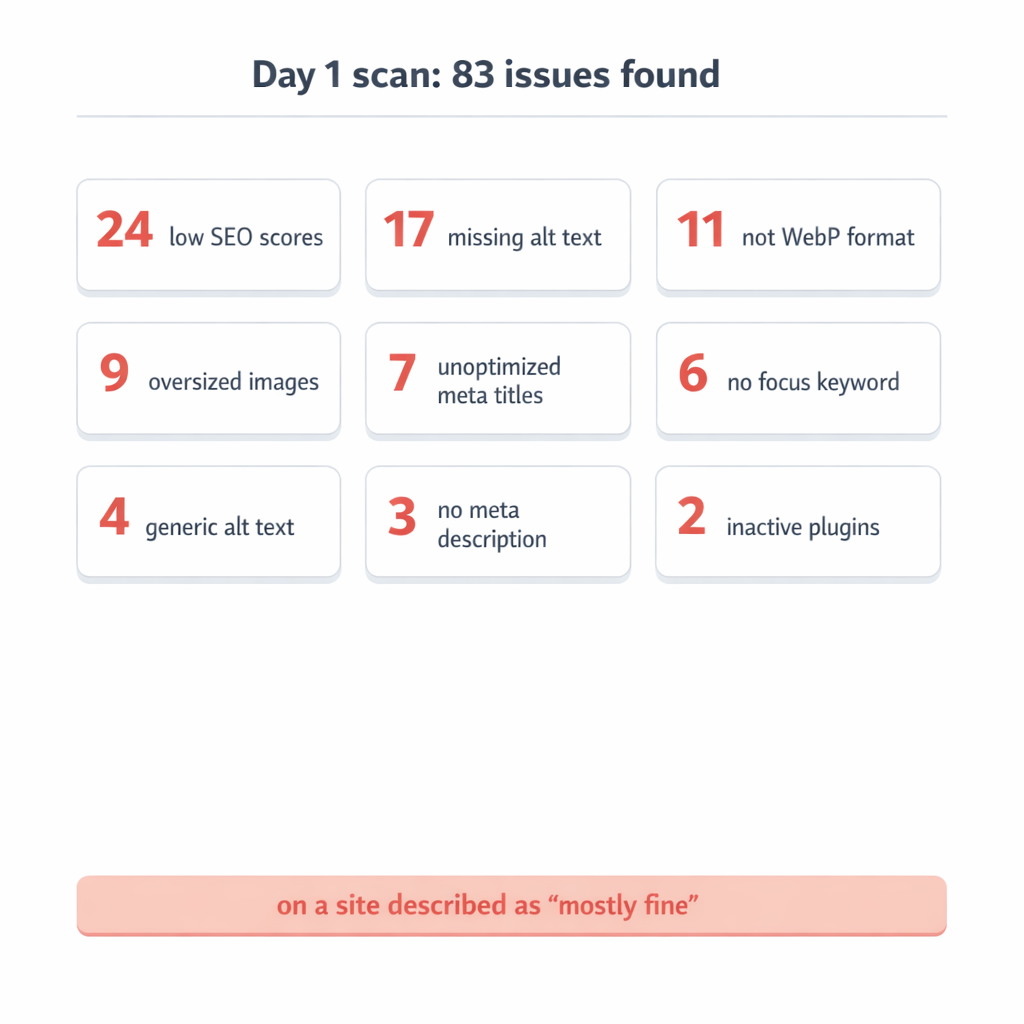
For a site I would have described as “mostly fine.” I went through the list.
- 24 blog posts with SEO scores below the threshold
- 17 images missing alt text entirely
- 9 images over 1.5MB that were slowing down page load
- 3 blog posts with no meta description at all
- 6 blog posts with no focus keyword set
- 4 images with generic alt text like “image1” or “screenshot”
- 11 media files that could be converted to WebP
- 2 plugins that were installed but inactive
- 7 blog posts where the meta title was just the post title with no optimization
I’d been managing this client’s site for eight months. I knew about maybe a third of these issues. The other 55 or so were things I’d never checked or hadn’t noticed because I was too busy putting out fires on other accounts.
That was the first surprise. The agent didn’t just find what I’d been ignoring. It found things I didn’t know to look for.
Week 1: The Backlog Clearance
I approved the recommendations in batches. Started with the low-risk ones: image compression, WebP conversion, alt text generation. These were maintenance tasks that needed doing but carried zero risk of breaking anything.
The execution layer processed them overnight. By morning, 11 images had been converted to WebP. Average file size dropped from 1.8MB to 340KB. Nine oversized images had been compressed. Seventeen images had AI-generated alt text.
I spot-checked the alt text. For a product photo of a leather laptop bag, the agent wrote: “Brown full-grain leather laptop bag with brass buckle closure on a white background.” Accurate. Specific. Better than the “laptop-bag-photo” filename that had been serving as the only description.
Then I moved to the SEO recommendations. This is where I slowed down and reviewed more carefully. The agent had flagged 24 posts with low SEO scores and was offering to rewrite the meta titles and descriptions for each one.
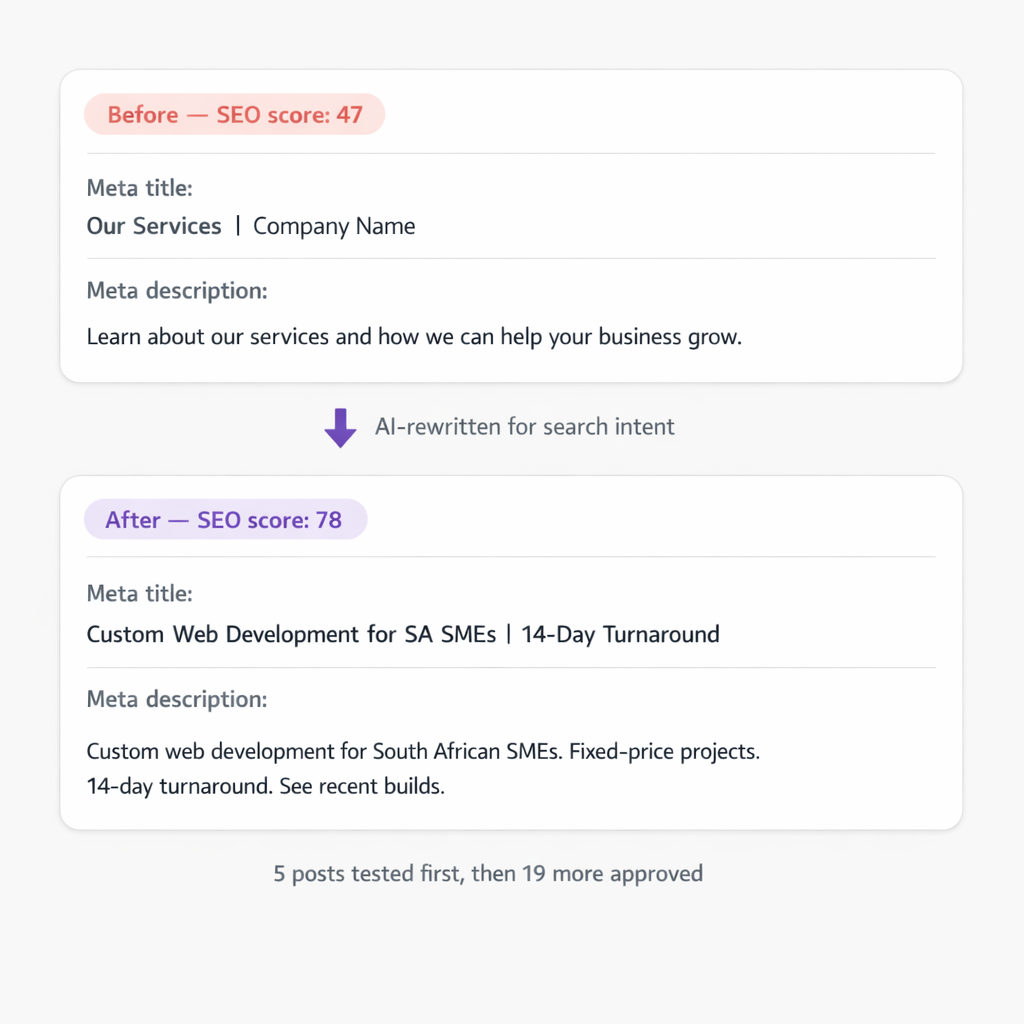
I approved five as a test batch. The next morning, those five posts had new meta titles, new meta descriptions, and updated focus keywords. Average SEO score for those five went from 47 to 78. I compared the old meta descriptions to the new ones.
Old: “Learn about our services and how we can help your business grow.”
New: “Custom web development for South African SMEs. Fixed-price projects. 14-day turnaround. See recent builds.”
The old one could describe any business on earth. The new one is specific, includes a location signal, and gives the reader a reason to click. I approved the remaining 19 SEO rewrites.
Week 2: The Plugin Situation
I’d honestly forgotten about the plugin recommendations. Two had been flagged on day one: an inactive security plugin and an inactive caching plugin. Both were installed but switched off.
The recommendation engine had created two entries: `PLUGIN_ACTIVATE_RECOMMENDED` for each one. I looked into it. The security plugin had been deactivated three months ago during a debugging session and nobody had turned it back on. The caching plugin had been deactivated when the client switched themes and never reactivated.
I approved both activations. The agent toggled them back on.
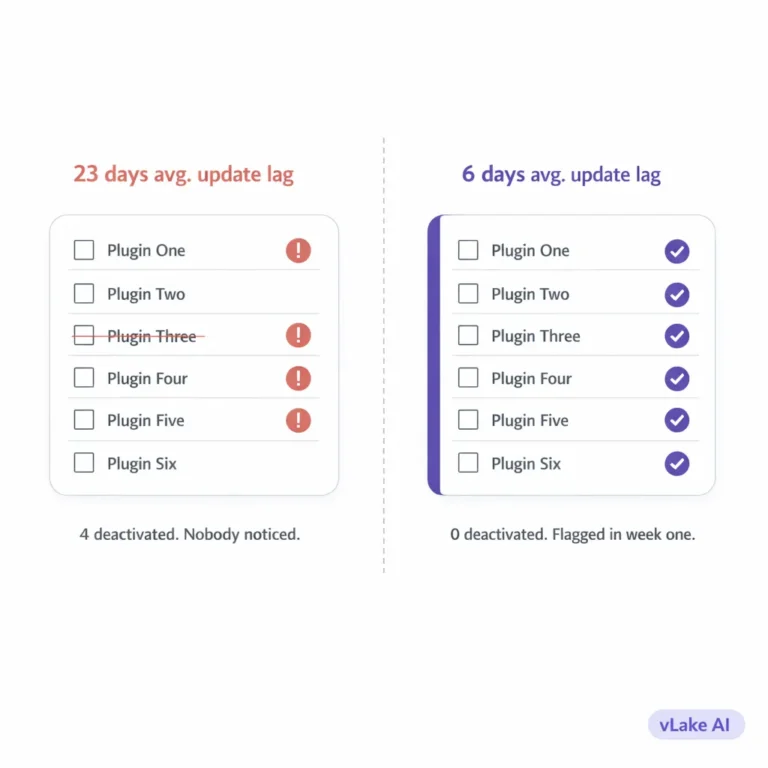
Then I checked the plugin update situation. Four plugins were running outdated versions. Two of them had security patches in the newer releases. I toggled auto-update on for all non-custom plugins. That’s not something the agent decided on its own. I made that call. But the agent surfaced the information I needed to make it.
This is the part that gets overlooked when people talk about AI agents. It’s not just about what the agent does. It’s about what it shows you. I’d been logging into this site’s WordPress dashboard every week for eight months and never once checked whether the security plugin was active. The agent checked on its first scan.
Week 3: Content Health
By week three, the maintenance backlog was mostly cleared. All images optimized. All SEO metadata rewritten. Plugins updated and active. The site was in better technical shape than it had been since launch.
The recommendation engine didn’t stop scanning just because the backlog was done. It continued monitoring. When the client uploaded three new product photos mid-week, the agent flagged them within 24 hours: missing alt text, files too large, not in WebP format. All three were processed overnight.
That continuous monitoring is the part I couldn’t replicate manually. Even if I cleared the backlog myself, I’d only catch new issues on my next scheduled check. The agent catches them the same day.
I also started using the pipeline for new content that week. The client wanted two new blog posts. I gave vLake the titles, set the audience, and pointed mimic mode at the client’s best-performing existing post for voice matching.
Both posts came back the next morning. Properly structured with H2 headings. Featured images generated in a flat design style matching the client’s brand. SEO metadata filled in. Categories assigned from the existing taxonomy.
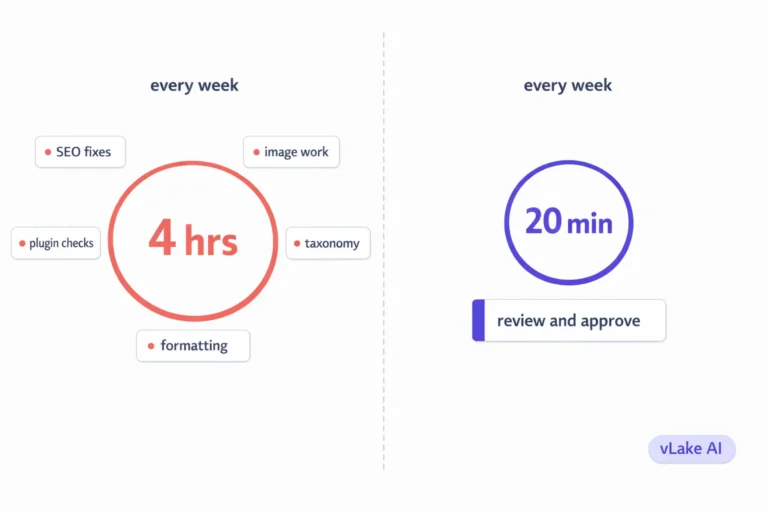
I reviewed them in about twenty minutes total. Made one heading change on the first post. Approved both.
The Numbers After 30 Days
Here’s where the site stood after one month compared to where it started.
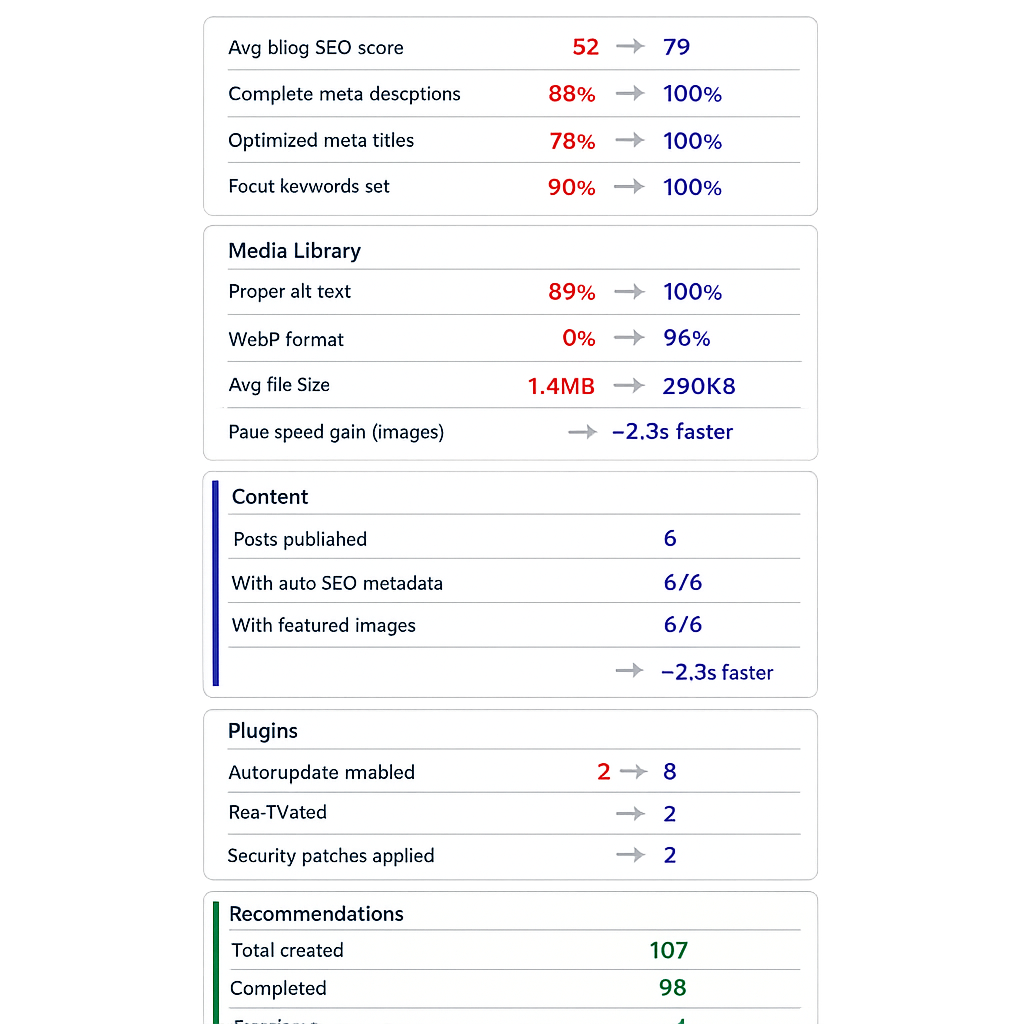
SEO health:
- Average blog SEO score: 79 (was 52 on day 1)
- Posts with complete meta descriptions: 100% (was 88%)
- Posts with optimized meta titles: 100% (was 78%)
- Posts with a focus keyword: 100% (was 90%)
Media library:
- Images with proper alt text: 100% (was 89%)
- Images in WebP format: 96% (was 0%)
- Average image file size: 290KB (was 1.4MB)
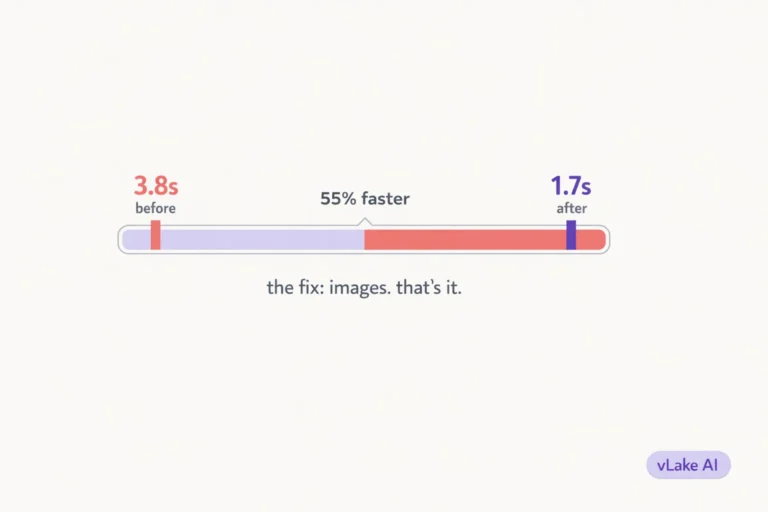
- Estimated page speed improvement from media alone: ~2.3 seconds faster on image-heavy pages
Content:
- New blog posts published: 6
- Blog posts with SEO metadata auto-generated: 6 out of 6
- Blog posts with featured images: 6 out of 6
Plugins:
- Plugins with auto-update enabled: 8 (was 2)
- Inactive plugins reactivated: 2
- Plugin-related security patches applied: 2
Recommendations processed:
- Total recommendations created: 107 (83 on day 1, plus 24 generated during the month from new uploads and content changes)
- Completed: 98
- Dismissed (not relevant): 6
- Still pending review: 3
The number that the client cared about most was the page speed improvement. Their mobile PageSpeed Insights score went from 61 to 84, almost entirely from the media optimization. No code changes. No theme modifications. Just smaller, properly formatted images.
What the Agent Didn’t Do
It’s worth saying what vLake didn’t handle during those 30 days, because the boundaries matter as much as the capabilities.
It didn’t make strategic decisions. Every content topic, every keyword target, every editorial choice came from me. The agent doesn’t know that this client is pivoting toward enterprise customers next quarter. I know that, so I choose topics accordingly.
It didn’t redesign anything. The site’s pages, patterns, and templates stayed exactly as they were. The agent can generate new patterns and pages, but it doesn’t touch existing design unless you ask it to.
It didn’t publish anything without review. Every blog post, every SEO rewrite, every recommendation sat in the review queue until I approved it. The workflow board made that easy to manage. I’d spend ten to fifteen minutes each morning scanning the board and approving or dismissing items.
And it didn’t replace the need for a human who understands the client’s business. It replaced the production work. The maintenance. The repetitive optimization tasks that eat hours without moving the needle on strategy.
What I Took Away From This
The biggest surprise wasn’t any single thing the agent did. It was the cumulative effect. Eighty-three issues found and fixed in the first week. Continuous monitoring catching new problems the same day they appeared. Six blog posts produced in three weeks with twenty minutes of my time each. A media library that went from “fine” to fully optimized without me opening a single image editor.
I’d been managing this site for eight months and thought it was in good shape. The agent found 83 things wrong on day one. That’s not a criticism of my work. It’s just honest about what’s possible when one person is managing multiple sites manually. Some things slip. The agent doesn’t let things slip because it checks everything, every time, without getting tired or distracted.
The client renewed their contract that month. They didn’t renew because of any one improvement. They renewed because their site was measurably healthier than it had ever been, and they could see exactly why on the workflow board.
Thirty days. One agent. The site is in better shape than eight months of my manual management got it. I’m not sure what to do with that information yet, except to connect the next client.