

The WordPress Maintenance Problem That’s Silently Damaging Your Site
Nobody wakes up one morning and decides to let their WordPress site fall apart. It happens one skipped task at a time.
You publish a blog post but skip the meta description because you’re in a rush. You upload images without writing alt text because you’ll “come back to it later.” You ignore the plugin update notification because last time you updated something, the site broke for two hours.
None of these feel like a big deal in the moment. And individually, they’re not. But they compound. And after six months of small skips, you’re sitting on a site that’s slower than it should be, ranking lower than it could, and less accessible than it needs to be. You just don’t know it yet because nothing visibly broke.
That’s the problem. The damage is silent.
The Anatomy of Compounding Neglect
We’ve connected vLake to over a hundred WordPress sites at this point. The pattern is always the same. The site owner thinks their site is in reasonable shape. The first scan tells a different story.
Here’s what the average “healthy” WordPress site looks like when we actually audit it.
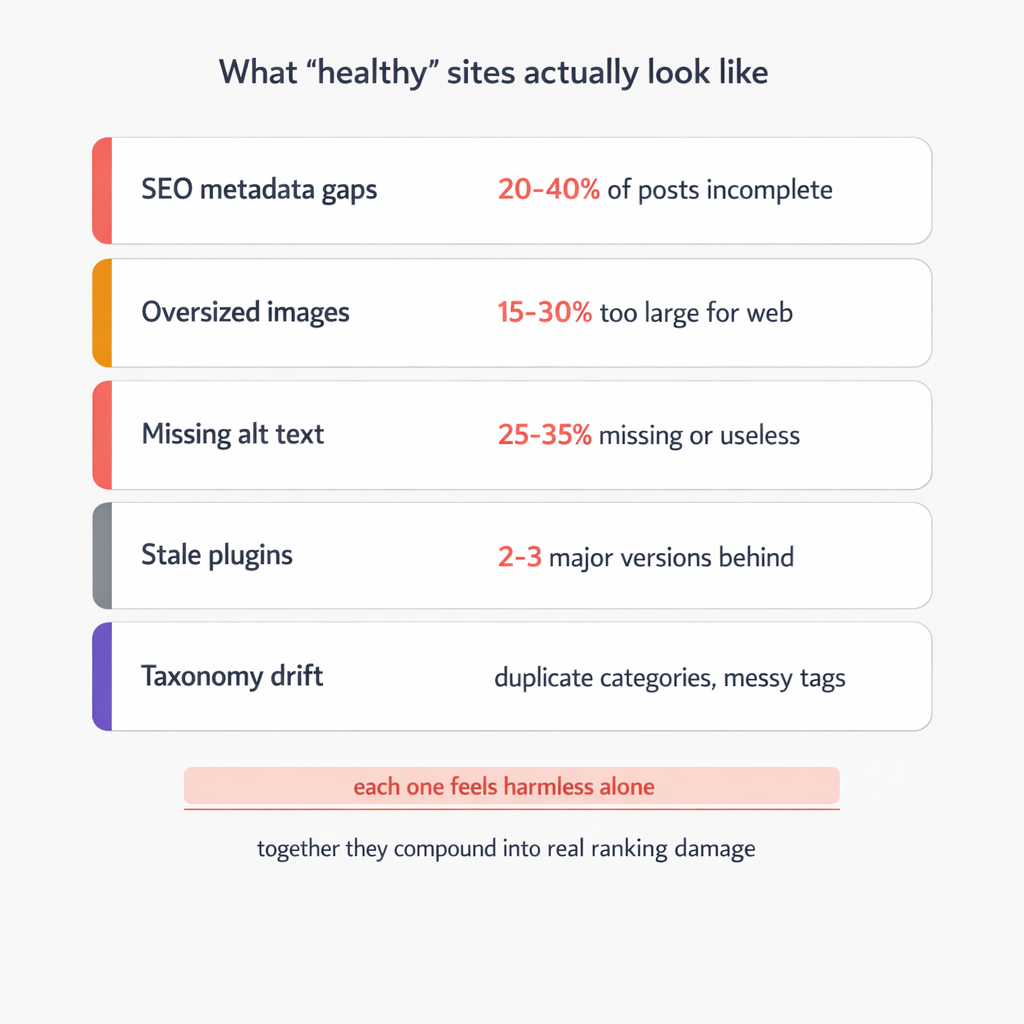
SEO metadata gaps: Most sites have 20-40% of their blog posts with incomplete SEO metadata. Missing meta descriptions, generic meta titles that are just the post title copy-pasted, no focus keyword set. Each one of these is a missed signal to Google about what the page is about and why someone should click on it.
A missing meta description doesn’t crash your site. Google will auto-generate one from your page content. But Google’s auto-generated snippet is almost always worse than a human-written (or AI-written) one. It pulls random sentences. It cuts off mid-thought. It doesn’t include your value proposition or a reason to click.
One post with a bad snippet? Barely noticeable. Thirty posts with bad snippets? That’s thirty search results where your listing looks less compelling than your competitors’. Click-through rates drop. Lower CTR signals to Google that your content isn’t matching search intent. Rankings slip. Slowly.
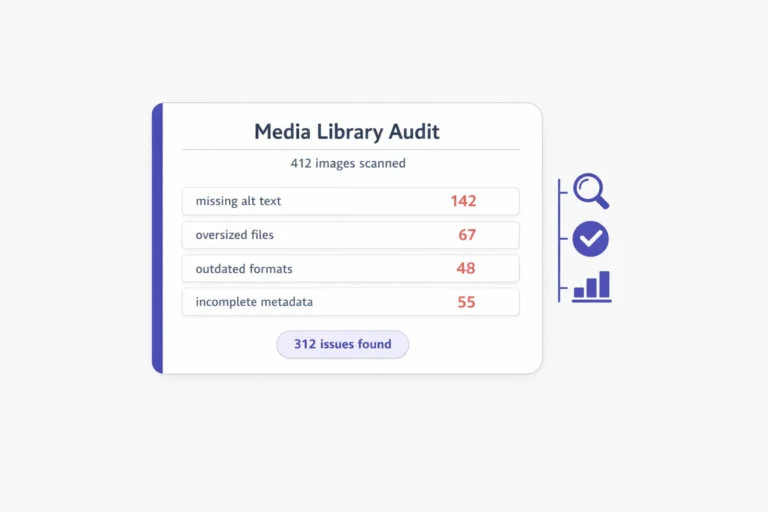
Oversized images: The average WordPress media library has between 15% and 30% of its images in formats and sizes that are too large. Full-resolution PNGs uploaded straight from a camera or design tool. 3MB hero images on pages that mobile users are loading over 4G.
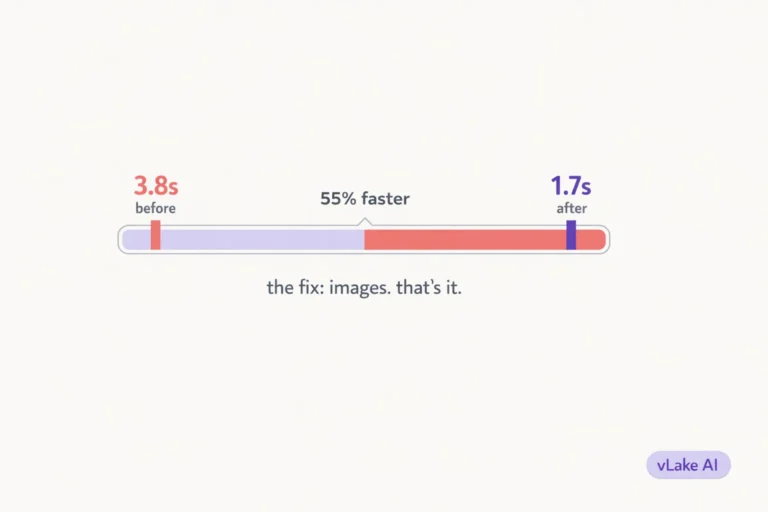
Each oversized image adds load time. Google’s Core Web Vitals measure this. Your Largest Contentful Paint score gets worse. Your mobile PageSpeed score drops. Google has been explicit: page speed is a ranking factor. Not the biggest one, but a real one. And it’s cumulative. Ten oversized images across your site’s key pages can push your mobile speed score down by 15-25 points.
You won’t notice because your desktop browser loads it fine. Your visitors on mobile notice. Google notices.
Missing alt text: Alt text serves two purposes. Accessibility (screen readers use it to describe images to visually impaired users) and SEO (Google uses it to understand what the image shows). Missing alt text means you’re invisible on both fronts for that image.
The average site we audit has 25-35% of images with no alt text or useless alt text like “image1.jpg” or “screenshot.” That’s not just an SEO miss. It’s an accessibility failure. And increasingly, accessibility compliance is becoming a legal requirement in some markets.
Stale plugins: Outdated plugins are the silent security risk nobody thinks about until something goes wrong. We regularly see sites running plugin versions that are two or three major releases behind. Some of those versions have known security vulnerabilities that were patched in newer releases.
Deactivated plugins are worse. They sit in your plugin directory taking up space, potentially conflicting with active plugins, and not receiving updates. We find at least one or two deactivated plugins on almost every site we connect.
Taxonomy drift: This one is subtle. Over time, categories and tags on a WordPress site drift. Someone creates a “News” category and a “Company News” category and a “Latest” category, and now you have three categories that mean the same thing. Tags accumulate with no structure: “wordpress”, “WordPress”, “WP”, “wordpress-tips” all pointing at similar content.
Messy taxonomy confuses Google about your site structure. It dilutes your internal linking. And it makes your category pages (which can be powerful SEO assets) look thin and unfocused.
Why Most People Don’t Notice
WordPress doesn’t tell you any of this.
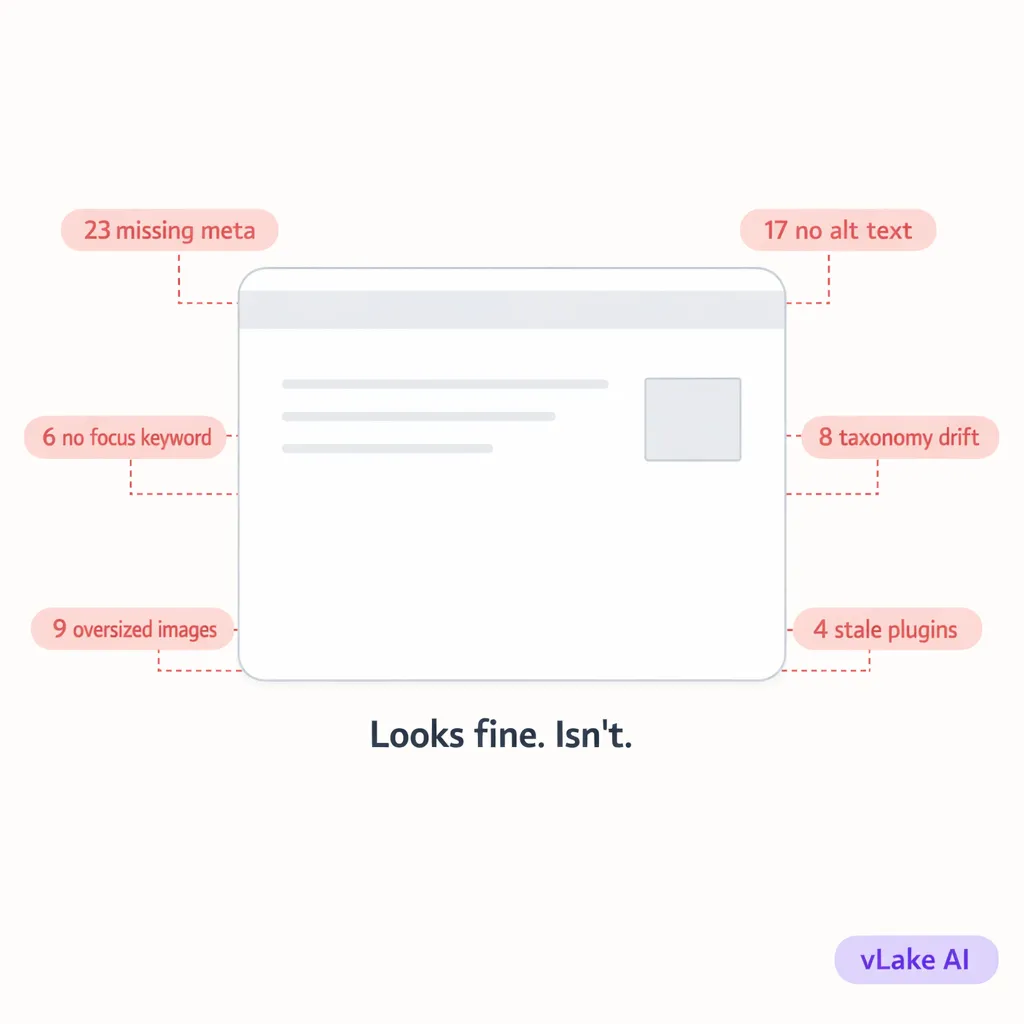
There’s no dashboard widget that says “23 of your posts have incomplete SEO metadata.” No notification that says “your average image size is 2.1MB and it’s hurting your PageSpeed score.” No alert that says “you have 4 plugins that haven’t been updated in 90 days.”
WordPress is a publishing tool. It’s excellent at letting you create and manage content. It’s not designed to monitor the health of that content over time. That’s a fundamentally different job.
So the problems accumulate in silence. You only discover them when you run an external audit (which most people never do), when your traffic starts declining (which takes months to notice), or when something actually breaks (which is the worst way to find out).
By the time traffic decline is visible in your analytics, the compounding has been happening for months. Fixing it at that point means working through a backlog of 50, 80, sometimes 200+ small tasks that each take five minutes but collectively take days.
This is why most site owners never fully recover. They fix the urgent things, promise themselves they’ll get to the rest, and the cycle starts over.
What the Compounding Actually Costs
We ran the numbers across 50 sites that connected to vLake in the first scan.
Average issues found per site on day one:
- SEO metadata gaps: 27 items
- Oversized or unoptimized images: 19 items
- Missing or generic alt text: 22 items
- Outdated plugins: 4 items
- Taxonomy inconsistencies: 8 items
Average total: 80 maintenance items per site.
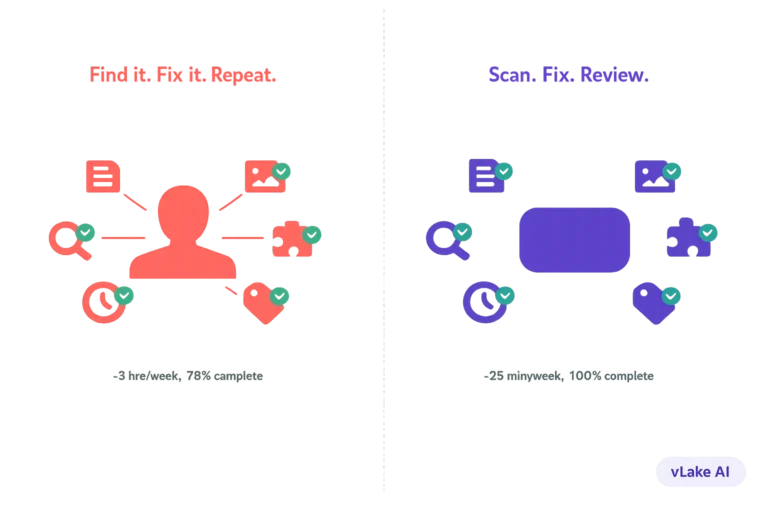
At an estimated five minutes per manual fix, that’s roughly 6.5 hours of work per site. Most of these sites had one person managing them. That person also had a real job that wasn’t “WordPress maintenance technician.”
But the time cost isn’t the real problem. The real problem is what those 80 unfixed items do to your site’s performance while they sit there.
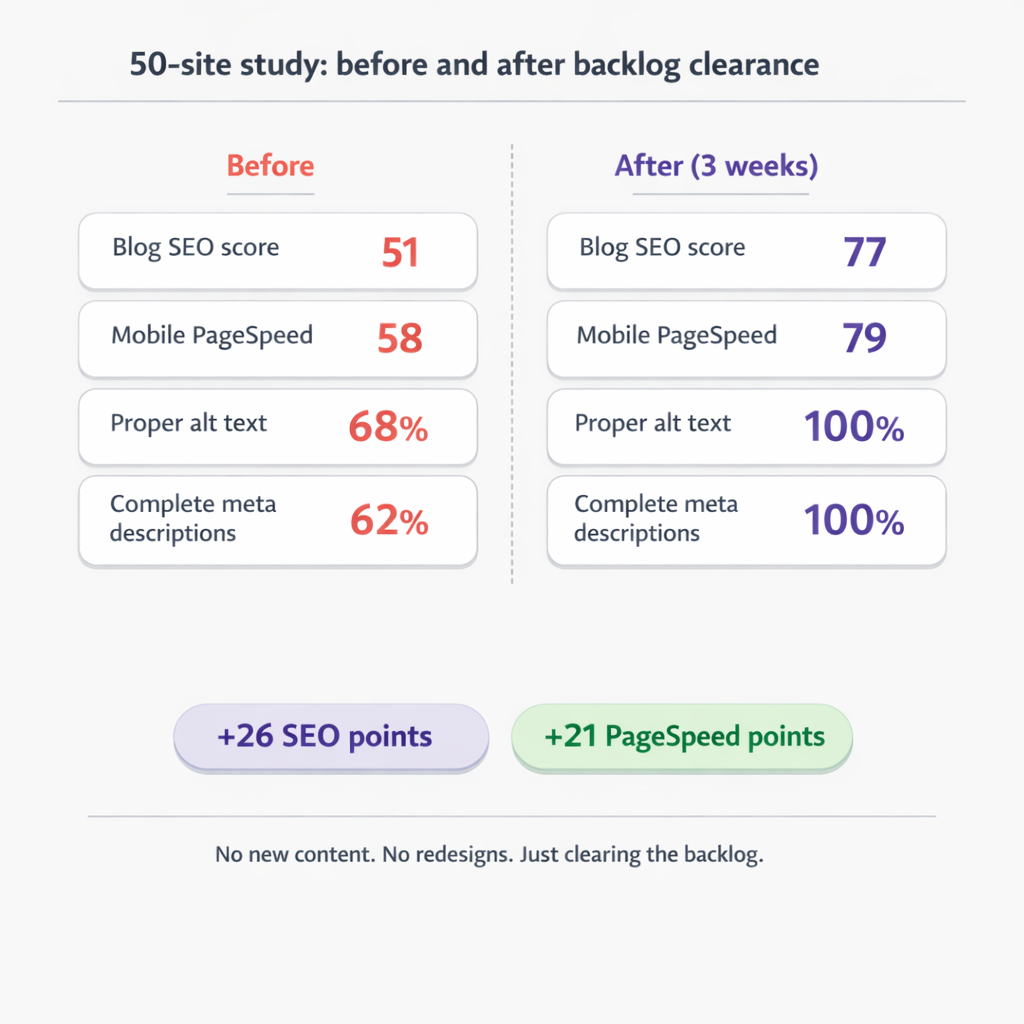
We tracked the SEO scores and PageSpeed metrics of those 50 sites before and after clearing their backlogs.
Before clearing the backlog (average):
- Blog SEO score: 51
- Mobile PageSpeed score: 58
- Images with proper alt text: 68%
- Posts with complete meta descriptions: 62%
After clearing the backlog (average, within 3 weeks):
- Blog SEO score: 77
- Mobile PageSpeed score: 79
- Images with proper alt text: 100%
- Posts with complete meta descriptions: 100%
A 26-point SEO score improvement and a 21-point PageSpeed improvement from fixing things that should never have been broken in the first place. No new content. No redesigns. No code changes. Just clearing the maintenance backlog.
Why Manual Maintenance Always Falls Behind
The math doesn’t work. That’s the core issue.
A typical WordPress site adds 2-4 new blog posts per month. Each post introduces 3-5 new maintenance items: meta description, focus keyword, meta title optimization, featured image alt text, image compression, category assignment.
That’s roughly 15-20 new maintenance items per month just from publishing. Add in media uploads, plugin updates, and taxonomy management, and you’re looking at 25-30 new items per month that need attention.
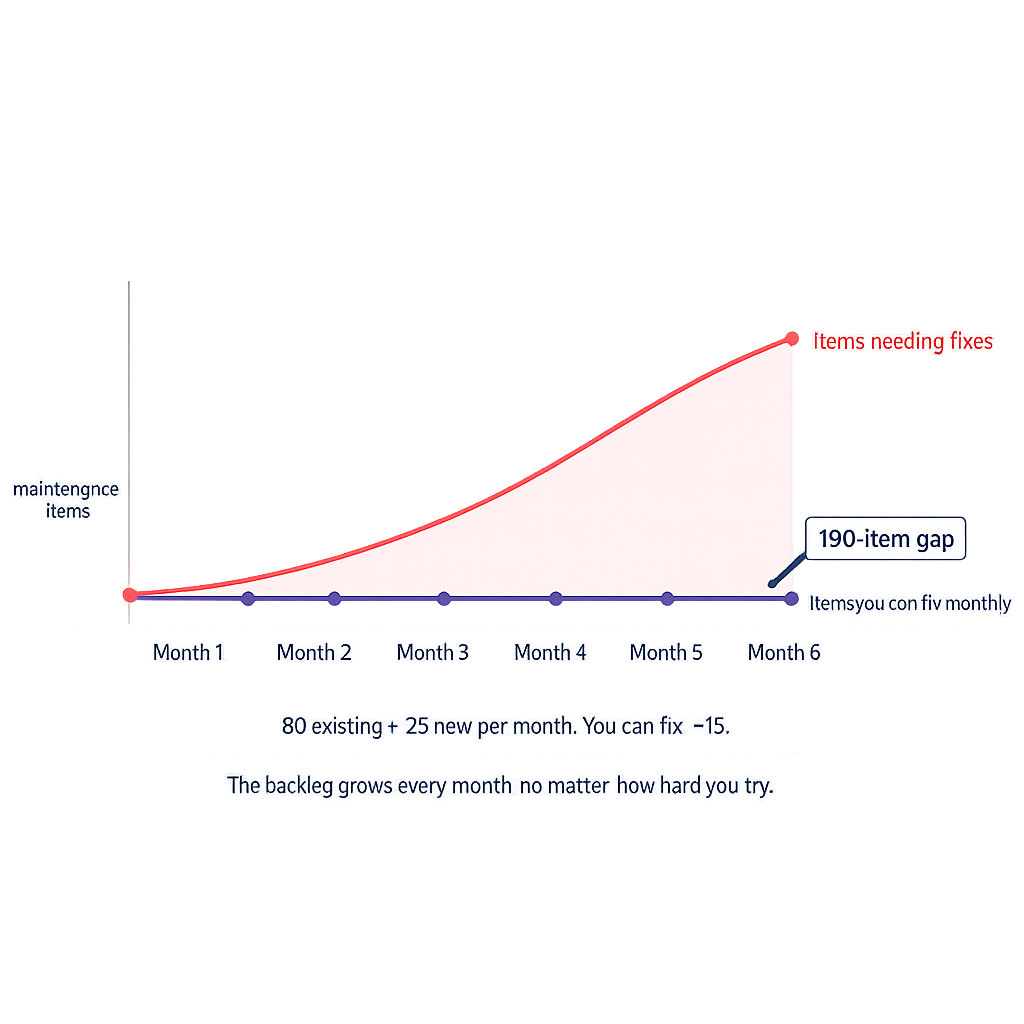
If you’re already behind by 80 items and adding 25 per month, you need to fix 105 items just to break even in month one. At five minutes each, that’s nearly nine hours. Per month. On maintenance alone.
Nobody has nine spare hours a month for WordPress maintenance. So the backlog grows. The gap between where your site is and where it should be gets wider every month. The damage compounds.
This is not a discipline problem. It’s a capacity problem. Manual maintenance doesn’t scale, even for a single site.
What Breaking the Cycle Looks Like
The reason we built the recommendation engine the way we did is because of this exact pattern. We watched site owners try to manage maintenance manually and saw the same result every time: initial effort, gradual decline, mounting backlog, eventual burnout.
The engine runs two continuous loops. First, it scans everything on the site daily: blog SEO scores, image sizes and alt text, plugin statuses, taxonomy health. Every issue gets flagged as a recommendation with a specific action plan.
Second, it executes. SEO metadata gets rewritten. Images get compressed and converted to WebP. Alt text gets generated. The backlog doesn’t grow because new issues get caught and fixed within 24 hours of appearing.
The critical difference is that the system doesn’t depend on you having a free afternoon. It runs whether you’re busy or not. A blog post published on Friday evening has its SEO metadata checked by Saturday morning. An image uploaded on Monday has alt text by Tuesday. A plugin update released on Wednesday gets flagged the same day.
The backlog can’t compound because nothing sits long enough to become a backlog. That’s the actual fix. Not working harder at maintenance. Making maintenance automatic so it can’t fall behind.
Your site is probably healthier than you think in some areas and worse than you realize in others. The silent part is what gets you. Not the problems themselves, but the fact that nobody’s checking.