

What a WordPress AI Recommendation Engine Actually Looks Like in Practice
Before I connected vLake to my site, I’d read the phrase “recommendation engine” on maybe a dozen different product pages. It never meant much. Usually it meant “we’ll show you a list of suggestions you’ll mostly ignore.”
What I didn’t expect was to open a workflow board two days after connecting and find 64 specific, actionable items already queued. Not vague suggestions. Tasks. Things that could be worked, approved, and marked done.
That’s when I started taking the phrase seriously.
What I Expected vs. What It Actually Is
My mental model going in was something like a dashboard with a “Tips” widget. Telling me things I probably already knew. My SEO score is low. Some images are large. I should post more consistently.
That’s not what this is.
The recommendation engine runs two separate processes. The first scans your site continuously and creates recommendations when it finds something that needs attention. The second executes those recommendations. Not just flags them. Actually runs the fix.
The scanning covers blog SEO scores, page SEO scores, media alt text, image file sizes, plugin versions and statuses, and taxonomy structure. When something falls below a threshold or has a clear issue, a recommendation gets created. Each recommendation has a type, a target resource, and a specific action plan.
The execution side picks up recommendations that have been queued and runs the appropriate job. Missing alt text on an image? The execution layer generates it. Blog post with a low SEO score? Meta title, meta description, and focus keyword get rewritten. Oversized image? Gets converted to WebP. These aren’t suggestions anymore. They’re jobs that run.
What the Workflow Board Actually Shows
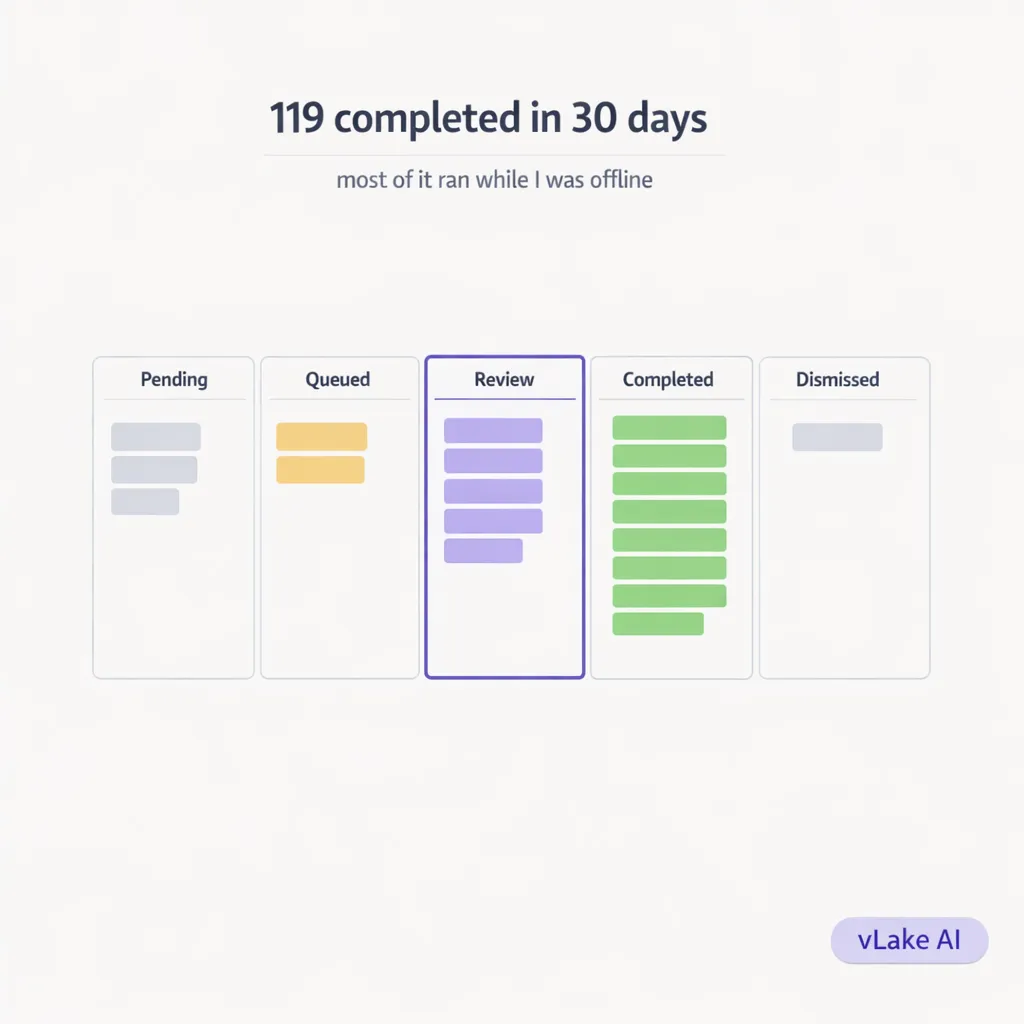
The board is the part I use every day. It’s a kanban layout. Five columns: Pending, Queued, Review, Completed, Dismissed.
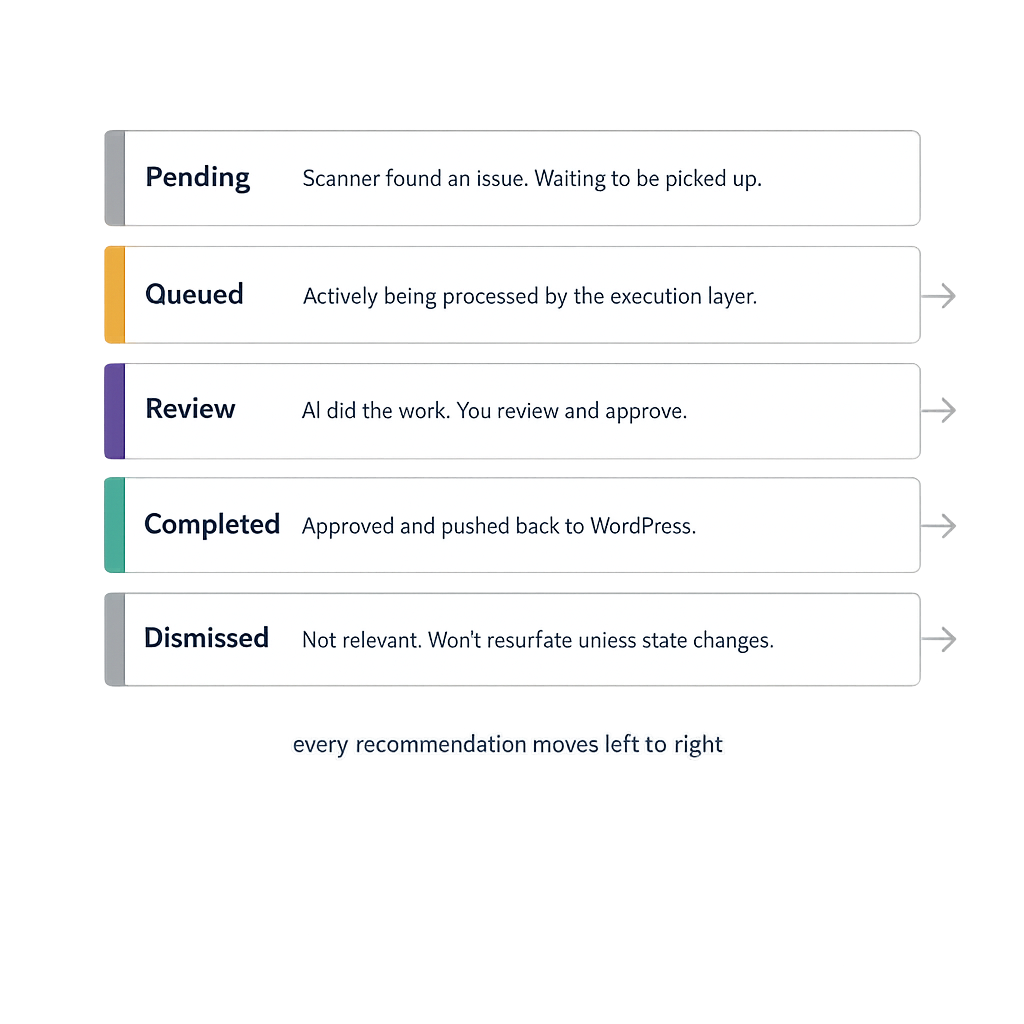
**Pending** is where system-generated recommendations land first. The scanner found something that needs attention. It’s waiting for the execution layer to pick it up, or in some cases waiting for me to approve it before it runs.
**Queued** is where items go when they’re actively being processed. If I trigger a blog generation or approve a batch of SEO rewrites, those items move into Queued. The execution layer works through this column.
**Review** is where things land after execution. The AI has done the work. Now I need to look at it. A generated blog post, a rewritten meta description, a new alt text string. The item sits in Review until I approve it or edit it.
**Completed** is everything that’s been approved and pushed back to WordPress. Done.
**Dismissed** is anything I’ve decided not to action. Wrong recommendation, not relevant for this site, covered by something else. I dismiss it so it doesn’t clutter the board.
On an average morning, my board has somewhere between eight and fifteen items in Review. These are things the engine ran overnight. I scan them, approve the ones that look right, tweak the ones that need adjustment, and dismiss anything I don’t want. Takes about fifteen minutes.
The Types of Recommendations I See Most Often
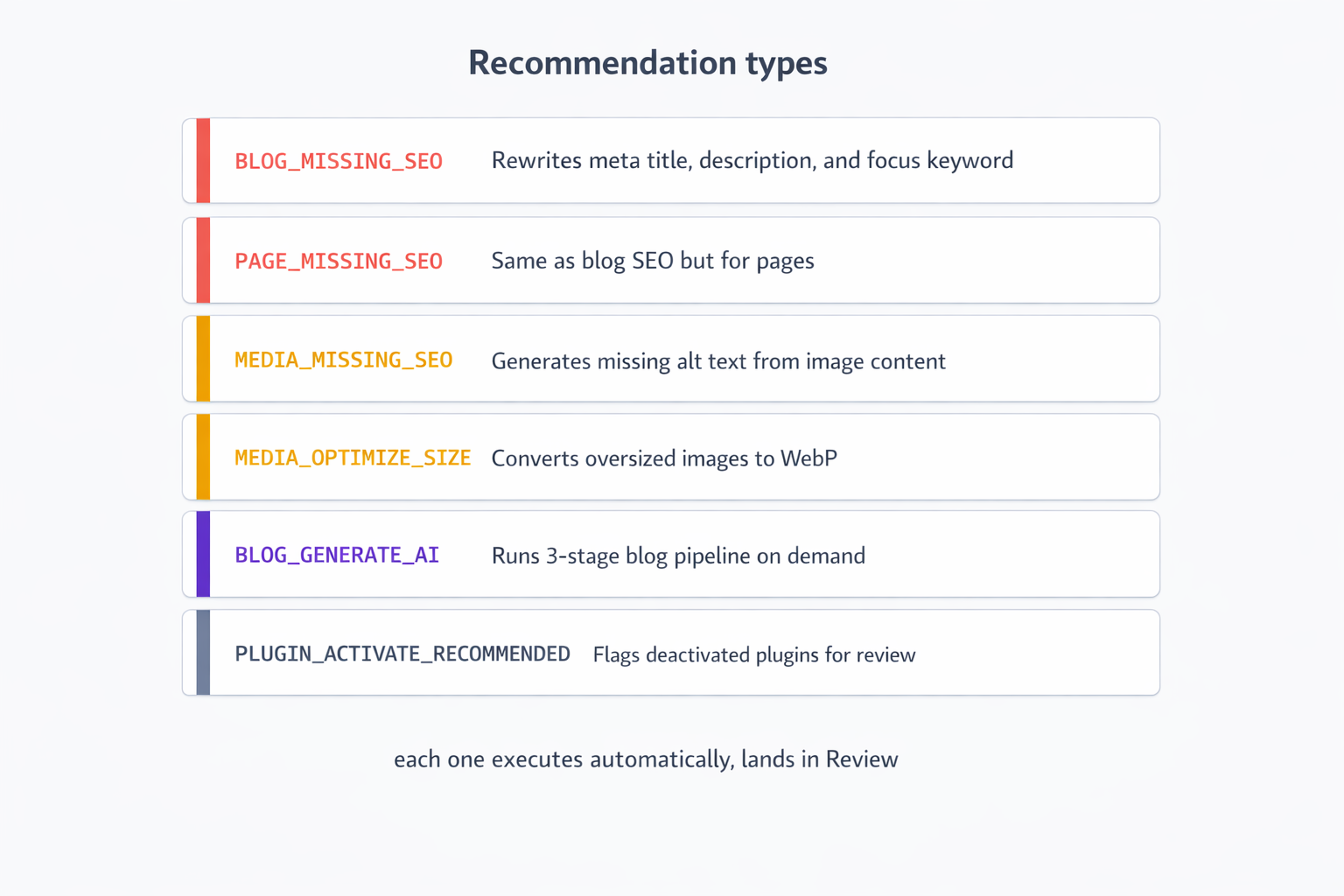
**`BLOG_MISSING_SEO`** is the most common one. A blog post’s SEO score dropped below my configured threshold. The engine rewrites the meta title, meta description, and focus keyword. The rewritten versions land in Review. I read them, compare against the post title, and approve or edit.
What I noticed after a few weeks is that the AI-written meta descriptions are consistently better than what I would have written myself under time pressure. They’re tighter, they include the keyword naturally, and they end with something that makes you want to click. I’ve approved probably 80% of them as-is.
**`MEDIA_MISSING_SEO`** surfaces images with no alt text or useless alt text like “IMG_4821.jpg.” The engine generates descriptive alt text based on the image content and filename. I approve the ones that are accurate, edit the ones that need adjusting.
**`MEDIA_OPTIMIZE_SIZE`** flags images over a certain file size. The engine converts them to WebP automatically. I review the conversion quality before approving. In practice I’ve rejected maybe three in the past two months because the conversion degraded the image quality in a visible way.
**`BLOG_GENERATE_AI`** and **`PAGE_GENERATE_AI`** are the ones I trigger manually. I don’t rely on the system to decide what new content to create. That’s my job. But once I queue a generation request, it goes through the same pipeline and lands in Review like everything else.
**`PLUGIN_ACTIVATE_RECOMMENDED`** is the one that caught me off guard the first time. I had a plugin installed and deactivated that I’d genuinely forgotten about. The engine flagged it. I looked it up, remembered why I’d installed it, and turned it back on. It had been sitting there doing nothing for four months.
The Deduplication Logic
One thing that matters a lot in practice but never gets mentioned in the marketing copy: deduplication.
Every recommendation has a key that looks like `type:siteId:resourceId:versionId`. Before creating a new recommendation, the engine checks whether one already exists for that exact key. If it does, it doesn’t create a duplicate.
Why does this matter? Because the scanner runs continuously. Without deduplication, every scan cycle would create a new SEO recommendation for the same blog post, over and over. Your board would fill up with duplicate items. You’d spend your fifteen minutes just clearing noise.
The deduplication means each unique issue appears exactly once. When I clear a recommendation, it stays cleared unless the underlying issue reappears. If I approve a meta description rewrite for a blog post and the post’s SEO score drops again later (because I edited the content), a new recommendation gets created for the new version. The old one stays completed.
What My Board Looked Like After 30 Days
I took a snapshot of my recommendation stats at the 30-day mark.
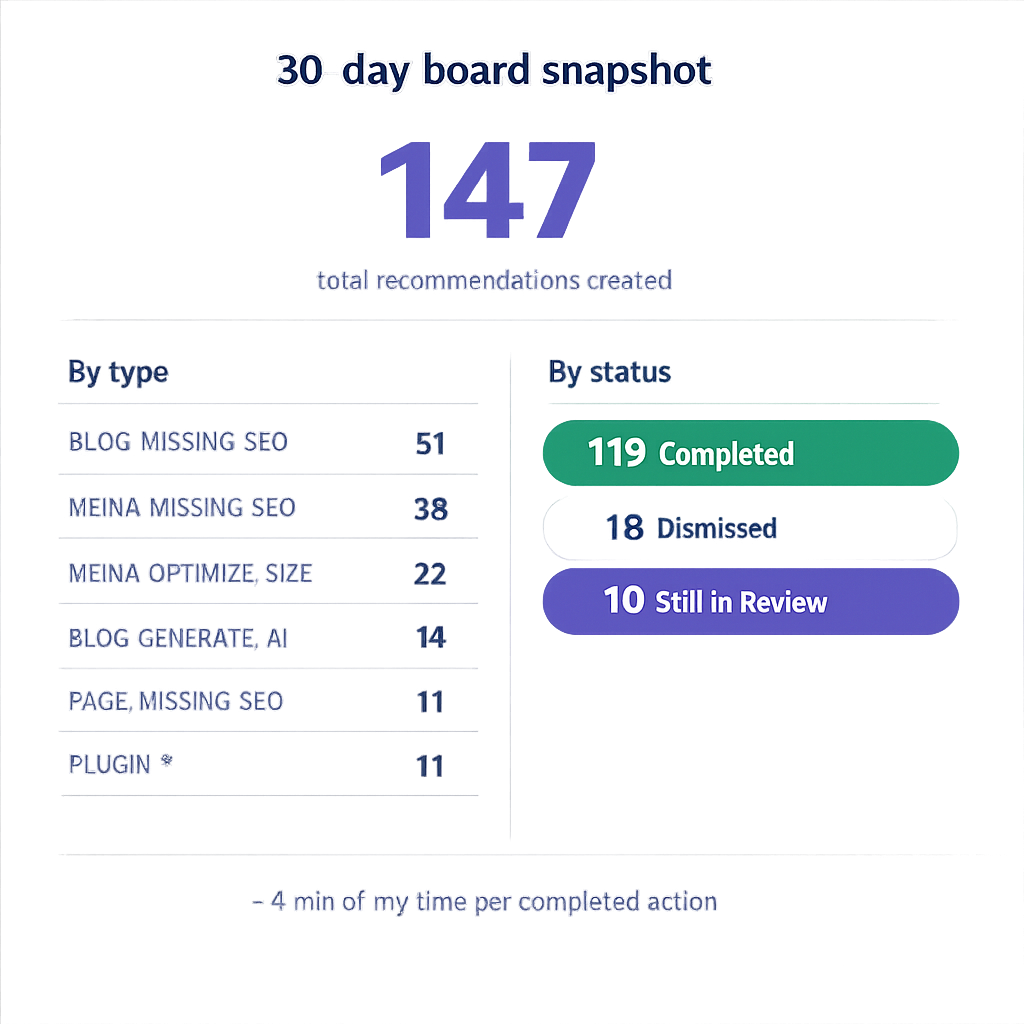
**Total recommendations created:** 147
**Breakdown by type:**
- BLOG_MISSING_SEO: 51
- MEDIA_MISSING_SEO: 38
- MEDIA_OPTIMIZE_SIZE: 22
- BLOG_GENERATE_AI: 14 (all triggered by me)
- PLUGIN_ACTIVATE_RECOMMENDED: 4
- PAGE_MISSING_SEO: 11
- PLUGIN_INSTALL_RECOMMENDED: 7
**Status at day 30:**
- Completed: 119
- Dismissed: 18
- Still in Review: 10
119 actions completed in 30 days. Most of those were overnight executions I reviewed in my morning board check. Total time I spent actively working: roughly six hours across the month. That’s less than 4 minutes per completed action.
The 18 dismissals were mostly plugin install recommendations for plugins I’d already evaluated and didn’t want. Once dismissed, they don’t resurface unless the site state changes in a way that makes the recommendation valid again.
What This Changes About How I Think About Site Maintenance
The engine doesn’t make decisions for me. That’s the part that took me a while to appreciate.
Every execution lands in Review. Nothing gets pushed to my live site without my approval. The engine generates, I decide. That separation matters. I’m not handing over control. I’m handing over the work of finding and fixing issues. I still own every decision about what goes live.
What changed is the discovery layer. Before, I only knew about problems I specifically looked for. Now, problems surface to me automatically, ranked by impact, with a proposed fix already prepared. My job is to review, not to hunt.
A recommendation engine is only interesting if it actually executes. A list of suggestions you have to act on manually is just a to-do list. What makes this different is that the queue runs while I’m not there. I log in to a board of completed work, not a board of pending tasks.
That’s the version that actually changes how you manage a site.