

How I Cut My Weekly WordPress Maintenance Time from 4 Hours to 20 Minutes
I tracked every minute I spent on WordPress maintenance for a month. Not content creation. Not strategy. Just the recurring upkeep tasks: fixing SEO metadata, compressing images, writing alt text, checking plugins, cleaning up categories.
The total was 16 hours and 22 minutes across four weeks. Just over four hours a week. On a site that I thought was running smoothly.
That number changed how I thought about WordPress maintenance, because it made me realize I wasn’t maintaining a site. I was doing the same work every week with no system behind it.
Where the 4 Hours Actually Went
I broke the time down by task category. The results were not what I expected.
SEO metadata fixes: ~75 minutes/week
This was the biggest time sink and I didn’t realize it until I tracked it. Opening blog posts one by one, checking the Rank Math panel, rewriting meta descriptions that were too long or too generic, adding focus keywords to posts that didn’t have them, tweaking meta titles. Some weeks I’d get through ten posts. Other weeks I’d start, get interrupted, and only finish three.
Image work: ~55 minutes/week
Downloading images that were too large, running them through an optimizer, re-uploading. Writing alt text for images I’d uploaded months ago without any. Checking that featured images were set on every post. One week I found eight blog posts with no featured image at all. I’d published them in a rush and never went back.
Plugin checks: ~25 minutes/week
Logging in, scanning the update badges, deciding which plugins to update now versus later, reading changelogs for anything that might break something. Then the deactivated plugins. I had three sitting there from a theme I’d tested six months ago. They were doing nothing except not getting security patches.
Taxonomy cleanup: ~20 minutes/week
Merging duplicate categories (I had “Updates” and “Company Updates” and “News” all meaning the same thing). Deleting orphan tags that were attached to one post from two years ago. Renaming slugs that auto-generated as something ugly.
Content formatting: ~25 minutes/week
Going back to older posts and fixing formatting issues. Broken spacing from a theme change. Missing heading hierarchy (H2 followed by H4, skipping H3). Pull quotes that weren’t rendering correctly. Small stuff that adds up.
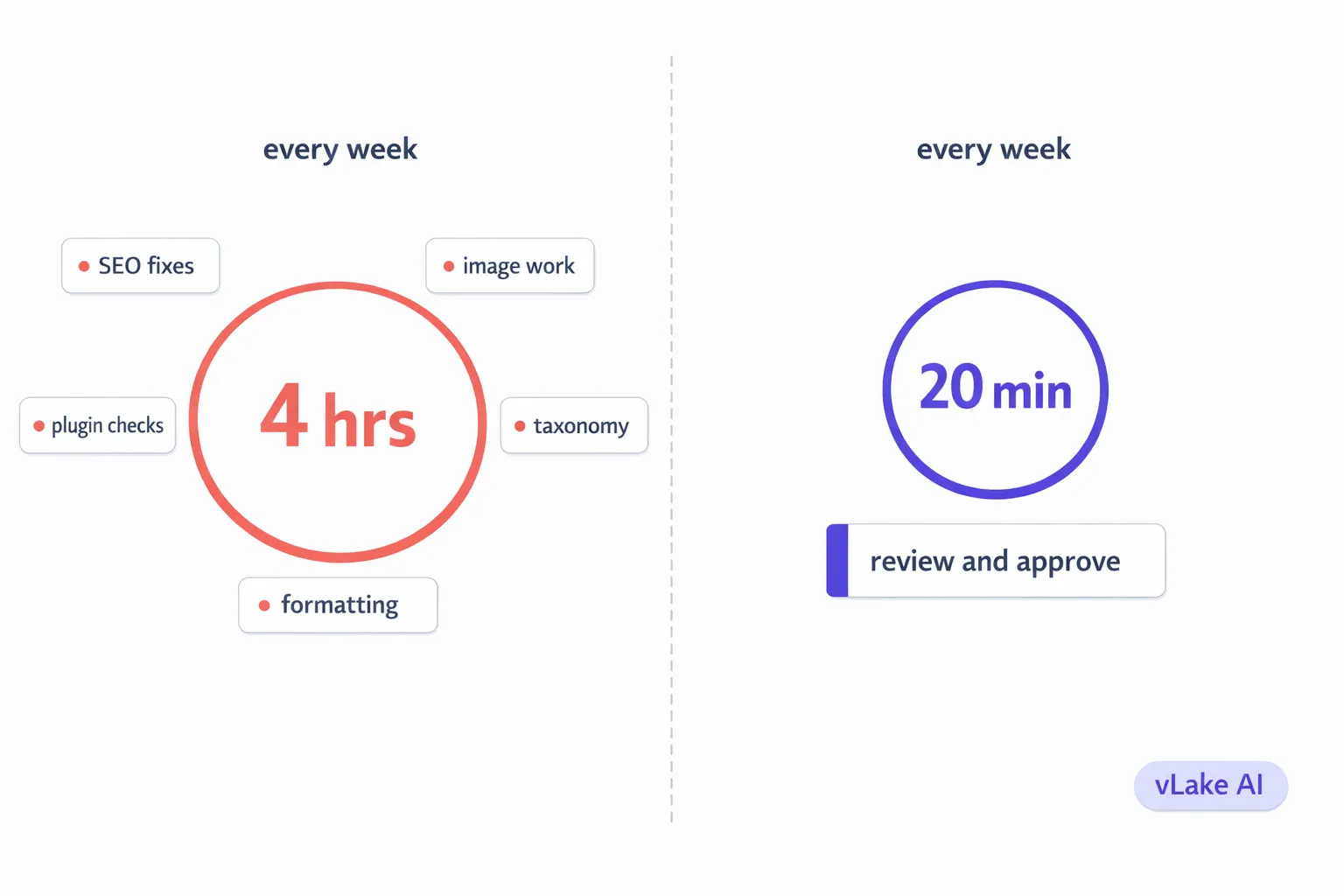
Total: ~4 hours/week. Every week. With no end in sight.
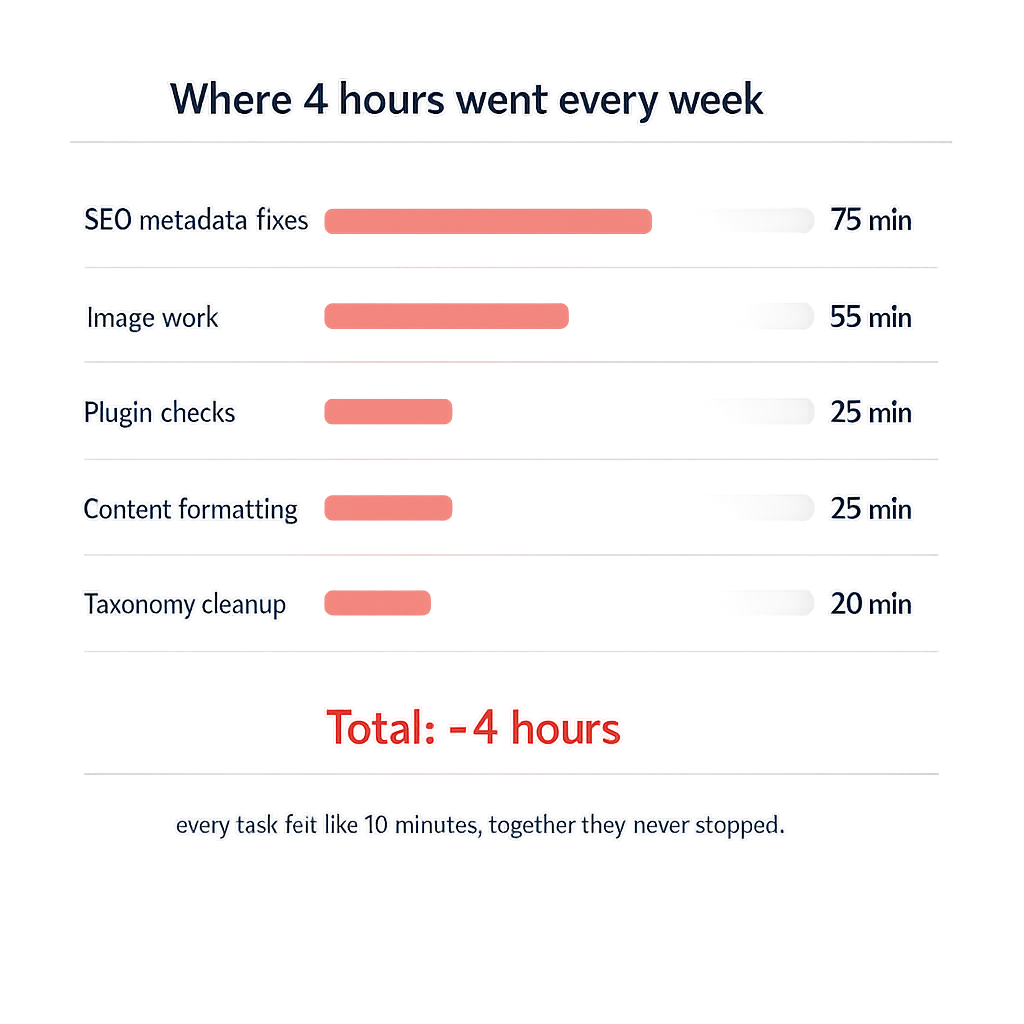
The problem wasn’t any single task. Each one felt like ten minutes here, fifteen minutes there. Manageable in isolation. But they never stopped coming, and they compounded. The SEO metadata backlog grew every time I published a new post without filling in every field. The image backlog grew every time I uploaded something in a rush.
What Changed
We connected vLake to the site and the recommendation engine ran its first scan overnight. By the next morning, it had flagged 89 items across every category I’d been manually chipping away at for months.
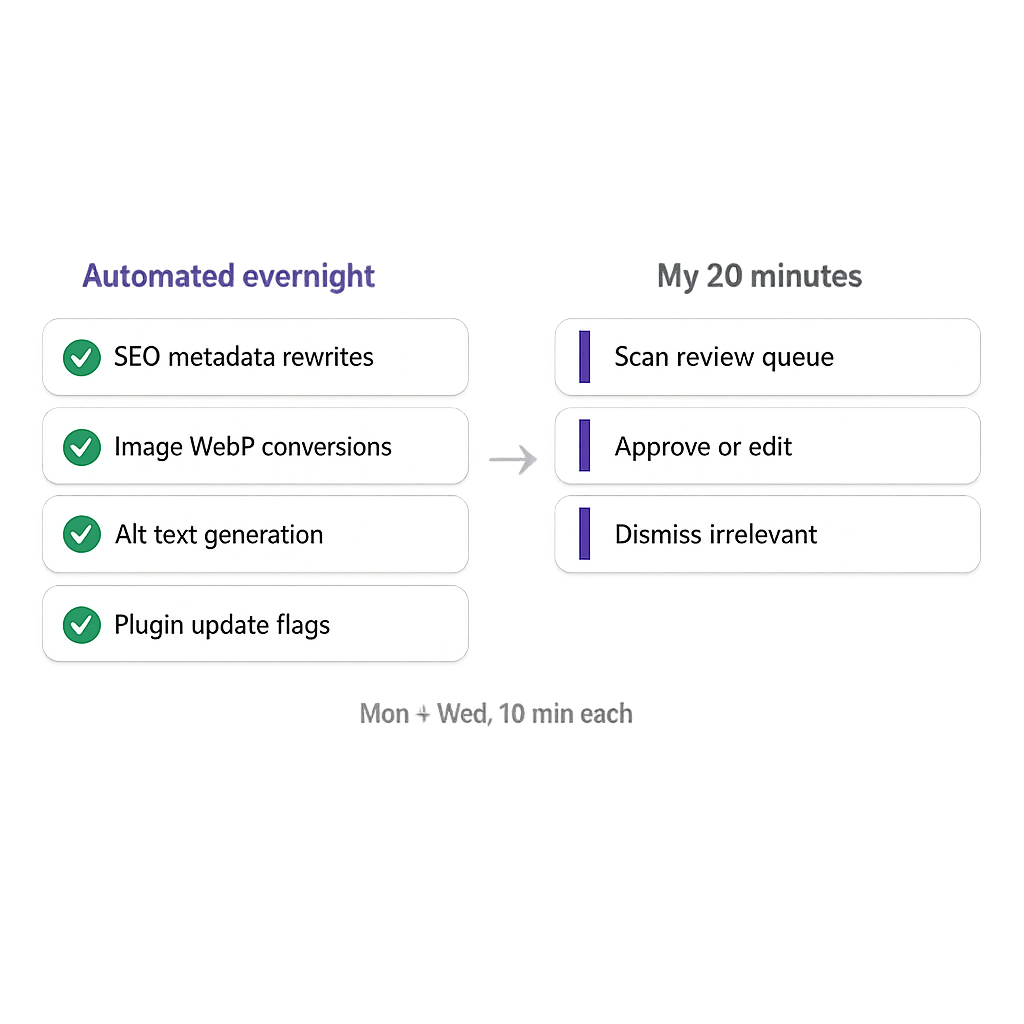
The difference was that the engine didn’t just flag them. It queued fixes. SEO metadata rewrites were generated and waiting for review. Oversized images were converted to WebP. Alt text was written based on image content. Plugin health issues were surfaced with clear action steps.
I spent about 45 minutes that first morning reviewing the initial batch. Approved most of the SEO rewrites as-is. Edited a few alt text strings that were too generic. Dismissed two plugin recommendations I’d already evaluated.
Over the next two weeks, the engine worked through the backlog. Not all at once. Ten to fifteen items per day, showing up in my review queue each morning. By the end of week two, the 89-item backlog was cleared.
But here’s the part that mattered more: new items stopped piling up. Every blog post published after that had its SEO metadata generated automatically. Every image uploaded got alt text within 24 hours. Plugin updates were flagged the day they released. The backlog couldn’t rebuild because the system caught everything in real time.
What a Typical Week Looks Like Now
Monday morning I open the workflow board. Five to eight items in Review from over the weekend. Usually a mix of SEO metadata rewrites for recently edited posts, a few image optimizations, and maybe a plugin update flag.
I scan them. Approve the SEO rewrites that look right (most of them). Check the image conversions. Review any plugin recommendations. Dismiss anything irrelevant. Takes about ten minutes.
Wednesday I do the same thing. Another five to eight items. Another ten minutes.
That’s it. Twenty minutes a week. Sometimes fifteen if it’s a quiet week. Sometimes twenty-five if I published several posts and there’s more metadata to review.
The difference isn’t that I’m faster at the same tasks. The tasks are different. I’m not hunting for problems, opening posts one by one, manually rewriting metadata, downloading and re-uploading images. I’m reviewing work that’s already been done and approving it. That’s a fundamentally different job.
The Time Audit: Before and After
I ran the same time tracking for a month after the switch. Same categories, same tracking method.
Before (manual maintenance):
- SEO metadata fixes: ~75 min/week
- Image work: ~55 min/week
- Plugin checks: ~25 min/week
- Taxonomy cleanup: ~20 min/week
- Content formatting: ~25 min/week
- Total: ~4 hours/week
After (vLake recommendation engine):
- Review SEO metadata: ~8 min/week
- Review image optimizations: ~4 min/week
- Review plugin flags: ~3 min/week
- Taxonomy: ~2 min/week (occasional new category creation)
- Content formatting: ~3 min/week (rare manual fix)
- Total: ~20 min/week
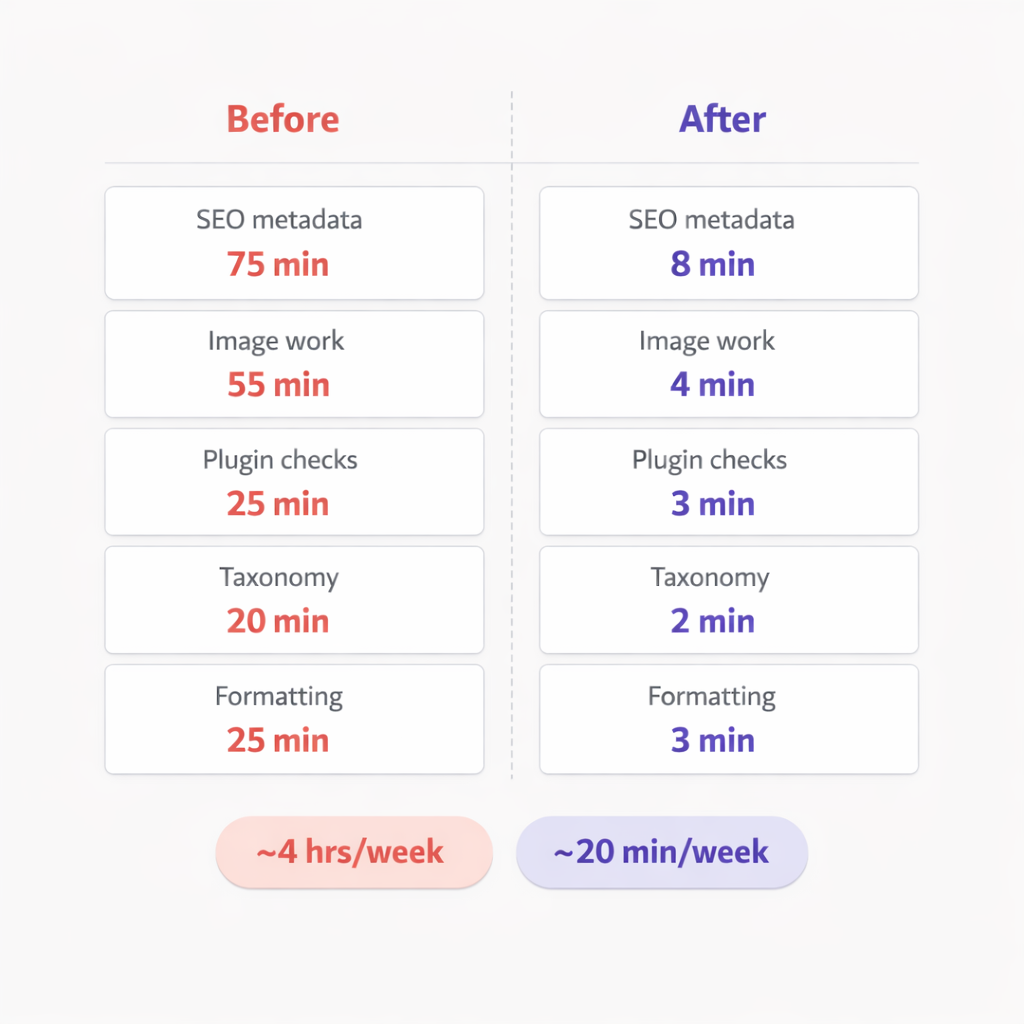
The SEO metadata category dropped from 75 minutes to 8. That’s the biggest single win. Instead of opening posts and rewriting descriptions by hand, I’m scanning pre-written descriptions and approving them. The quality is as good or better than what I was producing at the end of a long maintenance session when I was rushing through the last few posts.
Image work went from 55 minutes to 4. The engine handles WebP conversion and alt text generation automatically. I just confirm the alt text is accurate and move on.
Plugin checks went from 25 minutes to 3. The scanner flags updates and health issues. I review the flag, not the changelog.
What I Do With the Extra 3 Hours and 40 Minutes
Content strategy. Choosing which blog topics to target, mapping keyword clusters, planning the content calendar for next month. This is the work that actually drives traffic and revenue. Before, it was the thing I’d “get to” after finishing maintenance. Now it’s the first thing I do.
Client communication. Responding to feedback, updating mimic mode references when a client’s voice evolves, having actual conversations about content direction instead of apologizing for the SEO backlog.
Publishing more content. The four hours I was spending on maintenance was four hours I wasn’t spending on creating new posts. Now those hours go to planning titles and reviewing generated content. Output went up. Maintenance time went down. Same number of hours in the week.
The maintenance still happens. Every task I was doing manually still gets done. It just doesn’t need me to do it anymore. The engine handles the execution. I handle the decisions. That trade took my week from reactive to productive.