

5 WordPress Problems I Didn’t Know I Had — Until an AI Told Me
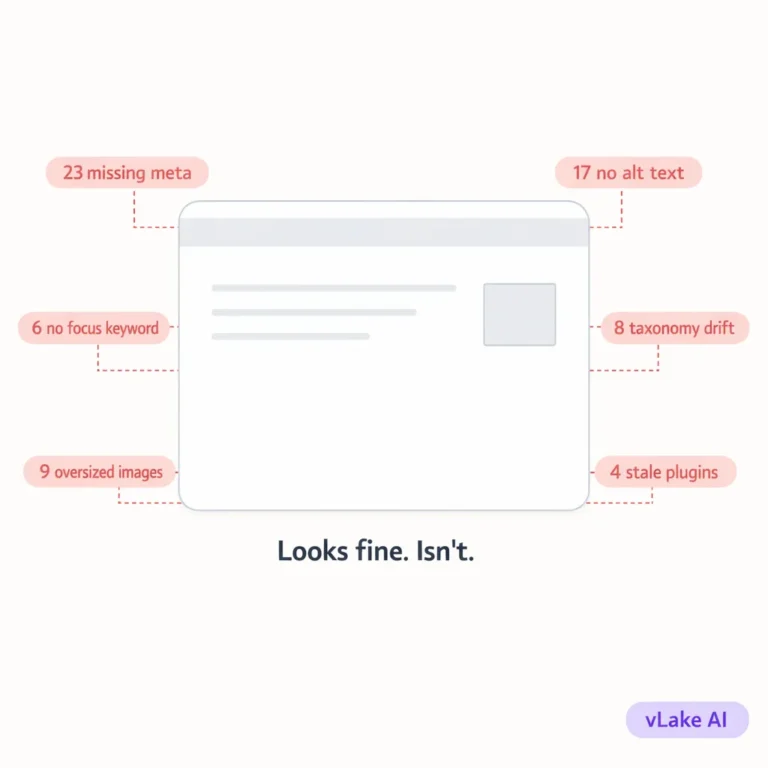
We connected vLake to a client’s WordPress site expecting a clean bill of health. The site looked fine. It loaded. The content was there. Rank Math was installed. Plugins were working.
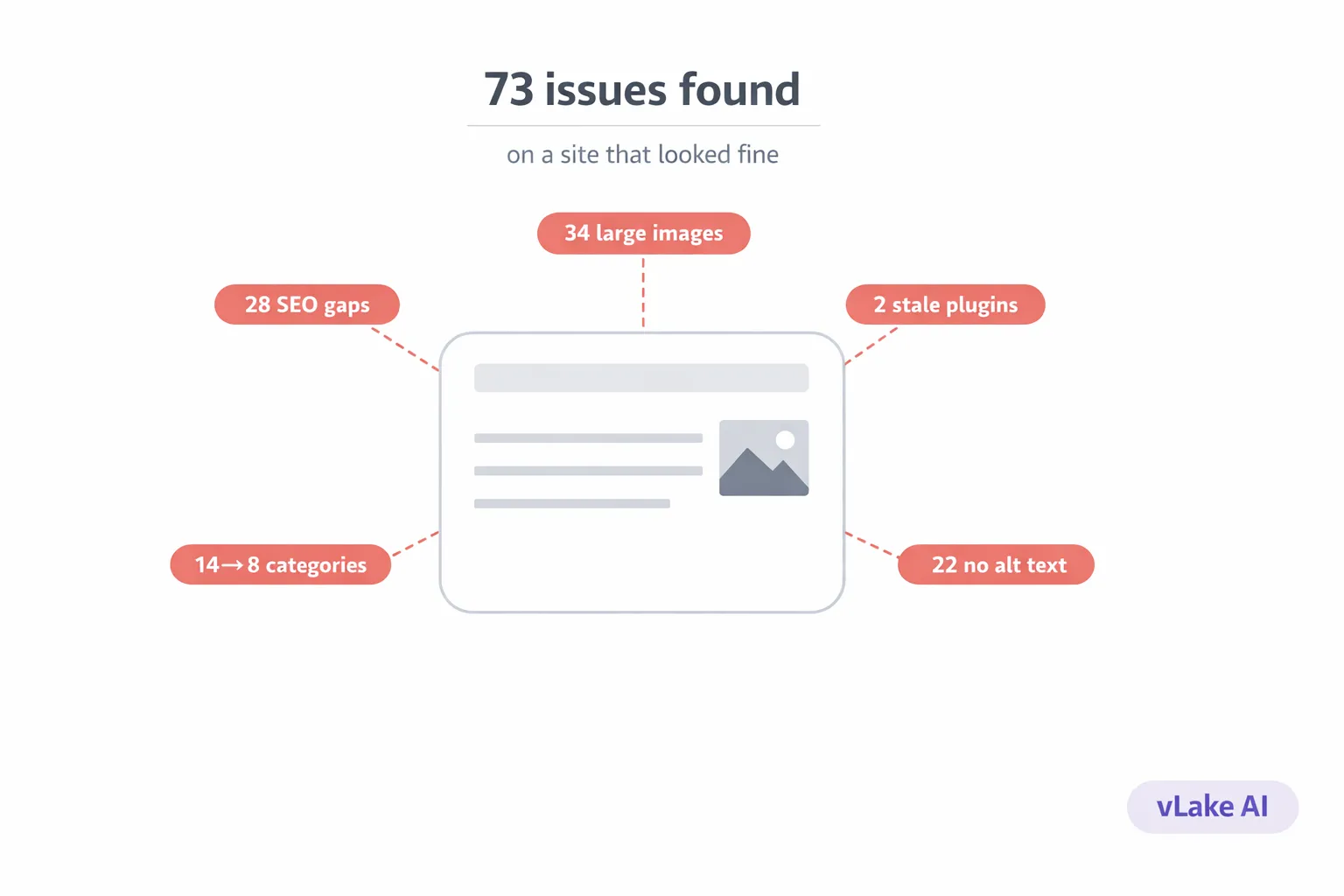
The first scan came back with 73 issues.
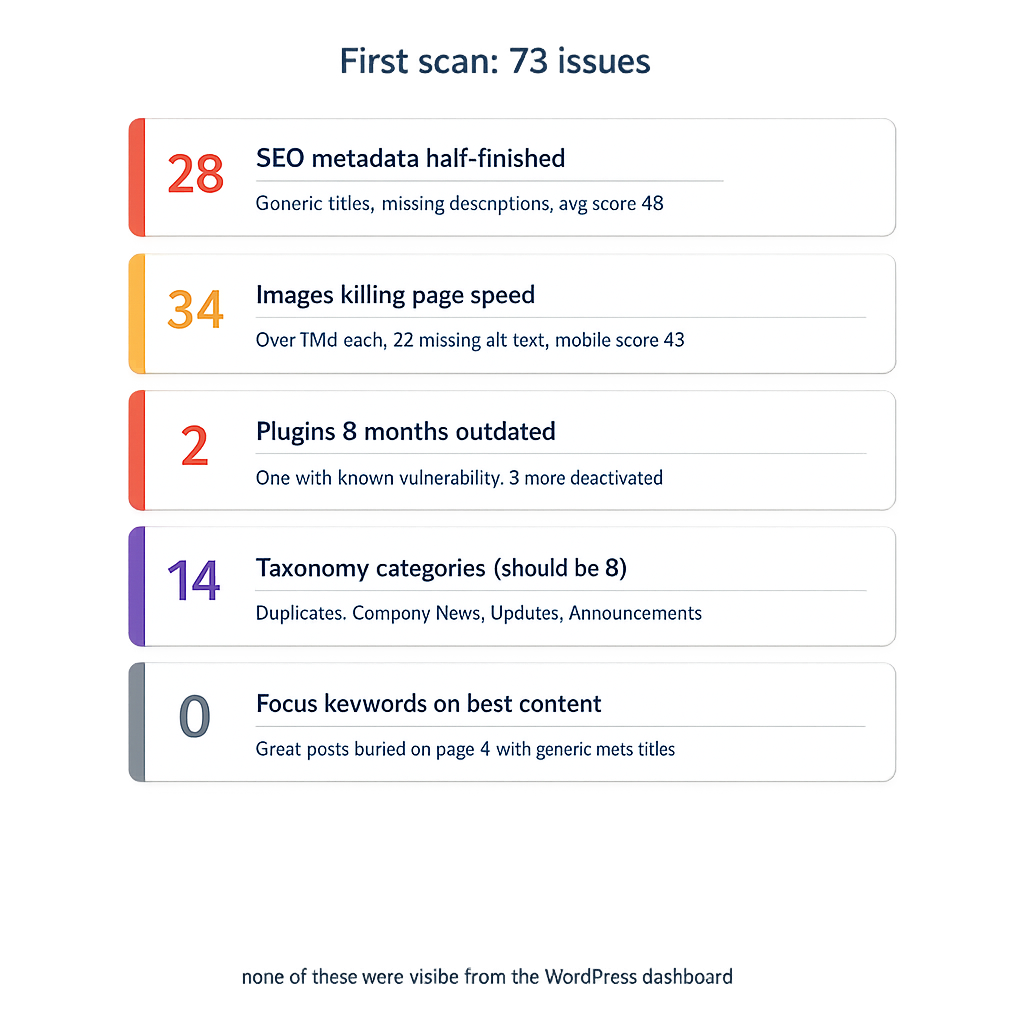
Not warnings. Not suggestions. Specific, actionable problems with specific resources attached. Posts with missing metadata. Images without alt text. Plugins running versions with known patches available. A taxonomy structure that had quietly fallen apart over two years of content publishing.
The client had been managing the site themselves for those two years. They thought it was in good shape. So did we, until we actually looked.
Problem 1: SEO Metadata Was Half-Finished
28 of the site’s 61 blog posts had incomplete SEO metadata. Some had meta titles that were just the post title copy-pasted with no optimization. Others had meta descriptions that were either missing entirely or were the WordPress auto-generated excerpt (which cuts off mid-sentence and includes no call to action).
The site’s average blog SEO score across all posts was 48 out of 100.
The thing about incomplete SEO metadata is that it doesn’t break anything visible. The posts still load. They still look fine to a visitor who lands on them. But Google sees a listing with a generic title and no description, and it serves your competitor’s properly optimized listing instead. You lose the click without ever knowing you were in the running.
The client had filled in metadata for their first fifteen or so posts. Then they got busy. New posts went out without it because publishing felt more urgent than optimizing. The half-finished pattern is one of the most common things we see. Nobody sets out to have incomplete SEO. They just run out of time before they finish.
Problem 2: Images Were Killing Page Speed
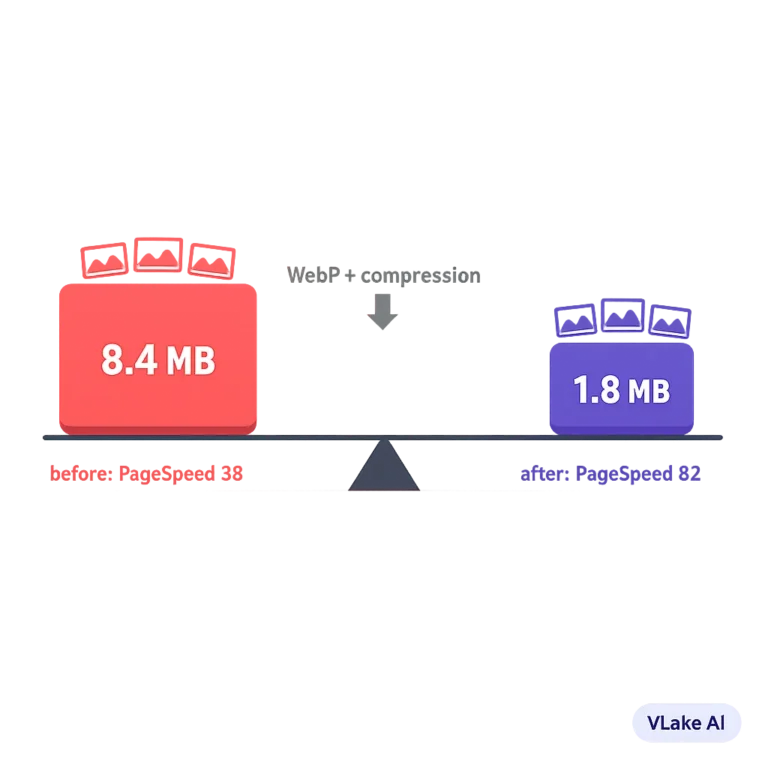
34 images across the site were over 1MB each. The largest was 4.7MB. A full-resolution PNG uploaded directly from a design tool, sitting on the homepage hero section. The site’s mobile PageSpeed score was 43.
On top of the file sizes, 22 images had no alt text. Not bad alt text. No alt text at all. Empty alt attributes. That’s 22 images that are invisible to screen readers and invisible to Google Image Search.
The client had uploaded images as they created them. PNG exports from Canva, photos from their phone, screenshots at full resolution. WordPress doesn’t warn you about file size on upload. It accepts whatever you give it.
We estimated that the 34 oversized images were adding roughly 2.5 seconds to page load time across the site’s key pages. On mobile, that’s the difference between a visitor staying and a visitor bouncing before the page finishes rendering.
Problem 3: Two Plugins Hadn’t Been Updated in 8 Months
The site had fourteen plugins installed. Two of them hadn’t been updated since the previous February. One was a contact form plugin that had a security patch released five months earlier. The other was a caching plugin that had gone through two major version changes.
Both were still active. Both were running fine, as far as anyone could tell. But “running fine” and “running safely” aren’t the same thing. The contact form plugin’s outdated version had a known vulnerability that was documented publicly. Anyone who knew where to look could have exploited it.
On top of the two outdated plugins, three more were installed but deactivated. Leftover from a theme migration. They weren’t doing anything except sitting in the plugin directory, not receiving updates, and adding surface area for potential conflicts.
Problem 4: Taxonomy Was a Mess
The site had 14 categories and 47 tags. That sounds reasonable until you look at the actual names.
Three categories meant the same thing: “Company News”, “Updates”, and “Announcements.” Posts were scattered across all three. The “Company News” category had 8 posts. “Updates” had 5. “Announcements” had 3. If they’d been in one category, it would have been a 16-post category page with real SEO weight. Split across three, each one looked thin.
The tags were worse. Variations like “wordpress”, “WordPress”, and “WP” all existed as separate tags. “seo” and “SEO tips” and “search engine optimization” were three tags for one concept. 19 of the 47 tags were attached to exactly one post.
Messy taxonomy doesn’t break a site visually. But it fragments your internal linking structure, creates thin category pages that Google may flag as low-value, and makes it harder for visitors to discover related content.
Problem 5: The Site Was Invisible for Its Best Content
This was the one that surprised us the most. The client had written some genuinely good blog posts. Detailed, well-researched, useful content about their industry. The kind of posts that should attract organic traffic.
But they weren’t ranking for anything. We checked. The posts had no focus keywords set. The meta titles were generic. The internal linking was nearly nonexistent. A great post about a topic their potential customers were actively searching for was buried on page 4 of Google because it had a meta title of “Blog Post – Company Name” and no meta description.
The content was there. The SEO foundation wasn’t. And without that foundation, good content is just good content that nobody finds.
What Happened After the Scan
The recommendation engine queued every issue as a specific action item. SEO metadata rewrites for the 28 incomplete posts. Image conversions to WebP for the 34 oversized files. Alt text generation for the 22 images missing it. Plugin update flags for the two outdated ones. Taxonomy cleanup recommendations for the duplicate categories.
We worked through the queue over two weeks. Most of the SEO and image fixes ran automatically. I reviewed the outputs each morning, approved the accurate ones, edited a few, and dismissed the ones that didn’t apply.
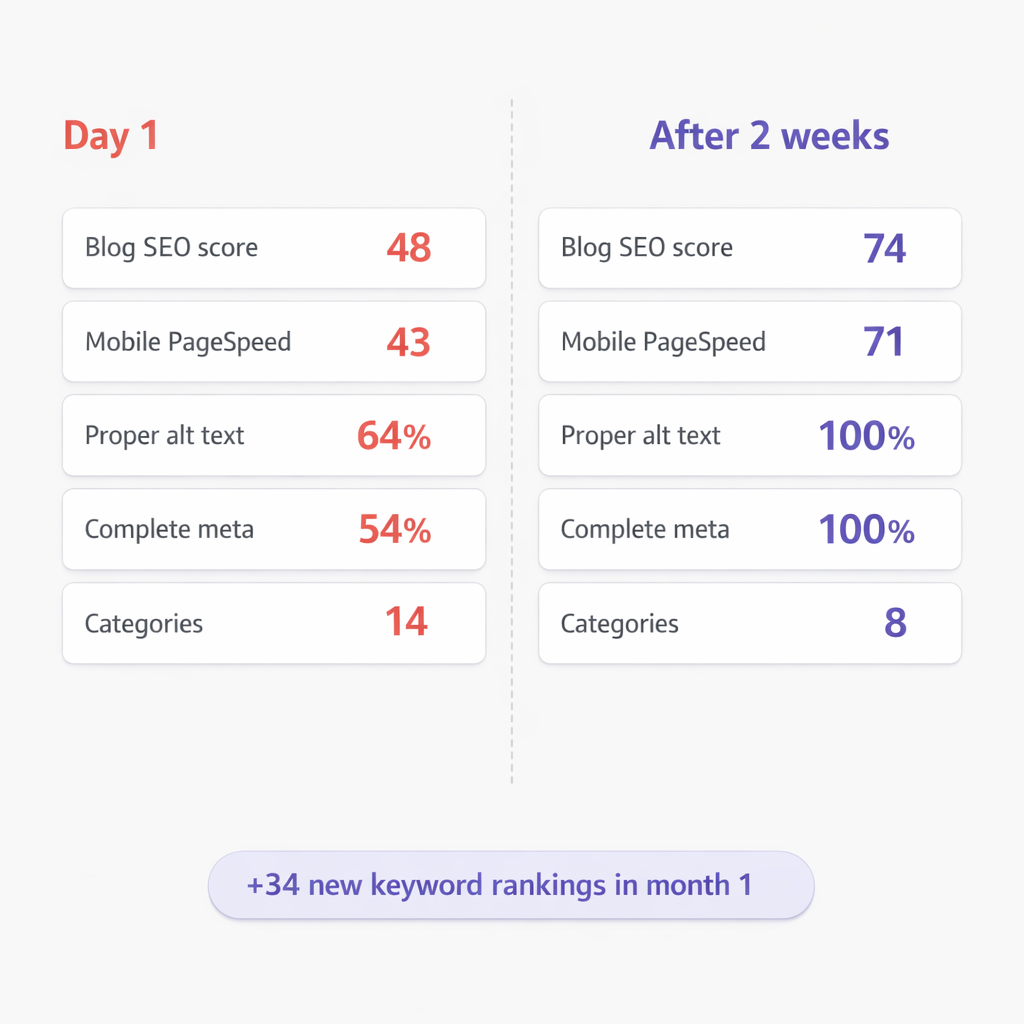
After two weeks
- Blog SEO score average: 48 to 74
- Mobile PageSpeed score: 43 to 71
- Images with proper alt text: 64% to 100%
- Posts with complete meta descriptions: 54% to 100%
- Plugins fully up to date: 12 of 14 (2 deliberately held back pending compatibility check)
- Taxonomy: consolidated from 14 categories to 8, cleaned 47 tags down to 23
The organic traffic started climbing about three weeks after we cleared the backlog. The client picked up 34 new keyword rankings in positions 1 through 50 within the first month. Not from new content. From fixing what was already there.
Every one of those 73 problems existed for months before we found them. Not because the client was careless. Because WordPress doesn’t surface those problems. You have to go looking for them, and most people don’t have the time or the tools to look systematically.
That’s the real risk. Not that your site has problems. Every site does. It’s that you don’t know about them until they’ve been compounding for months.