

I Turned My YouTube Scripts Into Blog Posts Automatically. Here’s How.
I had 23 YouTube scripts sitting in a Google Doc collecting dust.
Every one of them was a fully written piece of content. Research done. Points structured. Examples included. Some were 1,500 words. A few were closer to 2,500. They’d been filmed, edited, uploaded, and then forgotten about.
Meanwhile, I was struggling to publish one blog post a month on my WordPress site because I “didn’t have time to write.” The irony hit me one afternoon when I was outlining a blog post about a topic I’d already covered in a video three months earlier. I was literally rewriting content I’d already written.
That’s when I started looking for a way to turn those scripts into blog posts without doing the work twice.
Why Scripts Don’t Work as Blog Posts (Without Conversion)
My first instinct was to just copy-paste the script into WordPress and hit publish. Took me about ten minutes to realize why that doesn’t work.
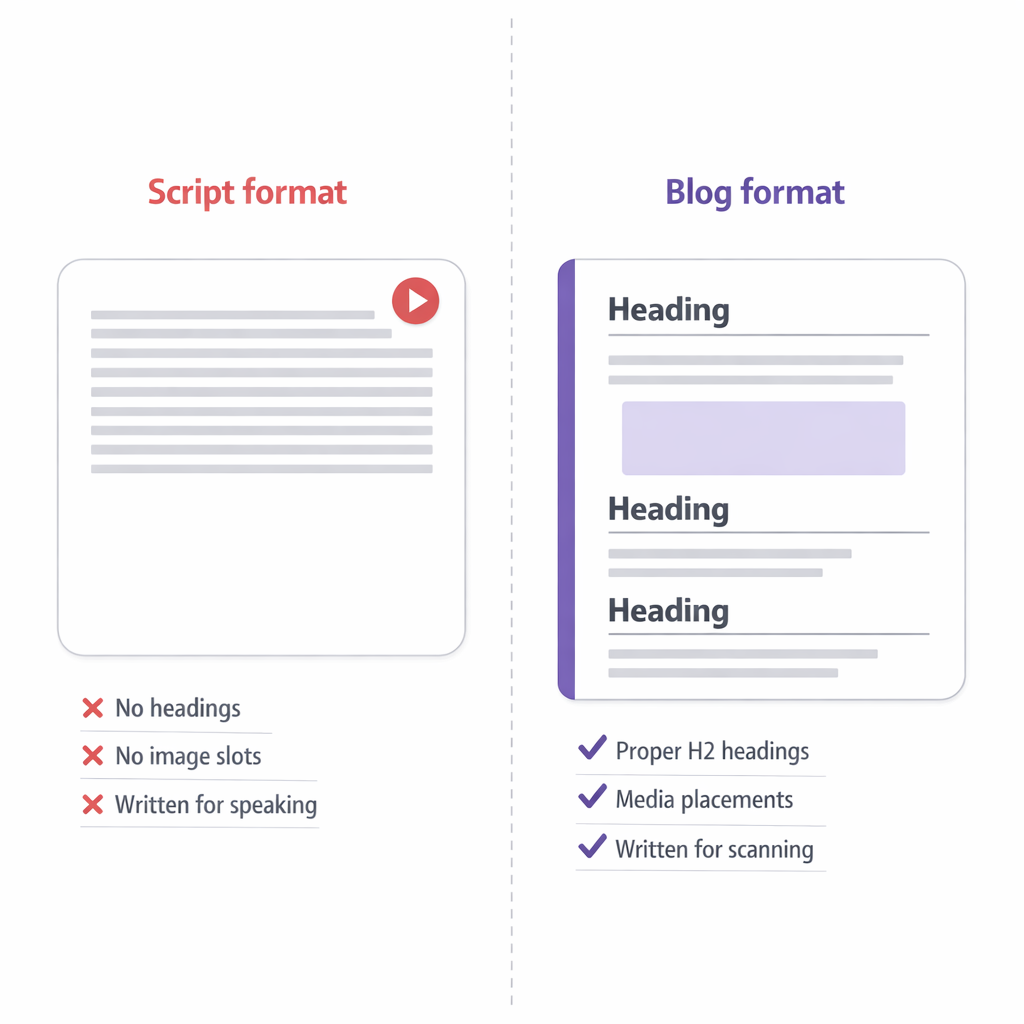
Scripts are written for speaking. The sentences are short and punchy because you’re reading them out loud. There are pauses built in. Rhetorical questions that work when you’re looking at a camera but feel weird on a page. Transitions like “so let’s talk about” that make sense in a video but read like filler in a blog.
The structure is wrong too. A YouTube script front-loads the hook in the first fifteen seconds because that’s when viewers decide to stay or leave. A blog post needs to hook the reader, but it also needs proper H2 headings, scannable sections, and a structure that works for someone skimming. Video scripts are linear. Blog posts need to be navigable.
And then there’s formatting. Scripts have no headings. No bullet points. No pull quotes. No image placements. They’re just paragraphs of spoken word. Dumping that into WordPress produces a wall of text that nobody wants to scroll through.
I tried manually converting a few scripts into blog posts. It took about ninety minutes per script. By the time I’d restructured the sections, rewritten the spoken transitions, added headings, placed images, and done the SEO metadata, I might as well have written a fresh blog post from scratch.
So the scripts kept sitting in that Google Doc. Until I found a way to automate the conversion.
How vLake’s Script-to-Blog Conversion Works
vLake has a content type called Scripts. They’re first-class in the system, not an afterthought. You can write scripts directly in a TipTap rich text editor, or you can paste in content you’ve already written (which is what I did with my YouTube scripts).
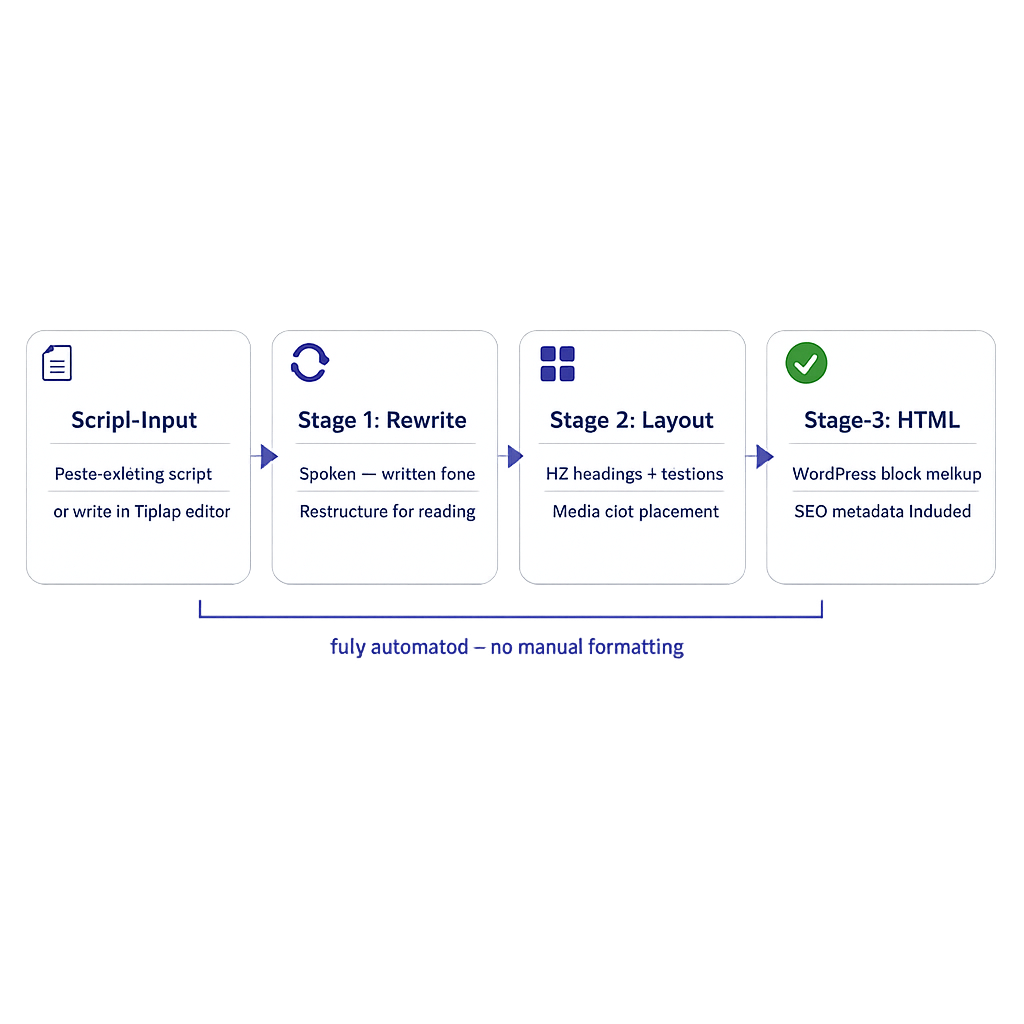
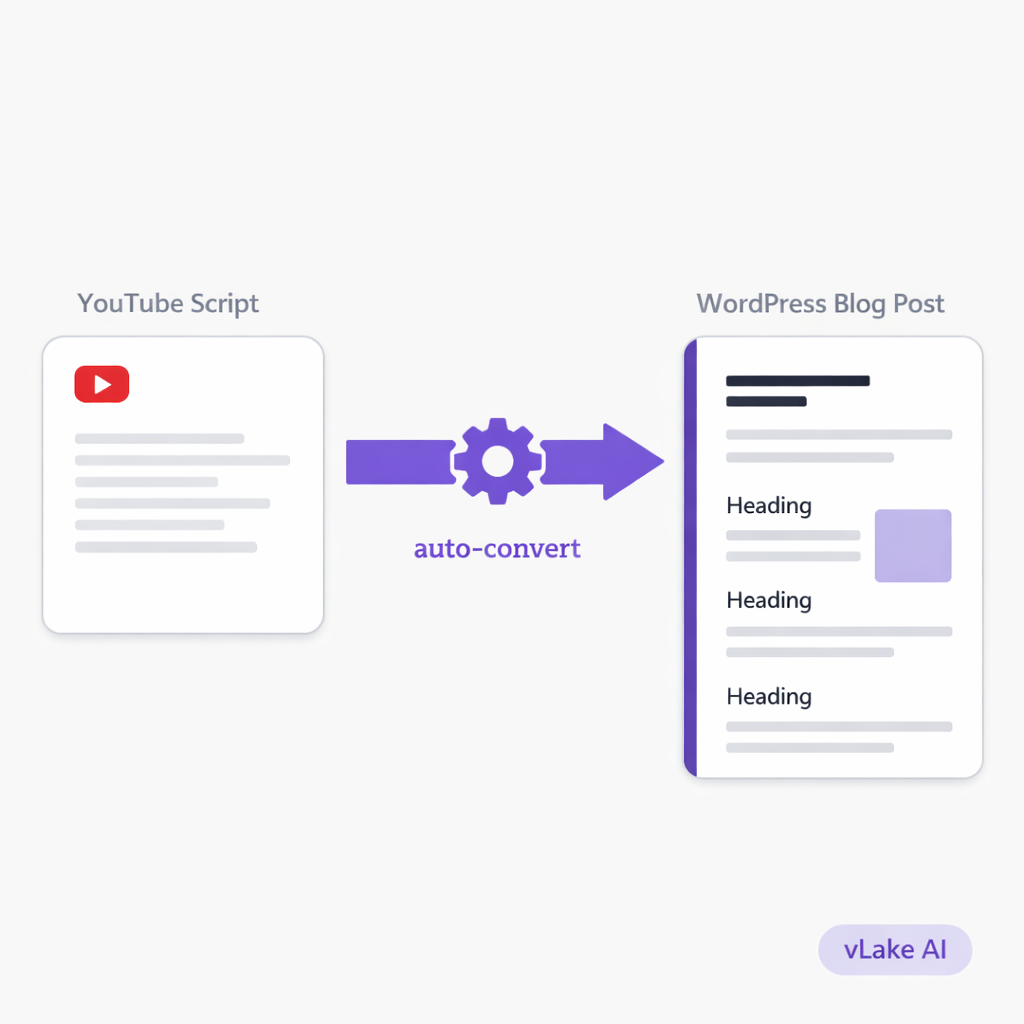
Once a script is in the system, there’s a conversion option that turns it into a blog post. Here’s what actually happens when you trigger it.
The AI takes the script content as source material. It doesn’t just reformat it. It rewrites the content for a reading audience. Spoken transitions get replaced with written ones. The structure gets reorganized into proper blog sections with H2 headings. Sentences that were designed for verbal delivery get rewritten for scanning and reading.
Then it runs through the same three-stage blog pipeline that any generated post goes through. Stage 1 produces the rewritten content. Stage 2 handles layout, section balance, and media placement. Stage 3 outputs clean WordPress block HTML.
The result is a blog post that covers the same ground as the script but reads like it was written as a blog from the start. Not a transcript. Not a reformatted script. An actual blog post with proper structure, headings, and flow.
I can also set it to use mimic mode during conversion. That means the blog version matches the tone of my existing blog content rather than the more casual tone of my video scripts. Same information, different voice. My YouTube channel sounds like me talking to a camera. My blog sounds like me writing for professionals. The conversion handles that shift.
What I Did With 23 Scripts
I loaded all 23 scripts into vLake over one evening. Took about forty minutes because I was copying from Google Docs and doing basic cleanup (removing timestamps and camera direction notes).
Then I queued them for conversion. Not all at once. I did them in batches of five or six because I wanted to review the first batch before committing to all 23.
The first batch came back the next morning. I opened the first converted post and compared it side by side with the original script.
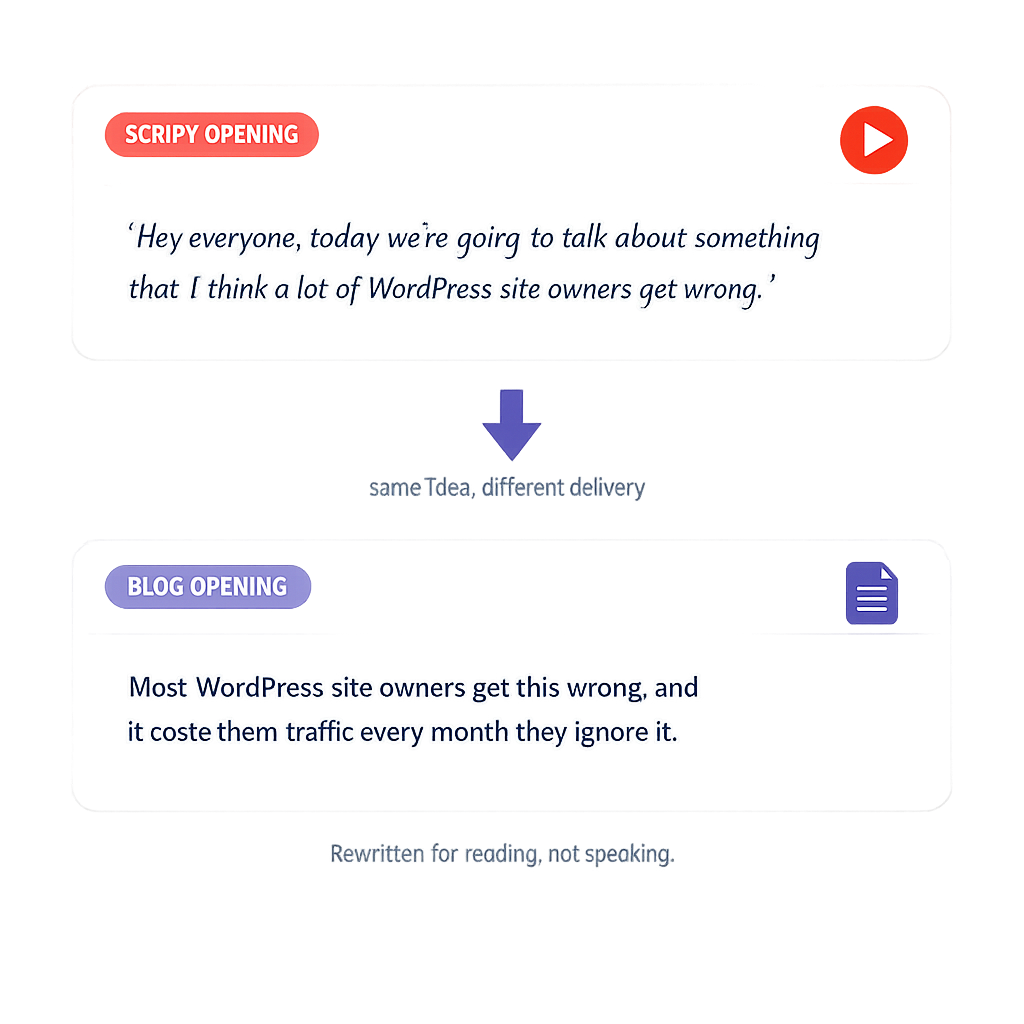
The script opened with: “Hey everyone, today we’re going to talk about something that I think a lot of WordPress site owners get wrong.”
The blog opened with: “Most WordPress site owners get this wrong, and it costs them traffic every month they ignore it.”
Same idea. Completely different delivery. The blog version was tighter, more direct, and didn’t sound like someone talking to a webcam. That’s when I knew the conversion was actually doing what I needed, not just reformatting but genuinely rewriting for a different medium.
I approved all five posts from the first batch with minor edits. One needed a heading change. Another had a paragraph that was too close to the script’s verbal style, so I flagged it and regenerated that section. The other three were ready to publish as-is.
Over the next two weeks, I worked through all 23 scripts. Reviewed each conversion, made small tweaks where needed, and published them.
The Numbers
Here’s what 23 script-to-blog conversions produced over 45 days.
Production time:
- Loading 23 scripts: ~40 minutes (one evening)
- Queuing conversions: ~15 minutes total
- Reviewing and editing: ~4 hours total across two weeks
- Average time per converted post: roughly 12 minutes of my time
Compare that to the 90 minutes it took me to manually convert a single script. I saved approximately 30 hours of manual conversion work.
SEO impact:
- New blog posts published: 23 (up from 6 total on the site before)
- New keywords ranking (positions 1-50): 89
- Average blog SEO score: 74
- Posts with complete meta descriptions: 100%
- Posts with featured images: 100%
Content coverage:
- Topics that previously only existed as YouTube videos now had blog counterparts
- 8 of the 23 posts ranked for keywords my YouTube videos weren’t reaching
- 3 posts started outranking the original YouTube video in Google search for the same query
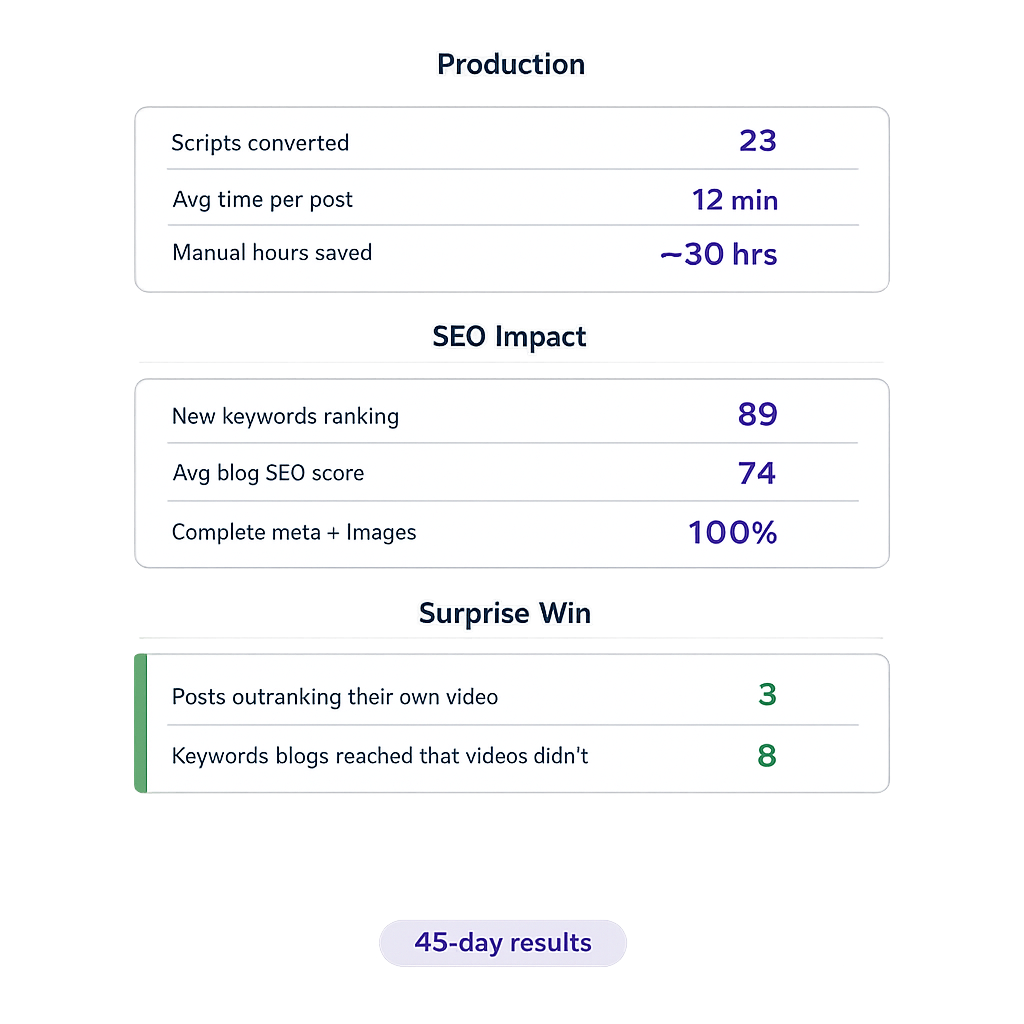
That last point surprised me. Blog posts with proper SEO metadata, headings, and structured content can outrank YouTube videos in standard search results. My videos were optimized for YouTube search. The blog versions were optimized for Google. Different platforms, different optimization, same content. I was getting traffic from both.
What the Converted Posts Look Like
The conversion doesn’t produce a one-to-one copy of the script. Sections get reordered. The blog might lead with the practical how-to section while the script opened with a three-minute story. The blog includes headings that the script never had. Media slots get placed where the content needs visual support, not where the video had a B-roll cut.
Each converted post also gets full SEO treatment. Meta title, meta description, focus keyword. The AI generates these based on the blog content, not the script. So the SEO targets what people are searching for when they’re reading, not what they’re searching for when they’re watching.
Featured images get generated automatically too. I set my preferred style (flat design, landscape aspect ratio) and every converted post got a consistent featured image without me sourcing anything.
The version system means I keep the original conversion and can duplicate or edit from there. If I want to update a post six months later because the information changed, I create a new version from the existing one and edit. The original stays intact.
Scripts I Haven’t Filmed Yet
Here’s the thing I didn’t expect: I started writing scripts specifically to convert them into blog posts.
Not scripts for videos I was planning to film. Scripts as a faster way to draft blog content. Because writing in script format is faster for me. I think in spoken word. I can dictate a 1,200-word script in twenty minutes because I’m just talking through the topic like I would in a video.
That script goes into vLake. The conversion turns it into a properly structured blog post. I review it, approve it, and it’s live. Total time from idea to published blog: about thirty minutes.
I still film most of my scripts eventually. But the blog version goes live first, sometimes weeks before the video. That means I’m capturing search traffic from the blog while the video is still in editing.
The scripts weren’t going to waste anymore. They were a content pipeline I didn’t know I had.