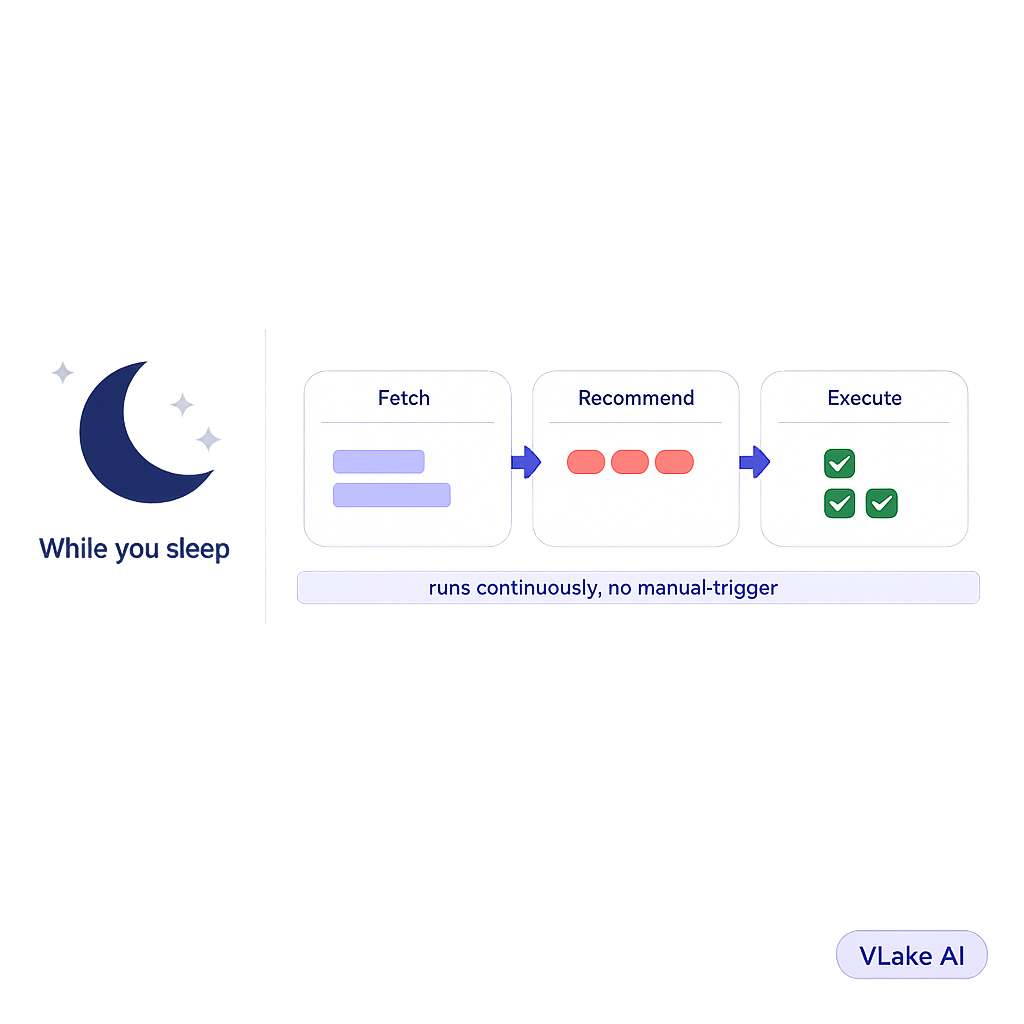

The WordPress Content Pipeline That Runs While I Sleep
I checked my phone at 6:47am on a Wednesday and saw three notifications from vLake.
One blog post had been generated overnight, reviewed by the recommendation engine, and was sitting in my queue ready to approve. Two images in my media library had been flagged for missing alt text, and the AI had already written the alt text for both. A pattern I’d requested the day before was finished and waiting in review.
I hadn’t touched my laptop since 9pm the night before.
That was the morning I realized this thing doesn’t stop working just because I do. And honestly, that changed how I think about running content for my sites.
How I Used to Run Content
I manage WordPress sites for two businesses and a personal brand. Before vLake, my content workflow was a Google Sheet with colour-coded rows, a calendar reminder that said “write blog” every Tuesday, and a vague sense of guilt whenever I opened my site and saw the last post was from six weeks ago.
The problem was never ideas. I had a backlog of forty topic ideas sitting in that spreadsheet. The problem was that every single one of those ideas required me to sit down, write it, format it, find an image, do the SEO, and publish it. That’s a three-hour commitment minimum. And I don’t have three free hours on a random Tuesday when I’m also running two businesses.
So the backlog grew. The publishing frequency dropped. The SEO rankings slid because Google noticed I’d gone quiet. And every time I did finally publish something, it felt like starting over.
I tried batching. Write four posts on a Sunday, schedule them out. That worked for exactly two Sundays before I burned out and went back to the guilt cycle.
What “Pipeline” Actually Means
When I say pipeline, I don’t mean a fancy dashboard. I mean a system that moves content through stages without waiting for me to push it along.
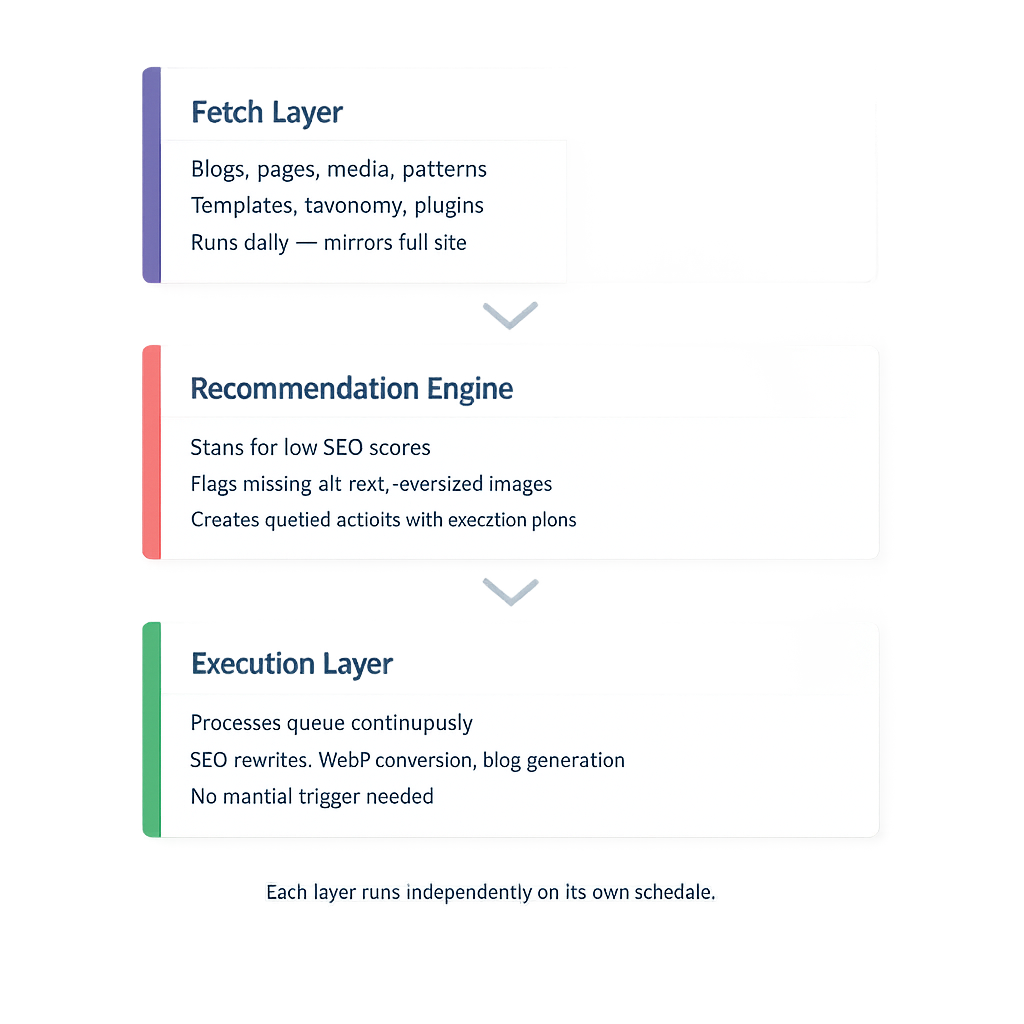
Here’s what vLake’s pipeline actually does, broken into the parts that run independently.
The fetch layer pulls data from my WordPress sites every day. Blog posts, pages, media, patterns, templates, taxonomy, plugins. It mirrors everything into a central database so the AI has full context about what’s on my site, what’s missing, and what needs attention.
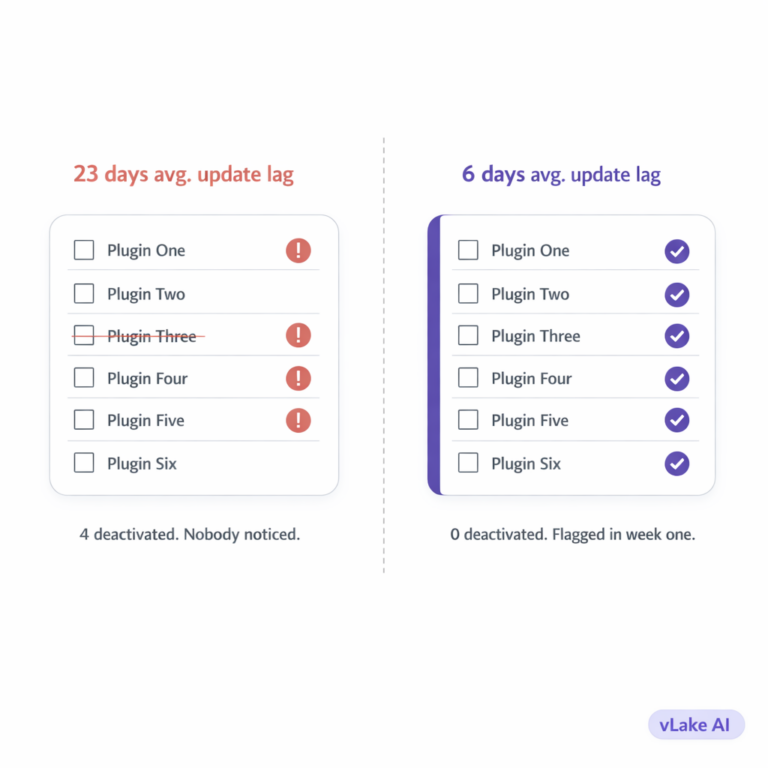
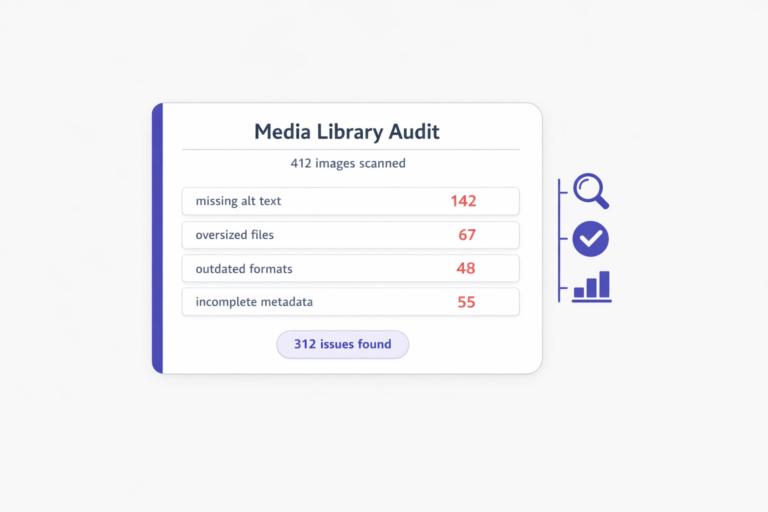
The recommendation engine scans that data and creates action items. Blog with a low SEO score? It flags it. Image missing alt text? Flagged. Image file too large and slowing down page speed? Flagged. Plugin that should be active but isn’t? Flagged.
These aren’t just notifications. They’re queued actions. Each one has a type, a priority, and an execution plan. The engine knows what to do about each problem before I ever see it.
The execution layer picks up queued recommendations and runs them. An SEO fix gets the AI to rewrite meta titles and descriptions. An oversized image gets automatically converted to WebP. A blog generation request goes through the full three-stage pipeline: raw content, then layout and media placement, then final WordPress block HTML.
All of this happens on a schedule. Fetch runs daily. Recommendations generate automatically. Executions process the queue continuously. I don’t trigger any of it.
What I Wake Up To
My morning routine used to start with opening WordPress, scanning for problems, and spending thirty minutes on small fixes before I could even think about creating new content.
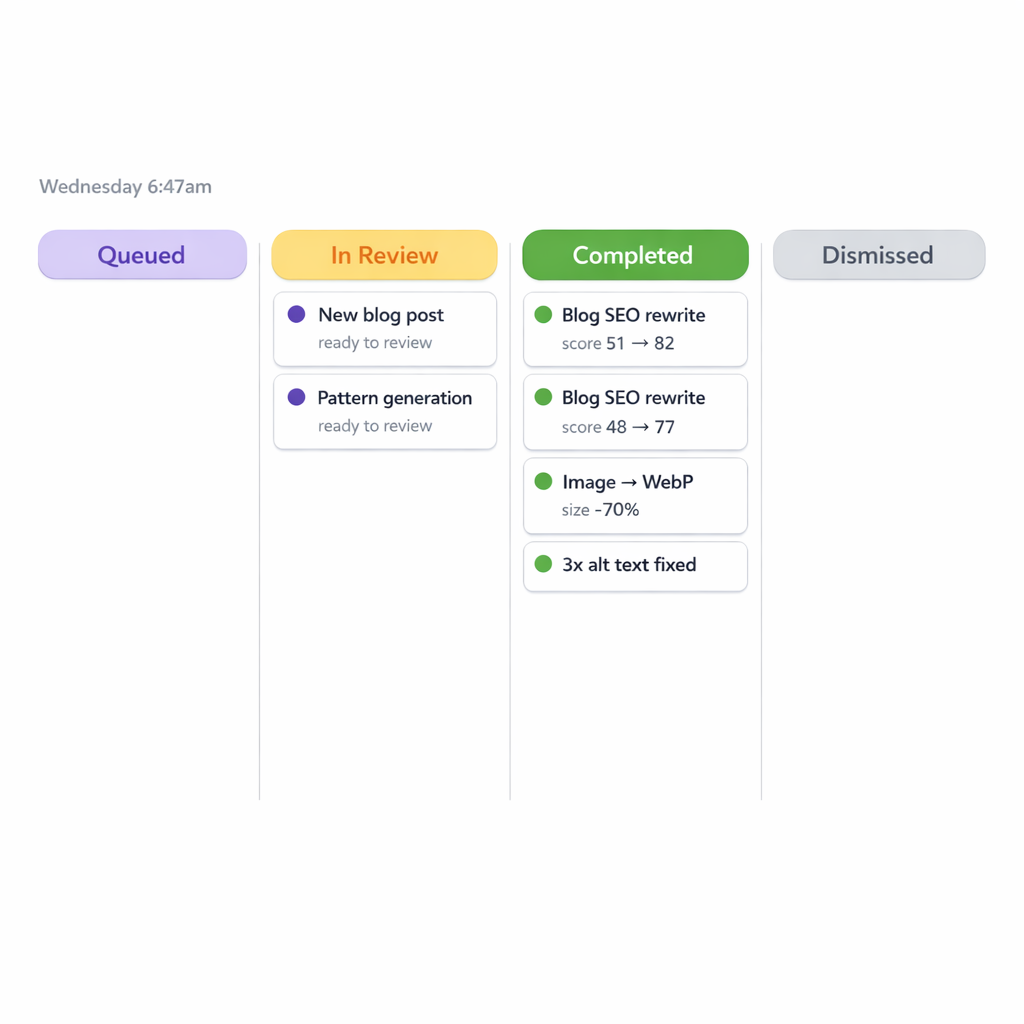
Now I open the workflow board. It’s laid out like a Trello board with columns for each status: pending, queued, in review, completed, and dismissed.
On a typical morning, the board shows me something like this:
- Two blog SEO recommendations completed overnight (meta titles and descriptions rewritten, scores improved)
- One image optimization completed (converted from PNG to WebP, file size dropped 70%)
- Three media alt text fixes completed
- One new blog post generated and waiting in review
- One pattern generation completed and waiting in review
The completed items are done. I don’t need to touch them unless I want to double-check something. The review items need me to spend five to ten minutes scanning them before they get pushed to WordPress.
That’s it. That’s my content management morning. Ten minutes of reviewing what the pipeline did overnight instead of two hours doing it myself.
The Part That Surprised Me
I expected the content generation to be the headline feature. And it is impressive. But the thing that actually changed my day-to-day was the SEO maintenance.
Before vLake, I had 47 blog posts across my sites. I went back and checked the SEO scores. Average was 52 out of 100. Embarrassing, but honest. Most posts had incomplete meta descriptions. Half had no focus keyword set. A bunch had generic alt text on images (or no alt text at all).
I knew all of this. I’d known for months. But fixing 47 posts manually, one by one, opening each one, rewriting the meta, checking the score, updating the alt text? That’s a full weekend project. So I kept not doing it.
vLake’s recommendation engine flagged every single one of those posts within the first week. Over the next two weeks, the execution layer worked through the queue. By day 18, every post on my site had a complete meta title, meta description, focus keyword, and proper alt text on every image.
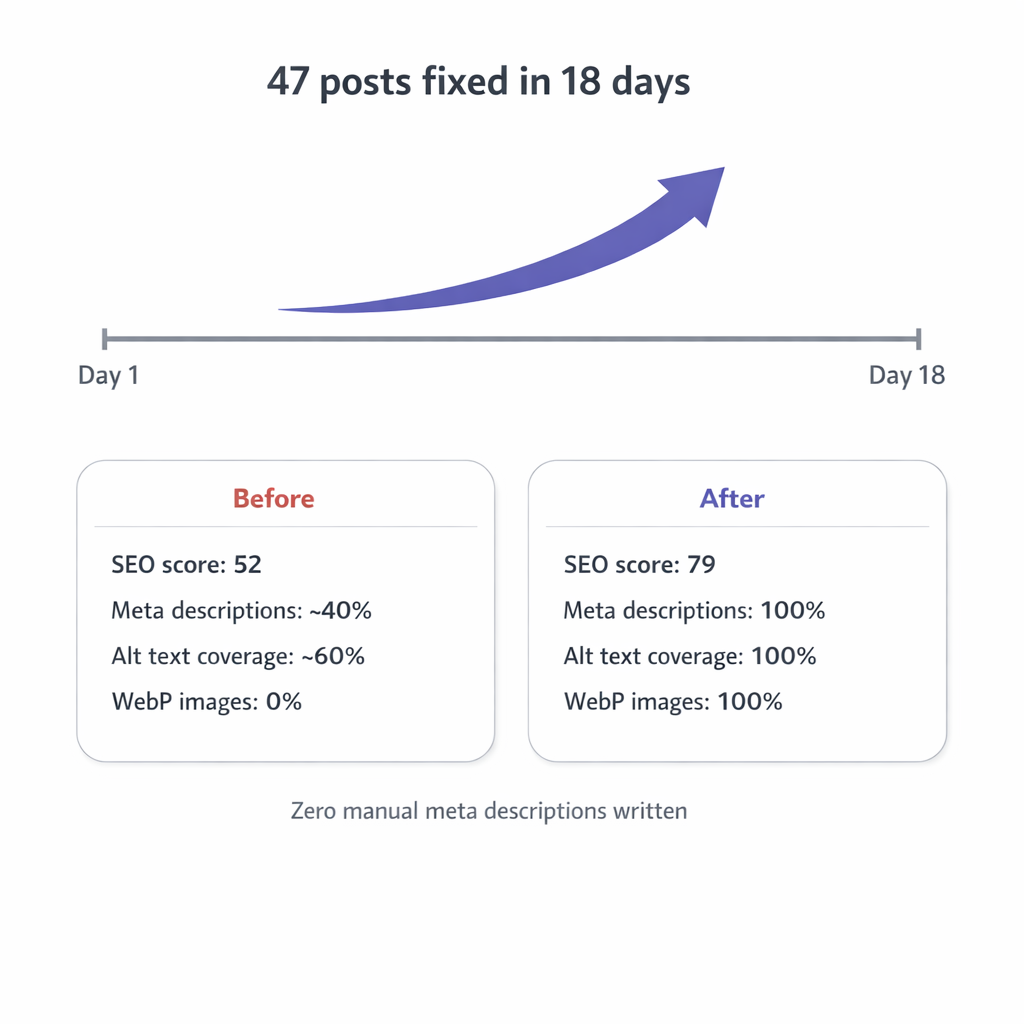
Average SEO score went from 52 to 79.
I didn’t write a single meta description. I didn’t manually optimize a single image. The pipeline just worked through the backlog while I was doing other things. Some of it happened at 2am. Some at lunchtime. It doesn’t care what time it is.
How the Content Generation Fits In
The pipeline handles two kinds of content work: maintenance (fixing what exists) and creation (building new stuff).
Maintenance is what I described above. The recommendation engine continuously monitors and fixes SEO, media optimization, and plugin health. That runs on its own.
Creation is on-demand. When I want a new blog post, I give it a title, set the target audience, pick a length, and optionally add a few header suggestions. If I want the post to match the voice of my existing content, I use mimic mode and point it at a reference post. Then I queue it.
The three-stage pipeline takes over from there. Stage 1 writes the raw content. Stage 2 arranges the layout, decides section balance, and places media slots. Stage 3 converts everything to clean WordPress block HTML with proper formatting.
I can also attach images to the generation request. Either pick existing media from my library or have vLake generate new images as part of the blog creation. Featured images, in-article images, all handled in the same request.
When I wake up the next morning, the post is sitting in my review queue. I read it, check the voice, verify the facts, and approve it. It gets pushed to WordPress with the SEO metadata already filled in, the featured image set, the categories assigned, and the URL slug cleaned up.
A blog post that would have taken me three and a half hours from outline to publish takes me about fifteen minutes of review time. And most of that time passed while I was asleep.
My Actual Numbers After 60 Days
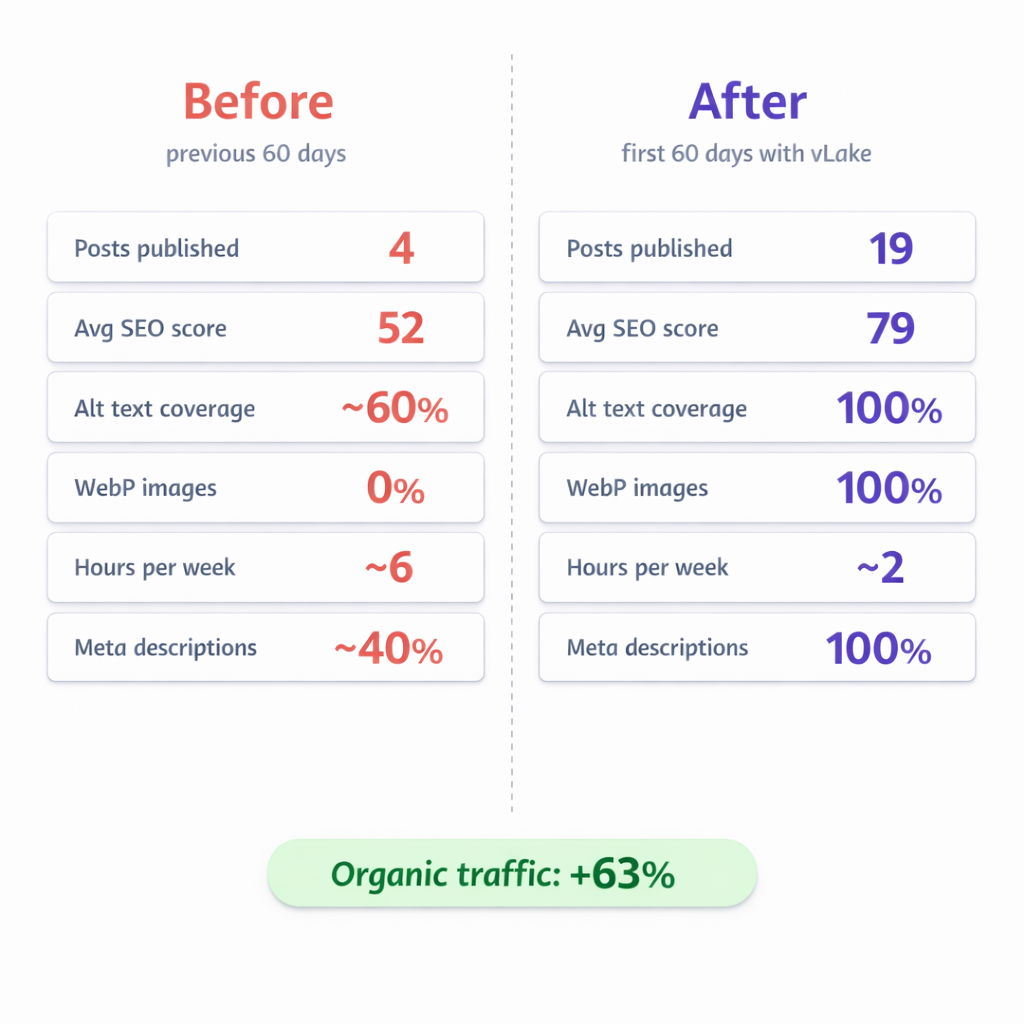
I tracked everything for two months to see if the pipeline was actually making a difference or if I was just excited about new software.
Before vLake (previous 60 days):
- Blog posts published: 4
- Average SEO score across all posts: 52
- Images with proper alt text: ~60%
- Images in WebP format: 0%
- Time spent on content per week: ~6 hours
- Posts with complete meta descriptions: ~40%
After vLake (first 60 days):
- Blog posts published: 19
- Average SEO score across all posts: 79
- Images with proper alt text: 100%
- Images in WebP format: 100%
- Time spent on content per week: ~2 hours (mostly reviewing)
- Posts with complete meta descriptions: 100%
Organic traffic: up 63% by the end of month two. Not because any single post went viral. Because I went from 4 posts in two months to 19, every one of them properly optimized, with a back-catalogue of 47 posts that finally had decent SEO.
The compounding is real. More posts means more keywords. Better SEO means higher rankings. Optimized images mean faster pages. Faster pages mean better Core Web Vitals. Better Core Web Vitals mean Google ranks you higher. It’s a flywheel, and the pipeline keeps it spinning without me standing next to it.
What I Still Do Myself
I’m not fully hands-off. And I don’t think I should be.
I choose the topics. I decide which keywords to target. I write the titles (that’s the highest-leverage input for the whole pipeline). I review every piece of content before it goes live. If something reads wrong or misses the point, I edit it or regenerate it.
I also manage taxonomy. Categories and tags are strategic decisions about how your site is organized. The pipeline doesn’t make those calls for me, and I wouldn’t want it to.
What I don’t do anymore: write blog posts from scratch, manually optimize images, write meta descriptions, fix alt text, compress media files, check SEO scores one by one, or format content in the WordPress block editor.
That stuff runs in the background. Some of it runs at 3am. Some of it runs while I’m on a call. The pipeline doesn’t need me awake to do its job.
That’s what “runs while I sleep” actually means. Not that I’m lazy. That the system handles production so I can focus on strategy. And strategy is the part that actually needs a human.