

What Happens When You Let AI Plan Your Blog Structure and Layout
I used to spend more time outlining blog posts than writing them.
Not because I loved outlining. Because every time I skipped the outline and just started writing, the post would fall apart around the 600-word mark. The sections wouldn’t flow. The balance would be off. I’d end up with a 400-word intro and a 200-word conclusion that felt like I ran out of things to say.
So I’d outline. Move headings around. Rearrange sections. Debate whether the proof should come before or after the explanation. Spend forty-five minutes on structure before typing a single paragraph of actual content.
Then I stopped doing that. And the posts got better.
The Outlining Problem
Here’s something I didn’t realize for a long time: I’m not good at outlining. Most people aren’t.
Not because we’re bad writers. Because outlining is a different skill entirely. Writing is about voice, ideas, and making a point. Outlining is about information architecture. Which section goes where. How long each part should be relative to the others. Where to place a visual break. Where to put the strongest argument so the reader doesn’t bounce.
These are real decisions. And I was making them on instinct, every single time, with no system behind it.
The result was inconsistency. Some posts had great structure because I happened to get it right that day. Other posts had a long, wandering middle section because I didn’t plan the weight properly. Readers could feel the difference even if they couldn’t name it. The well-structured posts performed better in every metric: time on page, scroll depth, lower bounce rate.
I knew structure mattered. I just couldn’t systematize it. I tried templates, but every topic felt different enough that the template didn’t quite fit. I tried standardized heading counts (always 5 H2s), but forcing the same number of sections on every topic produced awkward results.
What Changed When We Took Structure Off My Plate
We’d been running vLake’s blog pipeline for a few months at that point. Stage 1 (raw content writing) was solid. Stage 3 (final HTML conversion) was clean. But I hadn’t paid much attention to stage 2.
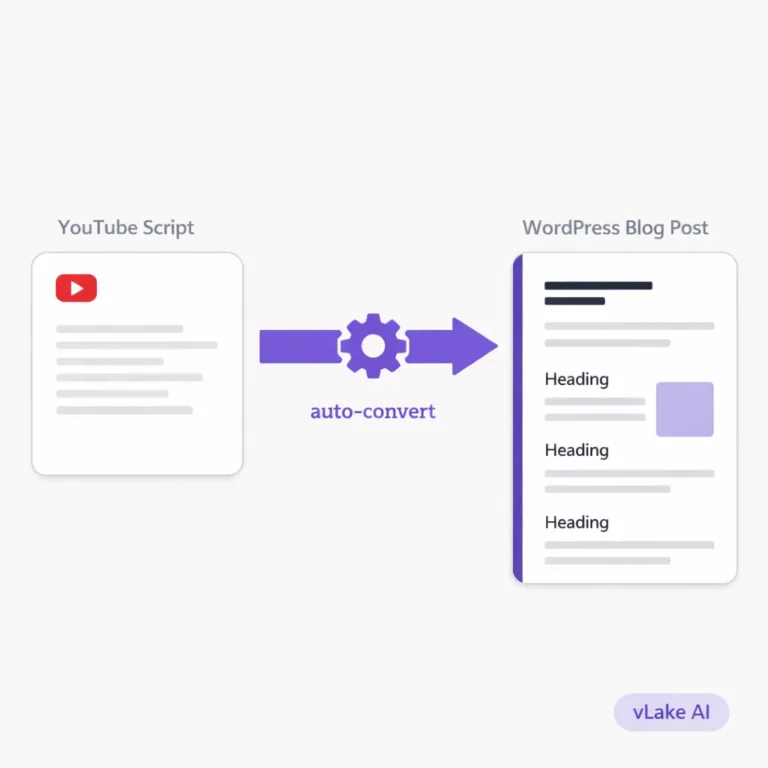
Stage 2 is layout. After the AI writes the raw content, a second pass arranges that content into sections, decides the heading hierarchy, balances the section lengths, and places media slots where images should go. It’s not editing the words. It’s editing the architecture.
I was initially sceptical about this stage. How is an AI going to know where my sections should break? How is it going to know that a proof section with data needs to come after the explanation, not before?
Turns out, it knows because it’s been trained on millions of articles that follow exactly those patterns. And unlike me at 4pm on a Thursday, it doesn’t get lazy about structure just because the writing part is done.
The first time I actually compared my manually structured posts against the AI-structured ones side by side, I noticed three things.
Three Things I Noticed
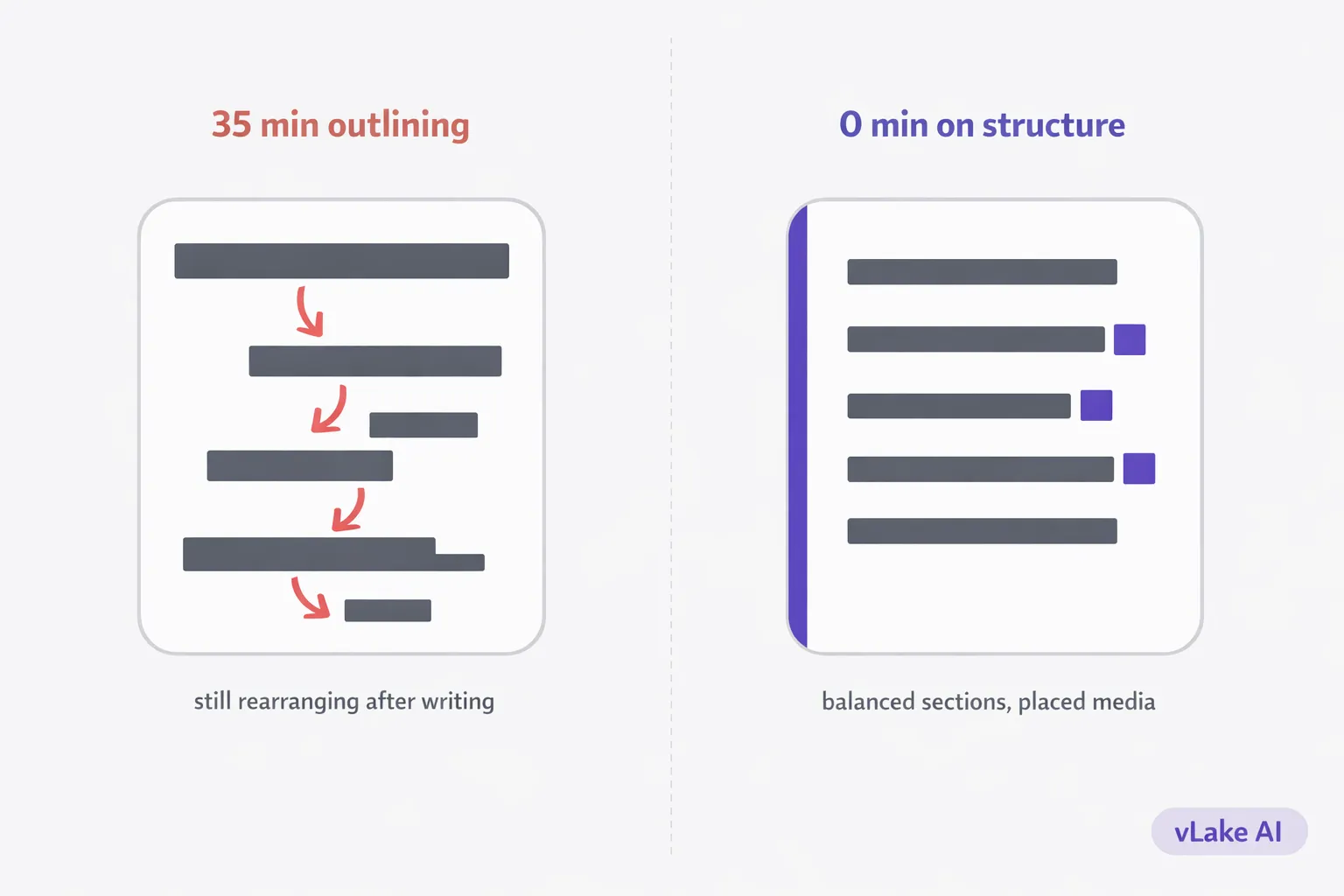
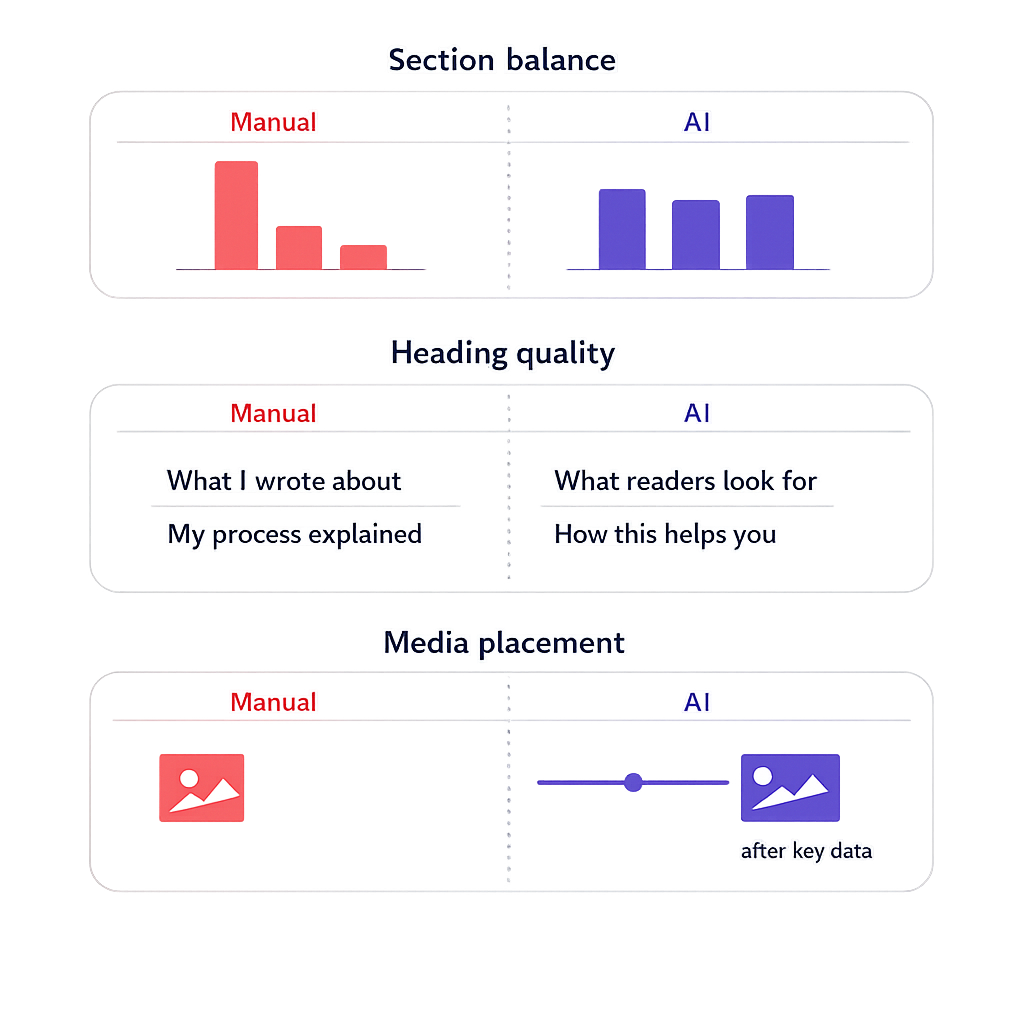
The section lengths were more balanced. My manual posts would often have one section that was 40% of the entire post and another that was barely two paragraphs. The AI-structured posts distributed weight more evenly. No section dominated. No section felt rushed.
The heading flow made more sense. When I outline manually, I tend to name my headings based on what I’m about to write. The AI names headings based on what the reader is looking for. Those are different things. My headings were descriptive. The AI’s headings were scannable. A reader could skim the H2s and understand the entire post without reading a paragraph.
Media placements were intentional. This was the one I didn’t expect. Stage 2 doesn’t just structure text. It places media slots. It decides where an image should go based on what the surrounding content is. A section with data gets a media slot after the key numbers. A section explaining a process gets a media slot after the steps. I used to add images wherever I felt the post needed a visual break. The AI places them where they actually serve the content.
What a Typical Post Structure Looks Like Now
Before vLake handled layout, I’d write a post and then spend twenty to thirty minutes rearranging it. Moving the anecdote up. Pushing the data section down. Trying to figure out if the conclusion needed its own heading or should just be two sentences at the end.
Now, I give vLake a title, a target audience, and two or three header suggestions if I have a preference. The pipeline writes the content and structures it in one pass.
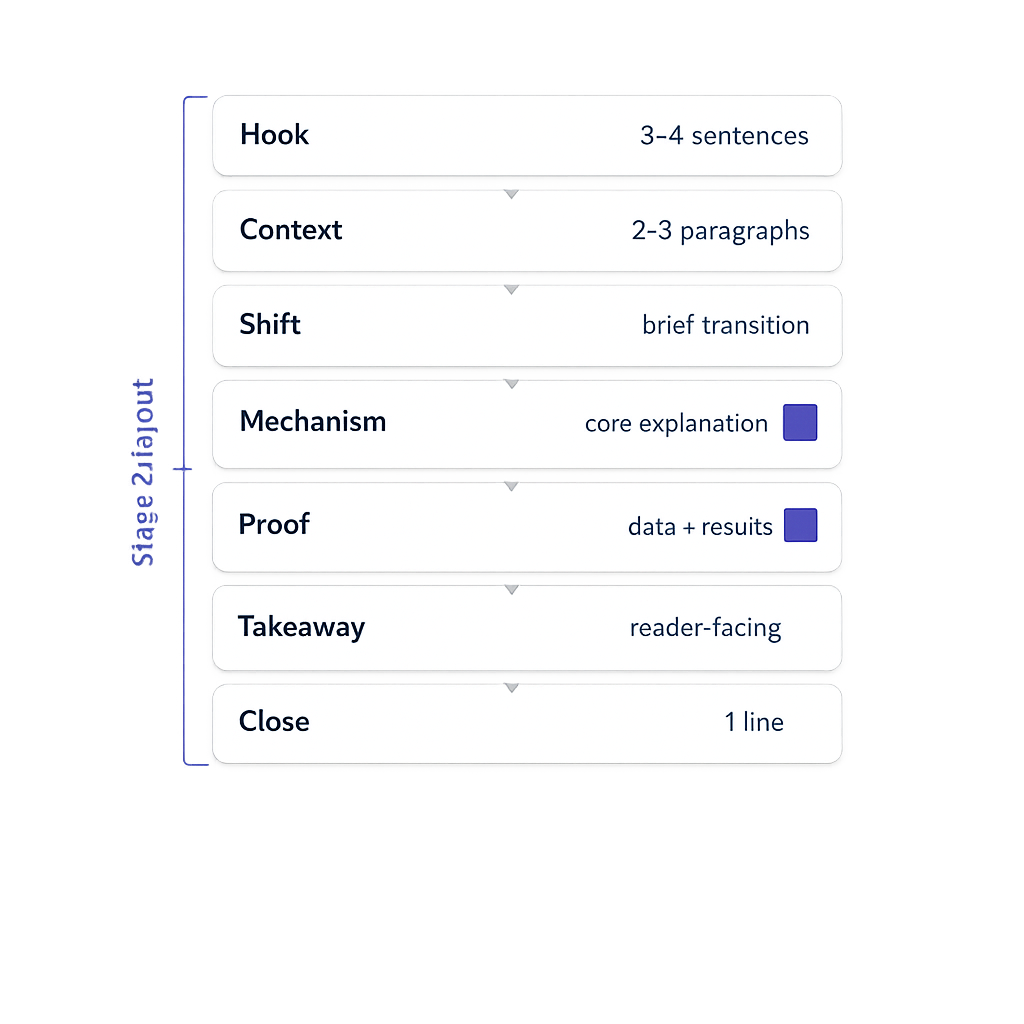
A typical output looks like this: an opening that hooks in three to four sentences, two or three context-building paragraphs, a shift into the core topic, a section that explains the mechanism or process, a section with proof or results, a reader-facing takeaway, and a closing line. The sections are weighted proportionally. If the proof section has a lot of data, it gets more space. If the takeaway is simple, it stays short.
I don’t rearrange anything. I haven’t moved a section in months. Occasionally I’ll tweak a heading to be more specific, but the actual structure stays as generated.
Before and After: Structure Quality
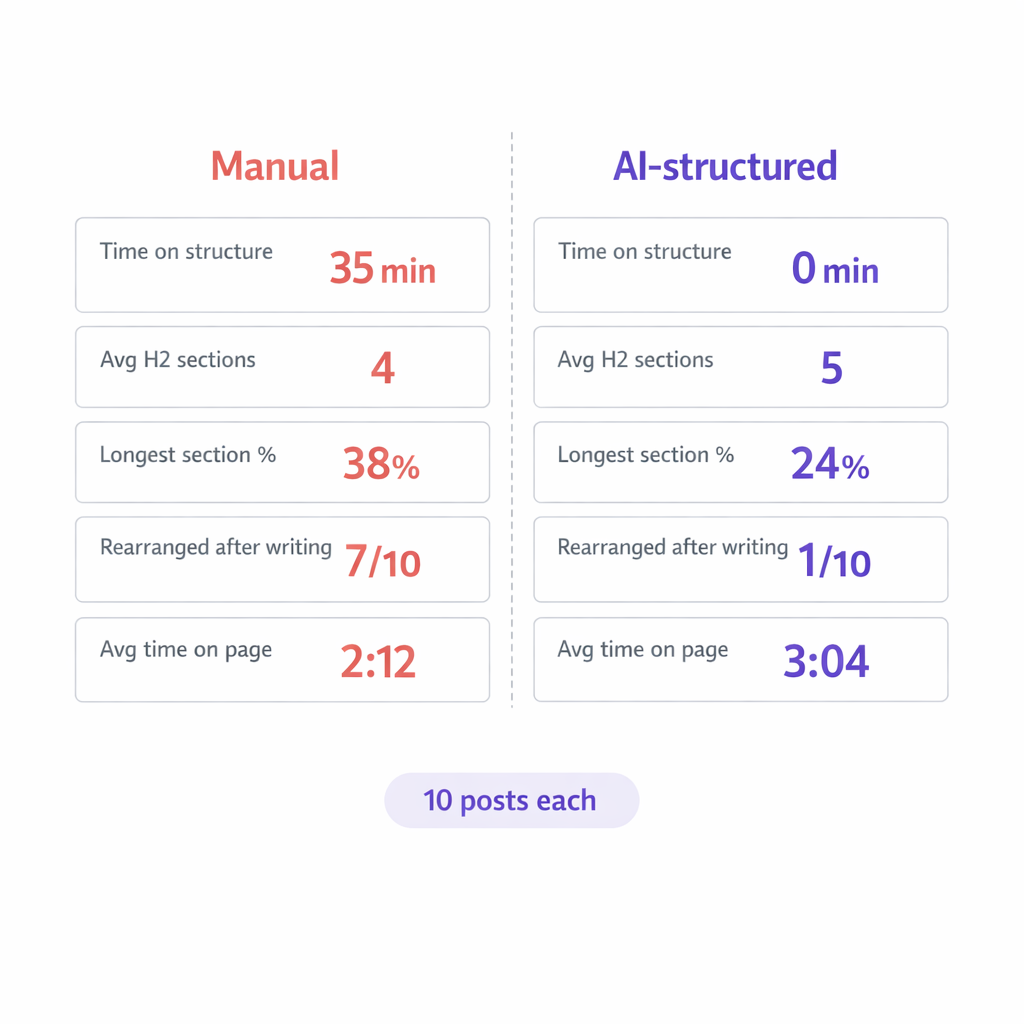
I went back and compared 10 of my manually structured posts against 10 AI-structured posts from the same period. Same types of topics, same target audience.
Manually structured posts (average):
- Time spent on outlining/restructuring: 35 minutes per post
- Average number of H2 sections: 4
- Longest section as % of total post: 38%
- Posts where I rearranged sections after writing: 7 out of 10
- Average time on page (Google Analytics): 2 min 12 sec
AI-structured posts (average):
- Time spent on structure: 0 (handled by stage 2)
- Average number of H2 sections: 5
- Longest section as % of total post: 24%
- Posts where I rearranged sections after review: 1 out of 10
- Average time on page (Google Analytics): 3 min 04 sec
The time on page difference is the number that convinced me. Fifty-two seconds more per reader, on average. That’s not a small difference. Better structure keeps people scrolling. Balanced sections mean no single block of text is long enough to make someone give up.
What I Actually Do With My Time Now
I spend my time on two things: choosing what to write about and reviewing what the AI wrote.
Titles and topic selection still take thought. That’s the creative work. Deciding what our audience cares about this week, which keywords we should target, what angle makes a topic interesting. That’s mine. The AI can’t do that for me, and I wouldn’t want it to.
But once I’ve decided the what, I don’t wrestle with the how anymore. I don’t arrange sections. I don’t debate heading order. I don’t manually place image slots. I hand over the title and the audience, and the structure comes back ready.
When I review the finished post, I’m reading for voice, accuracy, and whether the content actually delivers on the title’s promise. I’m not restructuring. That used to be half my editing time. Now it’s zero.
The thing about structure is that it was never the creative part of writing. It was the architectural part. And architecture is exactly what AI is good at: patterns, proportions, consistency. I was spending my creative energy on something that didn’t need creativity. Now I spend it on the parts that do.