

How I Write 8 Blog Posts a Week Without Writing a Single One
Eight blog posts a week. That’s our current publishing rate across two WordPress sites. Nobody on the team writes them. Nobody briefs a freelancer. Nobody opens a Google Doc. That sounds like a flex. It’s not. Six months ago we were stuck at one post a week, sometimes two if someone had a good weekend. The change wasn’t about working harder. It was about building the machine that does the work.
What Our Content Workflow Used to Look Like
Here’s what content production looked like before we started eating our own cooking.
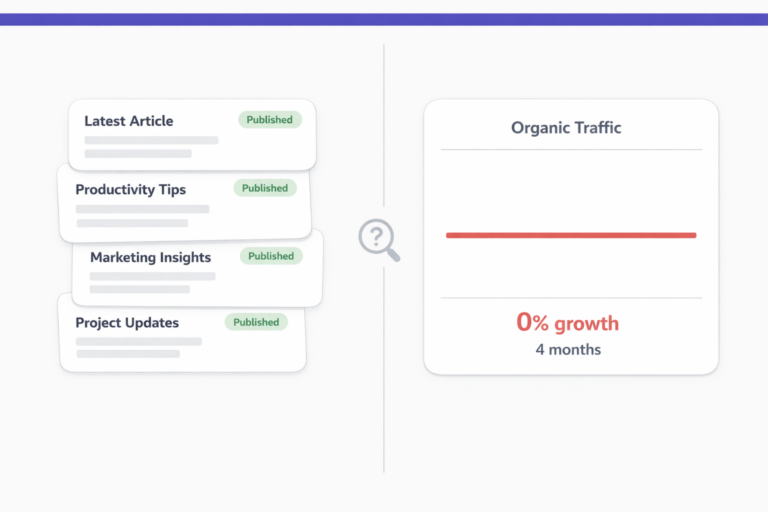
We had a content calendar. Ambitious one, too. Four posts a week across SEO, product updates, and thought pieces. Sounded great in the planning meeting. In practice, we’d publish maybe one. Sometimes zero. The calendar was a graveyard of titles with no drafts attached to them.
We tried the usual fixes. Hired a freelance writer. She was good, but the turnaround was five business days per post and we spent almost as much time briefing and revising as we would have writing ourselves. We tried batching. Blocking out full Fridays to write in bulk. That lasted three weeks before other priorities ate the time.
The real problem wasn’t talent or discipline. It was throughput. A human writer, even a fast one, can produce maybe two polished posts a day. That’s the ceiling. And that’s before editing, formatting, adding images, writing meta descriptions, and pushing to WordPress.
We were building an AI agent designed to solve exactly this problem for other people. So we pointed it at ourselves.
The Week Everything Changed
We’d been developing vLake’s blog generation pipeline for months, testing it on staging sites and demo accounts. At some point during a Tuesday standup, someone said, “Why aren’t we running this on our own site?”
Good question. So we did.
We connected vLake to our production WordPress site, configured the SEO settings, and started feeding it titles from our content calendar. Within the first week, we’d published more posts than we had in the entire previous month.
What the Pipeline Actually Does
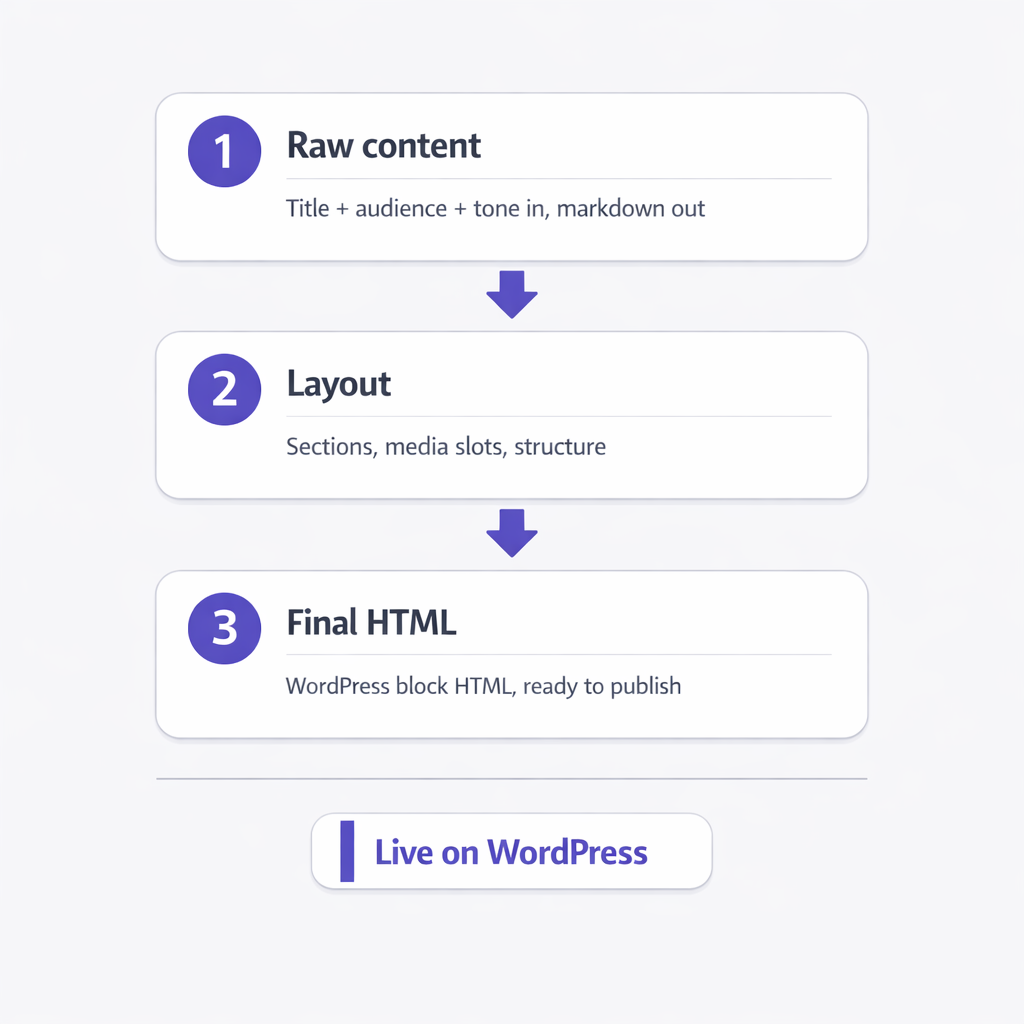
The pipeline has three stages. vLake doesn’t just spit out text. It builds a complete blog post from scratch.
Stage one is raw content. You give it a title, a target audience, some optional header suggestions, and a length preference. The AI writes the full body in markdown. Not bullet points or an outline. Actual paragraphs, with a narrative flow.
Stage two is layout. The AI takes that raw content and arranges it into sections with media placements. If you’ve attached images (either from your existing media library or ones you want generated on the fly), this is where they get slotted in.
Stage three is final HTML. The AI converts everything into clean WordPress block HTML. Ready to publish. Not “mostly ready” or “needs formatting.” Actually ready.
Here’s where it got interesting for us. We had about fifteen older blog posts that defined our brand voice. Instead of tweaking tone settings by hand, we used mimic mode. You point vLake at a reference post and it writes new content that matches the structure, tone, and rhythm of that reference. We picked our best-performing post as the anchor, and every new post since then has felt consistent. Like the same person wrote them all. (Nobody did.)
The other thing that changed our workflow was script-to-blog conversion. We were already producing video scripts for YouTube. Instead of writing separate blog content for the same topics, we started feeding our scripts into vLake and letting it convert them into full blog posts. One script becomes one video and one blog post. Same effort, double the output.
The whole thing runs through a recommendation queue. Think of it like a Trello board where every pending action sits. I check it each morning. Usually there are six to ten items: posts ready for review, images generated, SEO metadata written. I scan them, approve the ones that look good, tweak the ones that don’t, and close the tab. Takes about fifteen minutes.
What Six Weeks of Numbers Look Like
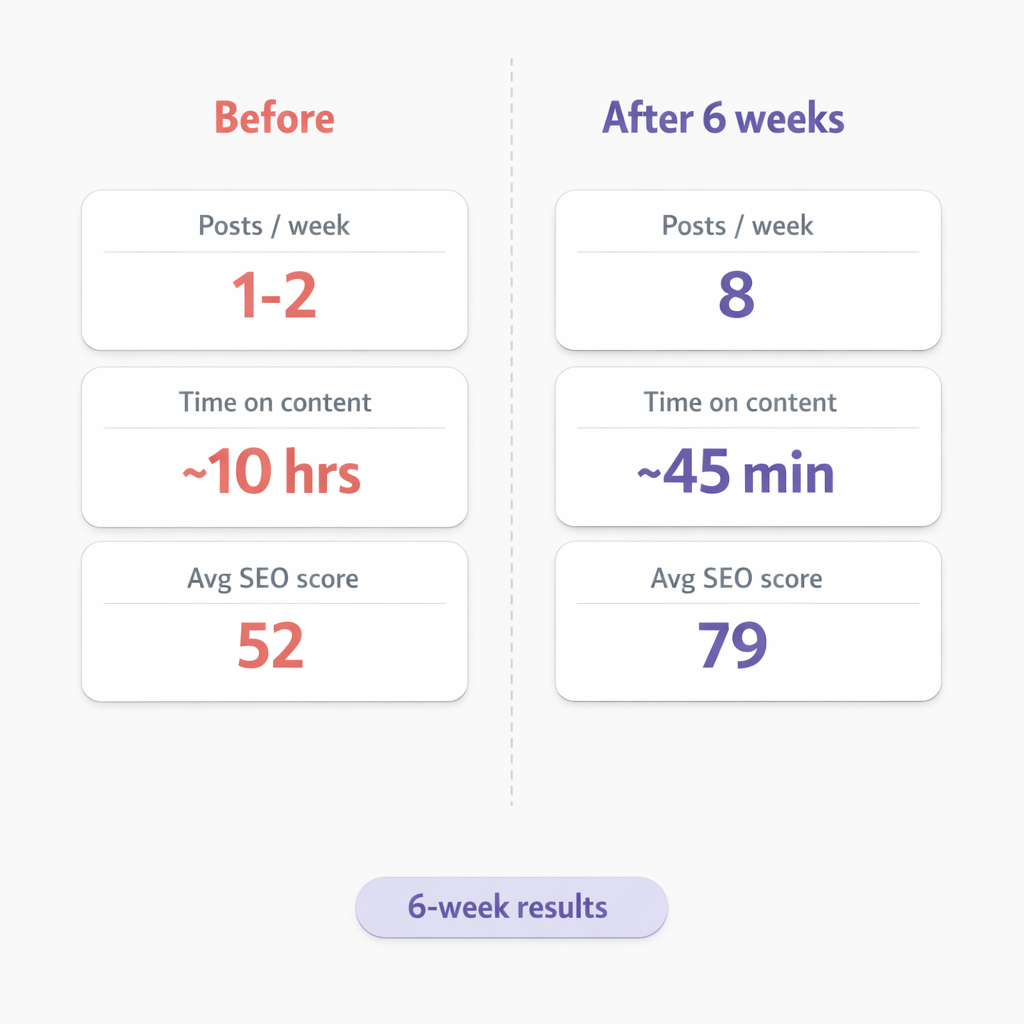
We ran this setup for six weeks before measuring anything formally. Here’s what the numbers looked like.
Before vLake:
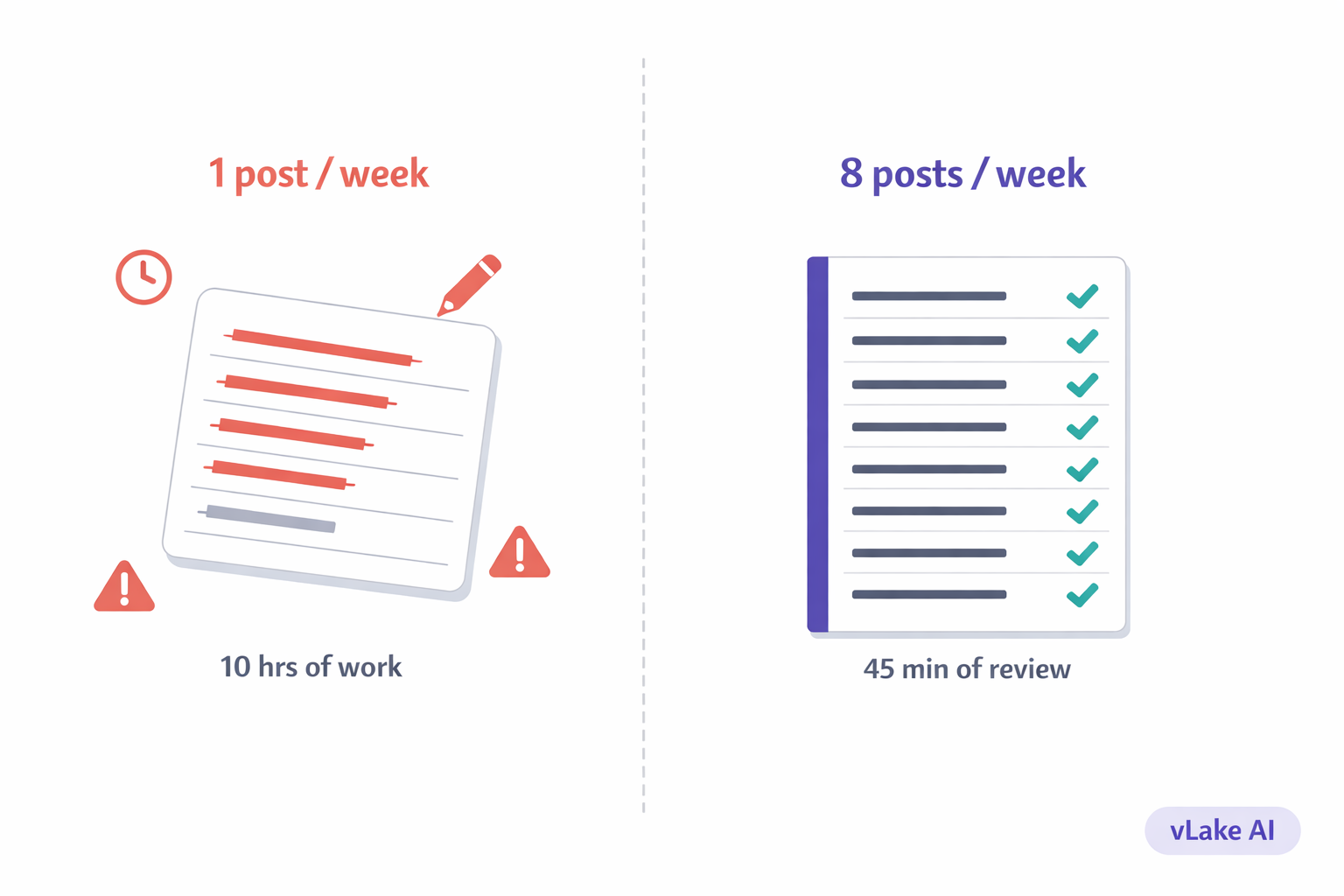
- Posts published per week: 1 to 2
- Time the team spent on content: ~10 hours/week
- Average blog SEO score (Rank Math): 52
- Posts with complete meta descriptions: about 60%
- Featured images on every post: around 70%
After six weeks with vLake:
- Posts published per week: 8
- Time the team spends on content: ~45 minutes/week (reviewing and approving)
- Average blog SEO score: 79
- Posts with complete meta descriptions: 100%
- Featured images on every post: 100%
- Organic traffic change: +34%
The SEO improvement surprised us. We didn’t set out to fix SEO. We set out to publish more. But vLake writes meta titles, meta descriptions, and focus keywords as part of every generation. All those half-finished posts with missing metadata? Gone. Every post goes out complete now.
The traffic bump tracks with that. More posts, better SEO, complete metadata. Google notices.
What This Changes for You
If you’re a solo business owner trying to keep a blog alive alongside everything else you’re doing, this means you stop choosing between “publish something” and “do actual work.” The content runs in the background. You review it when you have a few minutes.
If you run an agency and you’re producing content for clients, this is where it gets real. Instead of one writer juggling three client blogs and falling behind on all of them, you configure vLake per site, set up mimic mode with each client’s voice, and let the pipeline run. You go from content bottleneck to content machine.
If you’re a content marketer who’s been told to “publish more” without getting more resources, this is the answer to that meeting. You don’t need a bigger team. You need a system that turns your existing ideas into finished posts without the manual work in between.
I still spend time on content. I just spend it deciding what to say, not typing it out, formatting it, and wrestling with WordPress.